It’s 9:40 on a Thursday night. You haven’t posted in eleven days, and you’re scrolling your camera roll for anything that might do. Tomorrow you’ll post three times to make up for it, then go quiet again.
A social media content calendar breaks that cycle by deciding what to post before the night you need it. It has to answer three questions every week: what are we posting, when, and is it ready? Here’s how to build one that works on paper, in a spreadsheet or in an app, and how to keep it going.
Start with content pillars
Pillars are the three to five themes you post about again and again. They end the blank-page panic and stop your feed from becoming all sales or all random.
A small bakery might pick:
- Behind the scenes: early bakes, the team
- Products: new flavors, what’s in the case today
- Community: customer orders, local events
- Tips: storing bread, cutting a layer cake
- Offers and announcements
Give each pillar a target share. Say you post 12 times a month: 4 behind the scenes, 3 products, 2 community, 2 tips and 1 offer. Now “what should I post?” becomes “I need one more tip this month”, which is a far easier question.
How often should a small business post on social media?
There’s no magic number. The right frequency is the one you can keep up for three months without burning out. Two posts a week, every week, beats seven one week and none for the next three.
Start lower than you think. If two a week feels easy after a month, add a third. Choose the platforms where your customers actually spend time, and do one or two well rather than five badly.
How to build a social media content calendar, step by step
- Choose your tool. Paper, a spreadsheet or an app. More on that below.
- Set up your fields. Date, platform, pillar, format (photo, carousel, video, story), hook or caption, visual, status, link and results.
- Add fixed dates first. Holidays your customers care about, launches, sales and events.
- Add recurring slots. A tip every Tuesday, behind the scenes every Friday. Recurring slots make half the decisions for you.
- Fill the rest from an idea bank. Jot ideas down the moment they come, then move the best onto empty days.
- Leave one flex slot a week for something timely: a sold-out batch, a local moment, a customer’s photo.
Use simple statuses so you can see at a glance what’s ready: idea, drafting, ready, posted. A social media content planner with a drag-to-reschedule calendar turns moving a post into a single drag, but the same statuses work in pencil.
Batch your content so the calendar runs itself
A calendar only helps if the posts are made before their day. Batching is what makes that happen.
- Monthly, about an hour: fill next month’s fixed dates and recurring slots, and check the pillar balance.
- Weekly, one to two hours: write captions, take or pick photos and record videos for the week ahead.
- Keep a caption bank: the openers, calls to action and descriptions you write again and again.
- Keep hashtag sets: a few tested groups per pillar, ready to paste.
- Repurpose: one idea can be a photo post, a short video and a story. That’s three slots from one piece of thinking.
Track results and adjust once a month
Pick a few numbers and note them for each post a few days after it goes up: reach, likes, comments, saves, shares and link clicks.
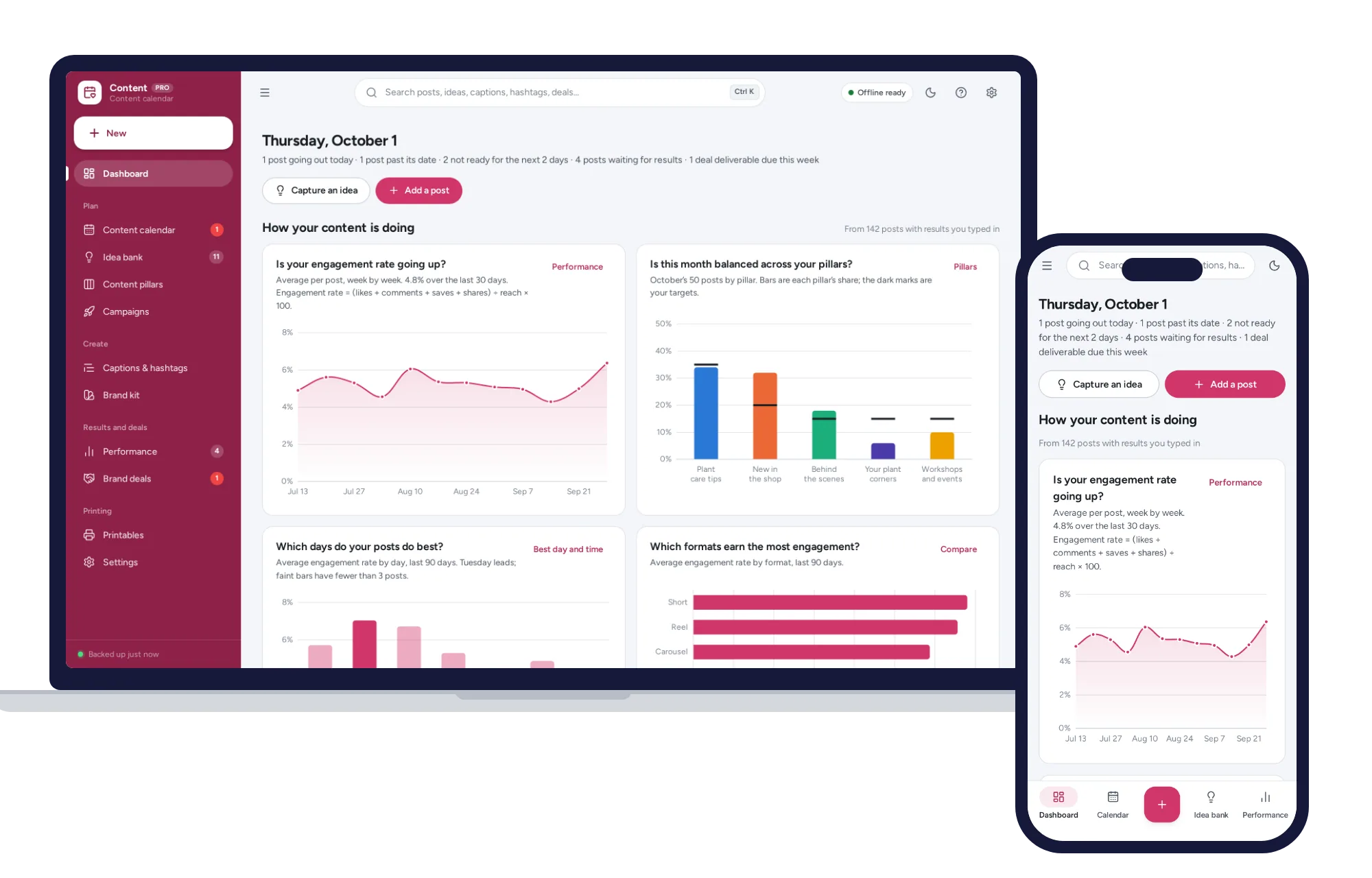
Engagement rate is a fair way to compare posts: likes plus comments plus saves plus shares, divided by reach, times 100. Say a post reached 1,200 people and got 60 likes, 8 comments, 15 saves and 7 shares. That’s 90 interactions, and 90 divided by 1,200 is 7.5%. Platforms measure things in their own ways, so stick to one formula and compare your posts with each other.
Once a month, ask:
- Which pillars and formats did best?
- Which days and times did best for you? Don’t trust one lucky post; wait until several posts back up a pattern.
- Did you hit your pillar targets, or drift into all products?
Then change one thing next month, not everything.
Brand deals and leads: where posting meets money
Social media starts paying when it turns into work, and that part deserves proper records.
For creators, every brand deal needs its deliverables, due dates, fee and whether it has been paid. Follow the advertising disclosure rules where you live and each platform’s own policy on paid partnerships; if you’re unsure, check with a lawyer. Invoice promptly, and put money aside for tax on that income. This guide on how to set aside money for taxes when you’re self-employed explains a simple routine, and how to price your services when you work for yourself helps when a brand asks for your rate.
For businesses, a post that brings in inquiries only pays off if you follow up. Log each inquiry as a lead with a follow-up date. A small business management system with a leads pipeline and invoices keeps those inquiries, quotes and payments together.
Spreadsheet, scheduling app or offline planner?
| Paper planner | Spreadsheet | Subscription scheduling app | Ready-made offline planner | |
|---|---|---|---|---|
| Cost | Low | Free or low, plus your time | A fee every month | A one-time price |
| Posts for you | No | No | Usually | No, you post as usual |
| Moving a post | Erase and rewrite | Retype or cut and paste | Drag | Drag |
| Engagement math | By hand | Formulas you build and protect | Often built in | Worked out as you type |
| Team access | Whoever holds the book | Easy with a shared online file | Usually built in | No, each device keeps its own copy |
| Works offline | Yes | A saved file does | Usually not | Yes |
| Backups | Photocopies | You | The company | You |
If you want posts to publish automatically, or a team working on one calendar, a subscription scheduler earns its fee. Just count it honestly: at, say, $20 a month, it’s $240 a year, every year. If you post yourself and mainly need to plan, track and stay consistent, you don’t need to pay monthly for that.
Keeping it all in one place
A good content calendar spreadsheet takes real building: date columns, dropdowns for status and pillar, a count of posts per pillar against targets, an engagement formula on every row that breaks the day someone types over it, and a pivot table to find your best day. Moving a post still means retyping dates.
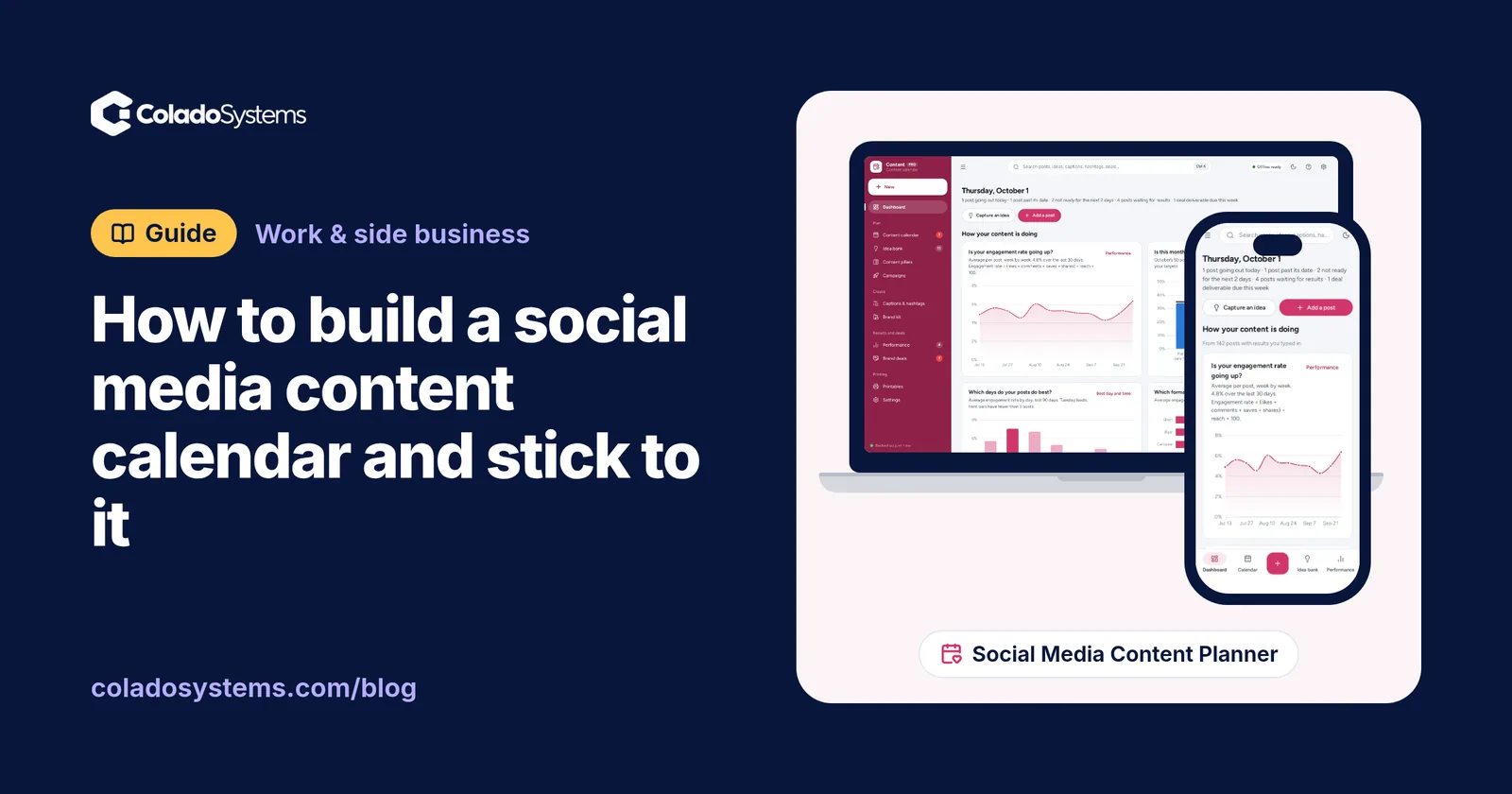
The Social Media Content Planner has those pieces ready. The content calendar has month, week, list and board views with your photos. Drag a post to a new day, drag ideas from the idea bank onto any date, and undo any move. The pipeline board takes each post from idea to posted. Content pillars show this month’s posts against each target share and tell you how many more posts would balance it. The caption bank and hashtag sets copy in one click. The performance log works out engagement rate as you type, with the formula shown, and the planner names your best day and time to post from your own results, only once enough posts back it up. Brand deals track deliverables, fees and paid status, and you can print a monthly calendar and a weekly checklist.
It doesn’t post for you or connect to your social accounts. You copy the caption and hashtags, post as usual and type in results from the platform’s insights. It opens with a sample plan so you can try it straight away, there’s no account or sign-up, it works offline, your plan stays on your own device, and a PDF guide is included.
If social media brings in paying work, the Small Business Management System covers the money side, with follow-up dates on every lead card, invoices that record full or partial payments, and a profit and loss statement. You can see what’s inside the Small Business Management System separately, or browse other systems for work and side businesses.
You can see everything inside the Social Media Content Planner and try it with the sample plan the same day.
Skip the setup
The Social Media Content Planner has the records this guide describes already set up. A content calendar you drag to reschedule, a dashboard that shows your engagement rate and best time to post, and caption and hashtag banks that copy in one click. Works offline, no subscription.
$24.99 one-time
- Sample data to try it the same day
- Works offline, records stay on your device
- A PDF guide in the download
See everything inside the Social Media Content Planner. Or take the whole Work & side business shelf: 3 systems for $59.99, $19 less than one by one.
Common questions
What should a social media content calendar include?
At minimum, the date, platform, content pillar, format, caption or hook, visual, status and any link. Add a place to record results such as reach, saves and shares a few days after posting. Put fixed dates like launches, holidays and events in first, then recurring weekly slots, then fill the gaps from your list of ideas.
How far ahead should you plan social media posts?
Planning about a month ahead in outline and a week ahead in detail works well for many small businesses and creators. The month view holds launches, events and recurring themes, while the weekly session is when captions get written and photos get taken. Leave at least one open slot each week so you can react to something timely without wrecking the plan.
How do you calculate engagement rate on social media?
A common method is to add likes, comments, saves and shares, divide by reach and multiply by 100. A post reaching 2,000 people with 120 total interactions has a 6 percent engagement rate. Platforms and tools use different formulas, and some divide by followers instead of reach, so choose one method and use it consistently when comparing your own posts.
Can I use a spreadsheet as a content calendar?
Yes, and many people start that way. A spreadsheet handles dates, captions and statuses well. It gets harder when you move posts around often, want engagement worked out automatically or need to see which pillar is falling behind, because each of those means building and protecting formulas. When upkeep takes more time than planning, a dedicated planner is worth a look.