
Social media dashboard
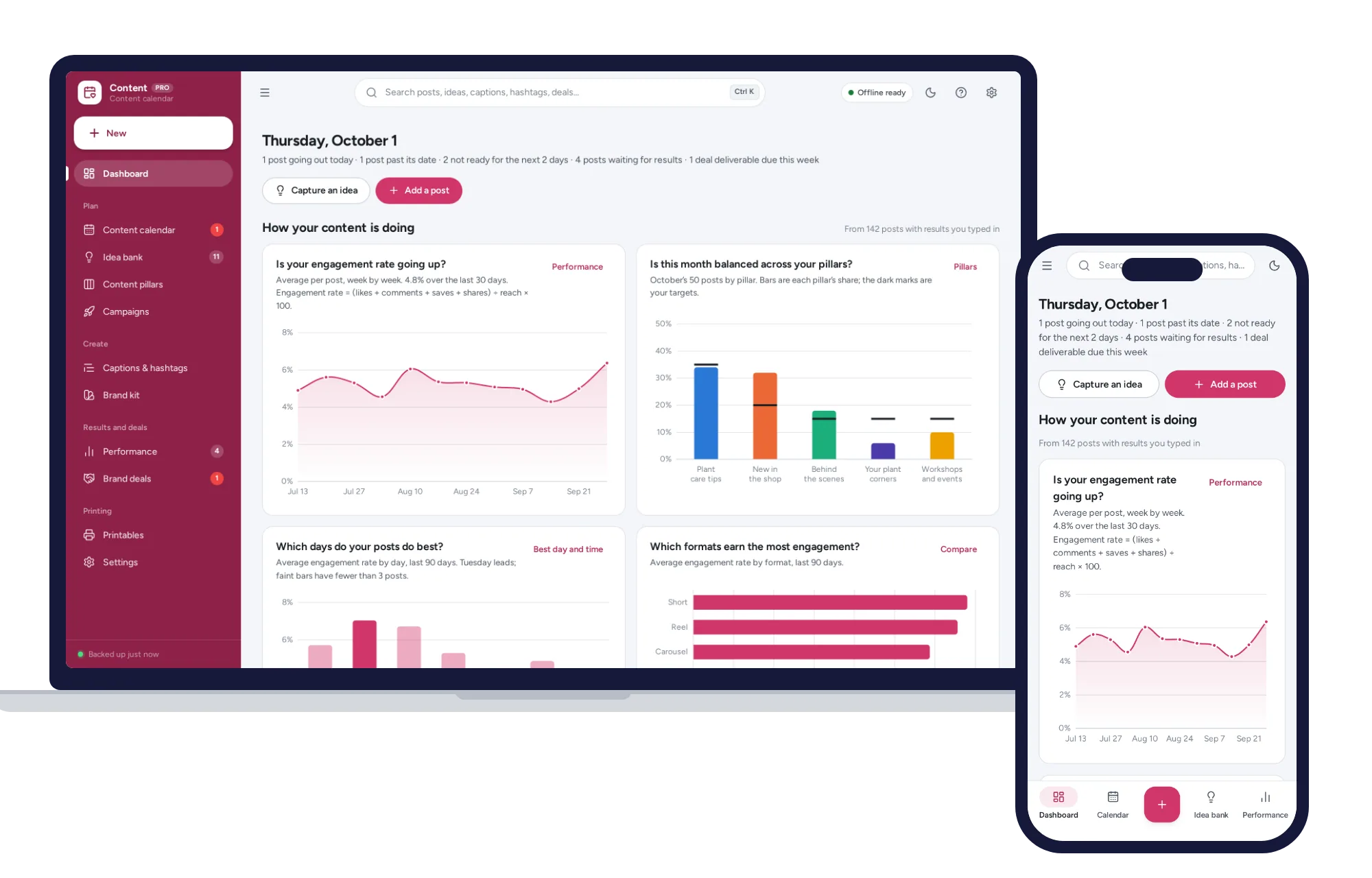
Four charts on how your content is doing
- Is your engagement rate going up, week by week?
- Is this month balanced across your content pillars?
- Which days and which formats do best for you
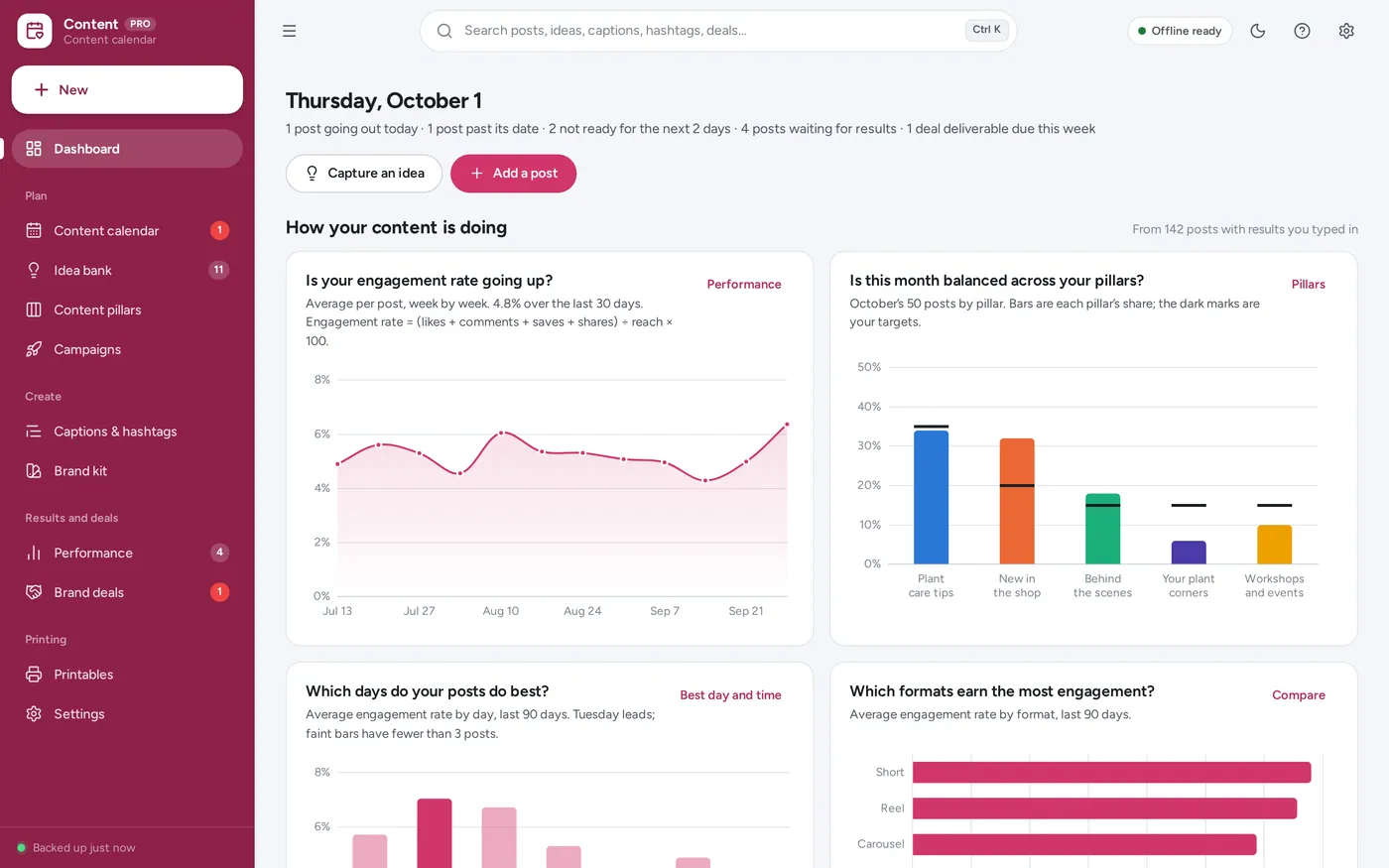
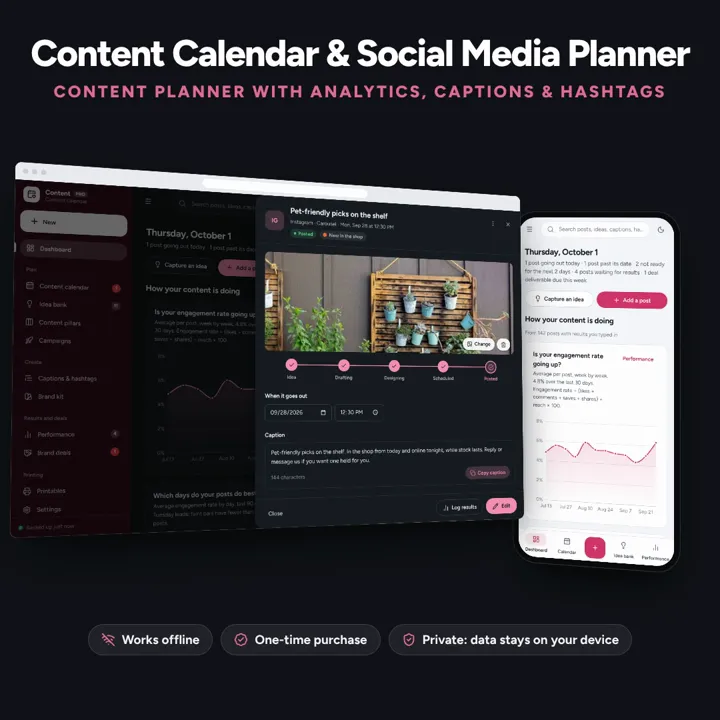
A content calendar you drag to reschedule, a dashboard that shows your engagement rate and best time to post, and caption and hashtag banks that copy in one click. Works offline, no subscription.
No subscription. Pay once and keep it.
Checkout by Paddle. Tax is added where it applies, and you download straight after paying.
Made for Small-business owners and creators who plan their own posts for Instagram, TikTok, Pinterest, Facebook, YouTube and the rest — and keep that plan in a content calendar spreadsheet today
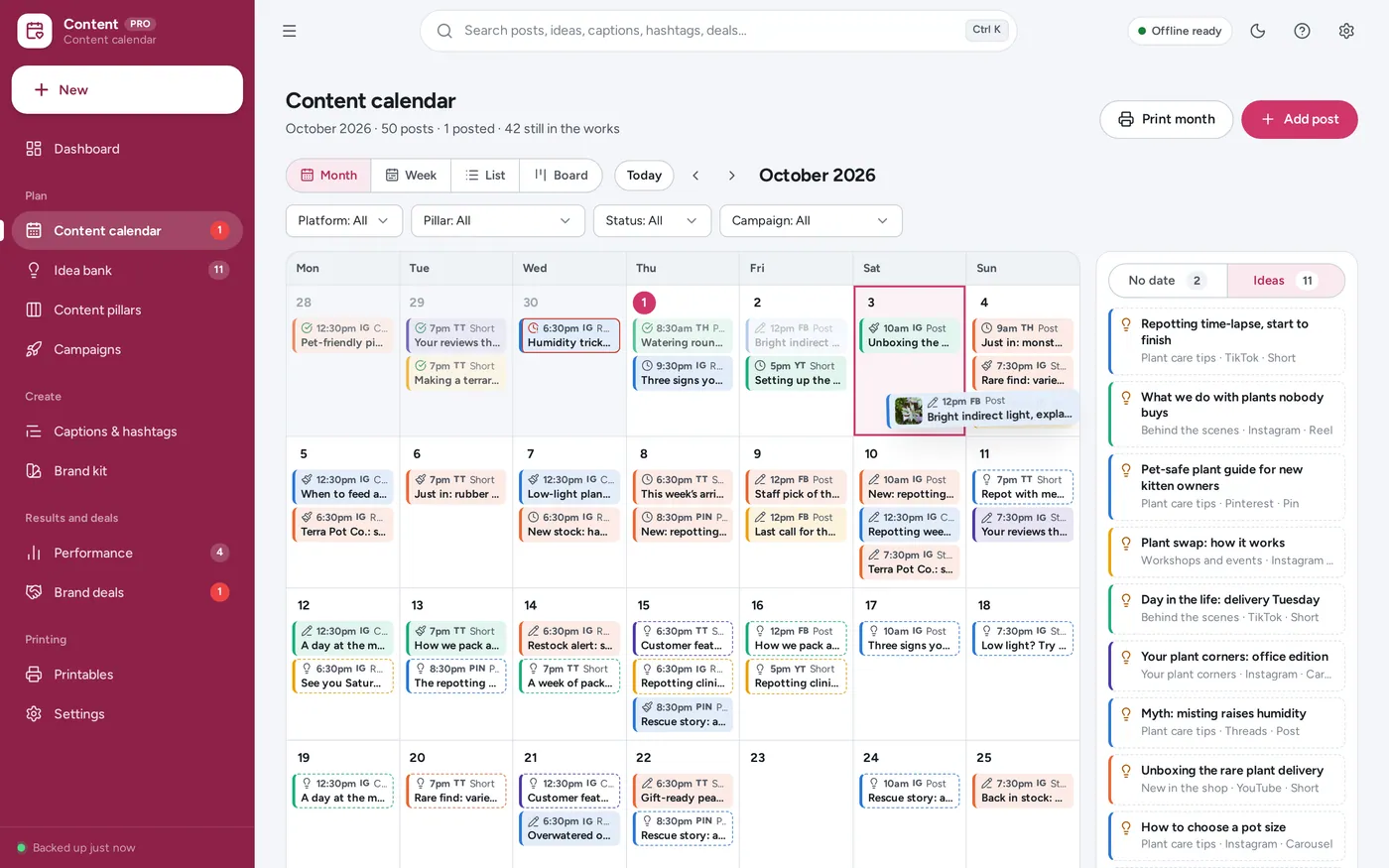
A content calendar and social media planner for small-business owners and creators: month, week, list and board views with drag-to-reschedule, a draft-to-posted pipeline, content pillars with this month’s balance, an idea bank, a caption bank and hashtag sets you copy in one click, campaigns and launches, a brand kit, a performance log with engagement rate and your own best day and time to post, brand deals with paid status, and a printable monthly calendar and weekly checklist — offline, no formulas to break.
Social media dashboard
Content calendar
Best time to post
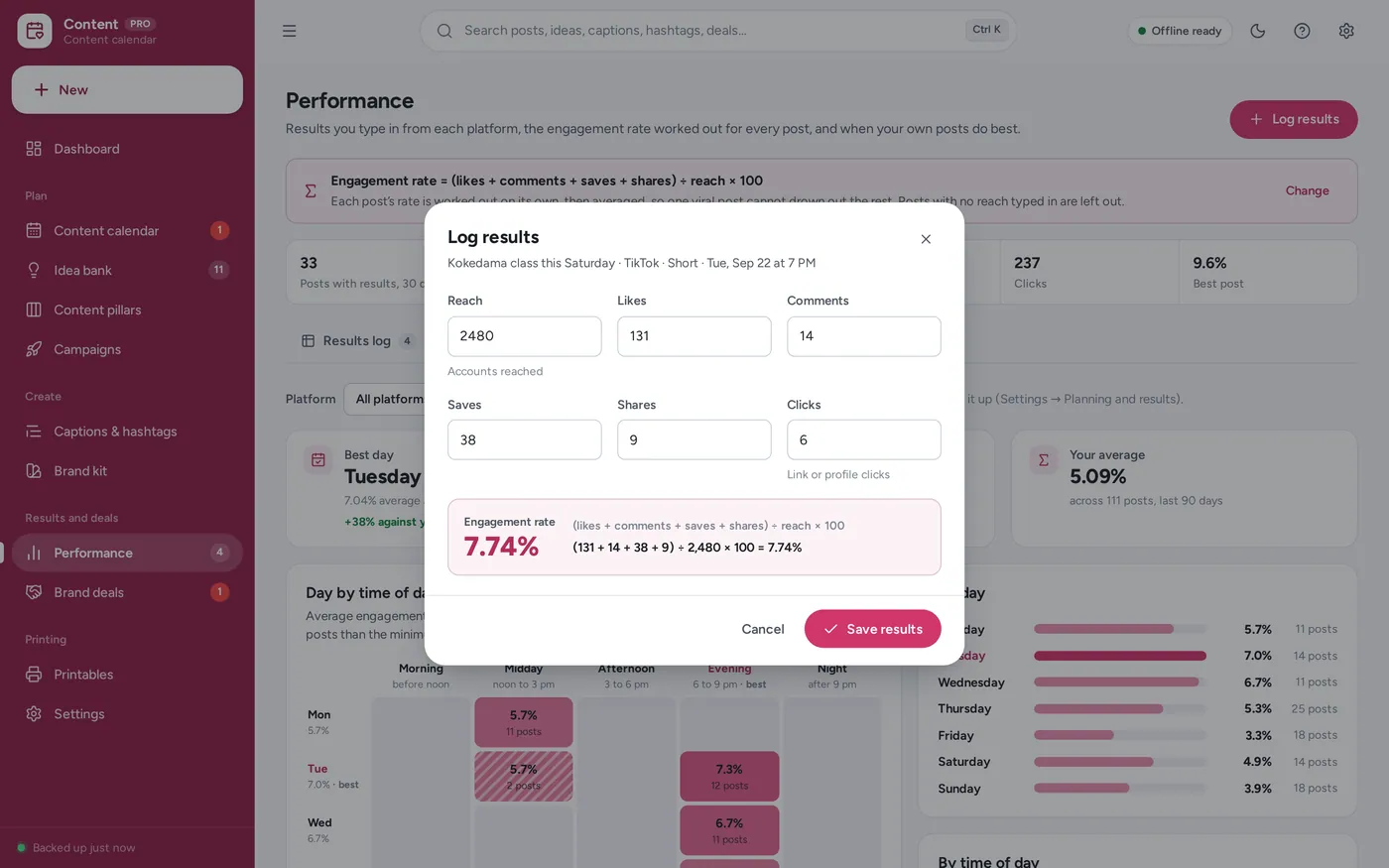
Engagement rate tracker
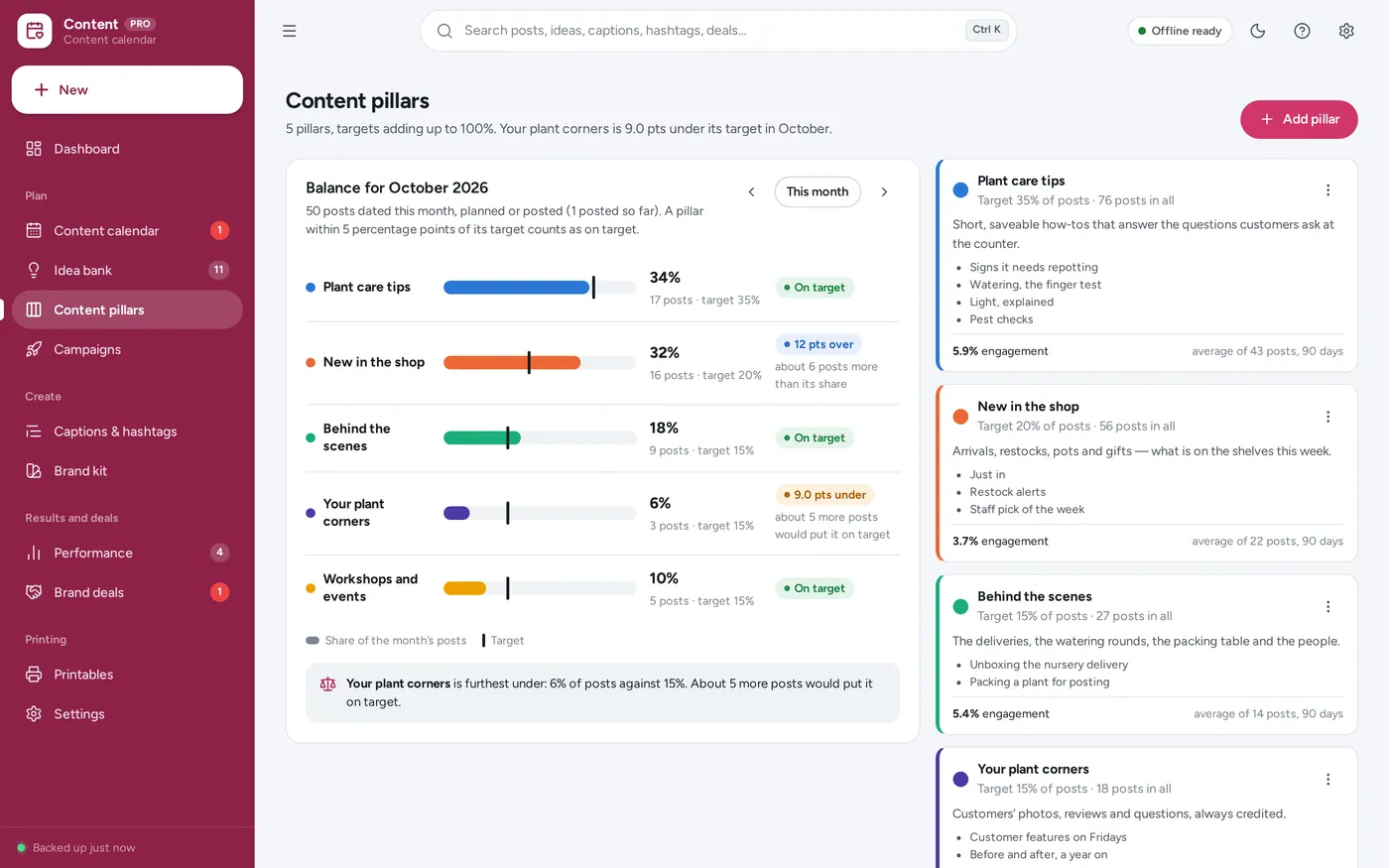
Content pillars
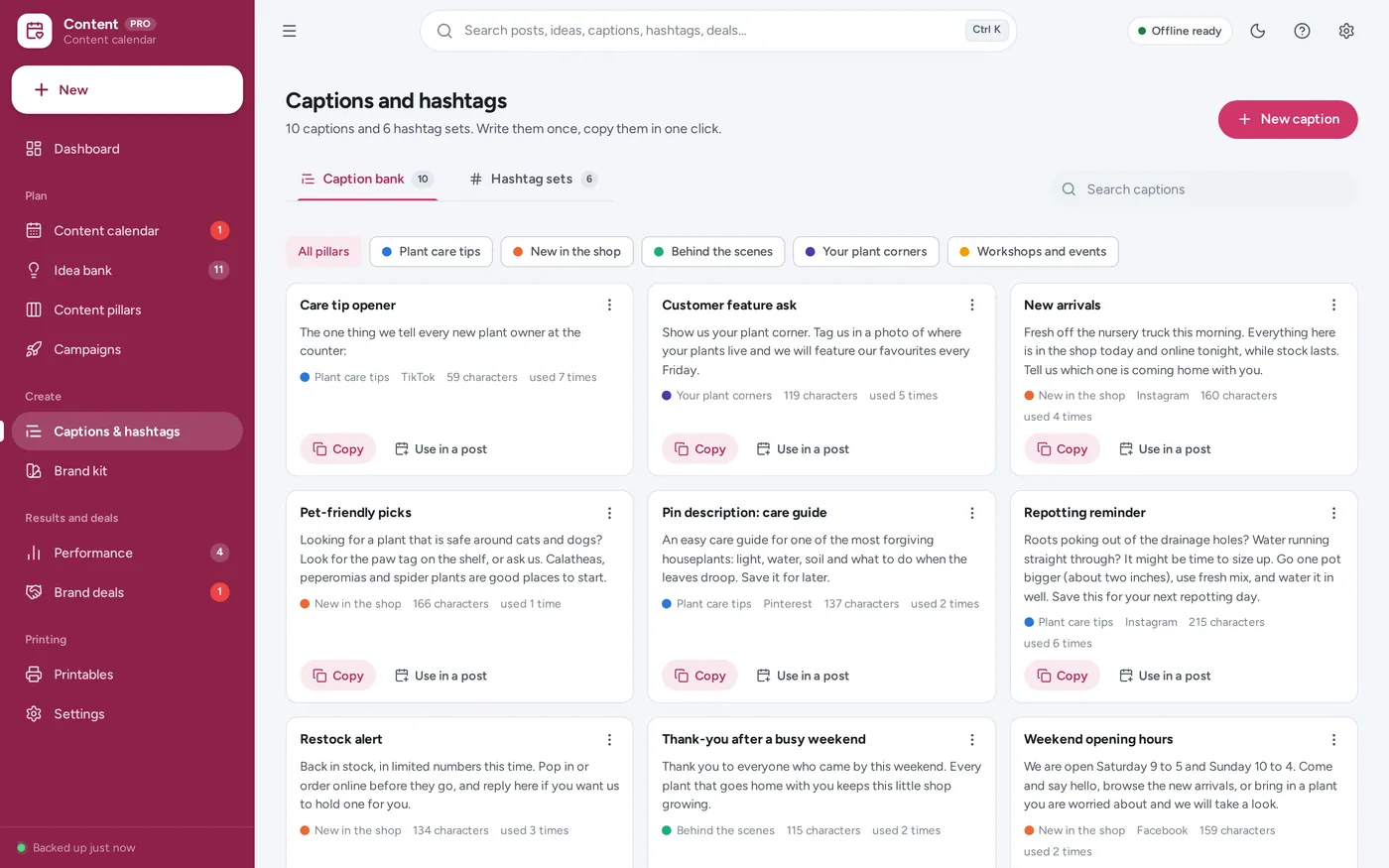
Caption bank & hashtag sets
For small-business owners and creators: the content calendar, social media planner and engagement tracker a spreadsheet template promises — plus brand deals, a brand kit and printable calendars, without the formulas.
A content calendar spreadsheet makes you retype dates to move a post, breaks the day an engagement formula is typed over, and never tells you when to post. This opens from a double-click, works offline, never asks for your social logins, and keeps your plan on your own device.
What it needs, and what it does not do.
Social Media Content Planner is an offline app from ColadoSystems that runs in your web browser from a folder on your own device. It costs $24.99 once, with no subscription and no account, and includes 16 tools, sample data to explore and a PDF guide. Your records stay on your device and are never uploaded.
Something else? Email us and we'll answer before you buy.
Everything is saved inside your browser on this device. Nothing is uploaded and there is no account, so no company holds a copy of your content plan. They are not encrypted, though: anyone who can use this device and browser can open them, so keep the device locked. Download a backup regularly (Settings → Data & backup → Back up now) and keep it somewhere as safe as the records themselves.
Yes. Open index.html and it runs fully offline. You can also host the folder on any website and choose “Install app” in Chrome or Edge to get a desktop or phone icon that works offline.
Yes. The layout adapts to phones and tablets with a bottom navigation bar. Each device keeps its own data, so use Back up / Restore to move records between devices.
Go to Settings → Data & backup → Erase records. Every sample post, idea, caption, deal and brand kit item is removed. The sample never sets a business name, so nothing of theirs ends up on your printouts. Your settings are kept.
No. It works offline and connects to nothing: no platform logins and no scheduling bots. You plan here, copy the caption and hashtags, post on the platform as usual, and type the results in from the platform’s own insights.
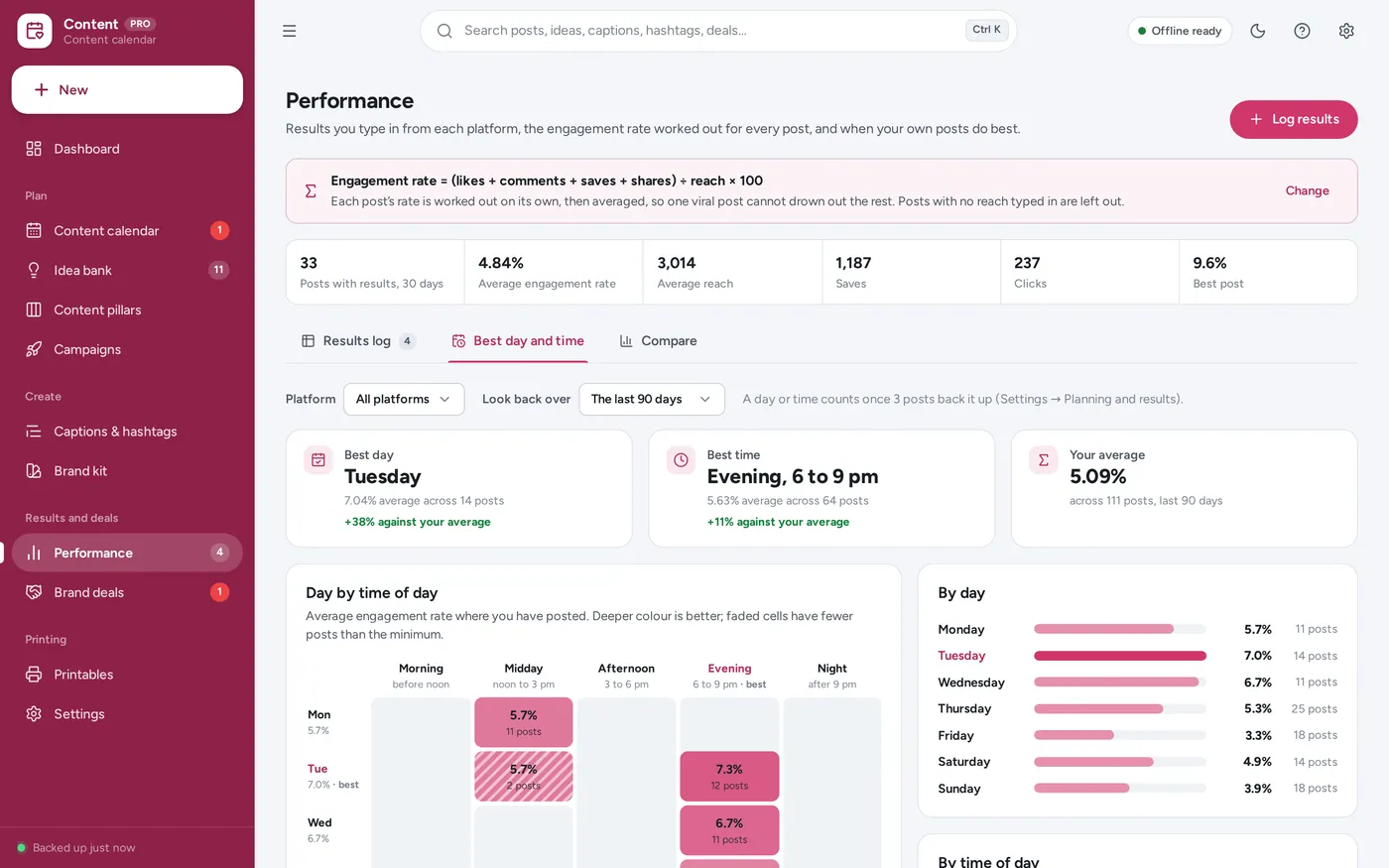
For each post: (likes + comments + saves + shares) ÷ reach × 100. You can add clicks to the top line in Settings → Planning and results. A post with no reach typed in has no rate and is left out rather than counted as zero. Averages are the average of each post’s own rate, so one viral post does not drown out the rest. The post panel shows the formula worked through with that post’s numbers.
From your posted posts with results in the look-back period (90 days to start with), optionally for one platform. Each day of the week and each time of day — morning, midday, afternoon, evening, night — gets the average rate of its posts. One is only named best when at least three posts back it up, so a single lucky post cannot decide it.
Every post dated in the month counts, planned or posted. A pillar’s share is its posts divided by all the month’s posts. Within 5 percentage points of its target it is on target; otherwise the page says how far under or over it is, and about how many posts would put it right.
Yes, one per post: the cover image or first slide. Add it in the post form or straight from the post’s panel. It is resized to 800 px and kept in this browser on this device, and it goes into your backups, so a lot of photos make a bigger backup file. A photo two posts share is stored once. The sample photos are public-domain (CC0) pictures; their sources are listed in assets/sample/CREDITS.txt.
It keeps one content plan. For a few clients, a campaign or pillar per client lets you filter the calendar by each; for completely separate plans, use a separate browser profile for each client.
No. That one prices handmade products and tracks orders, materials and listings. This one plans, schedules and measures your social media posts.
No. It runs offline on your own device, so there is no booking page for customers and it does not take card payments. You record bookings and payments in it yourself, including ones taken by phone, card reader or another website.
The work & side business bundle has every system in this category for one price.
Job search, freelance books and content planning for people working for themselves.
$59.99for 3 systems, $79.97 if bought one by one
You save $19
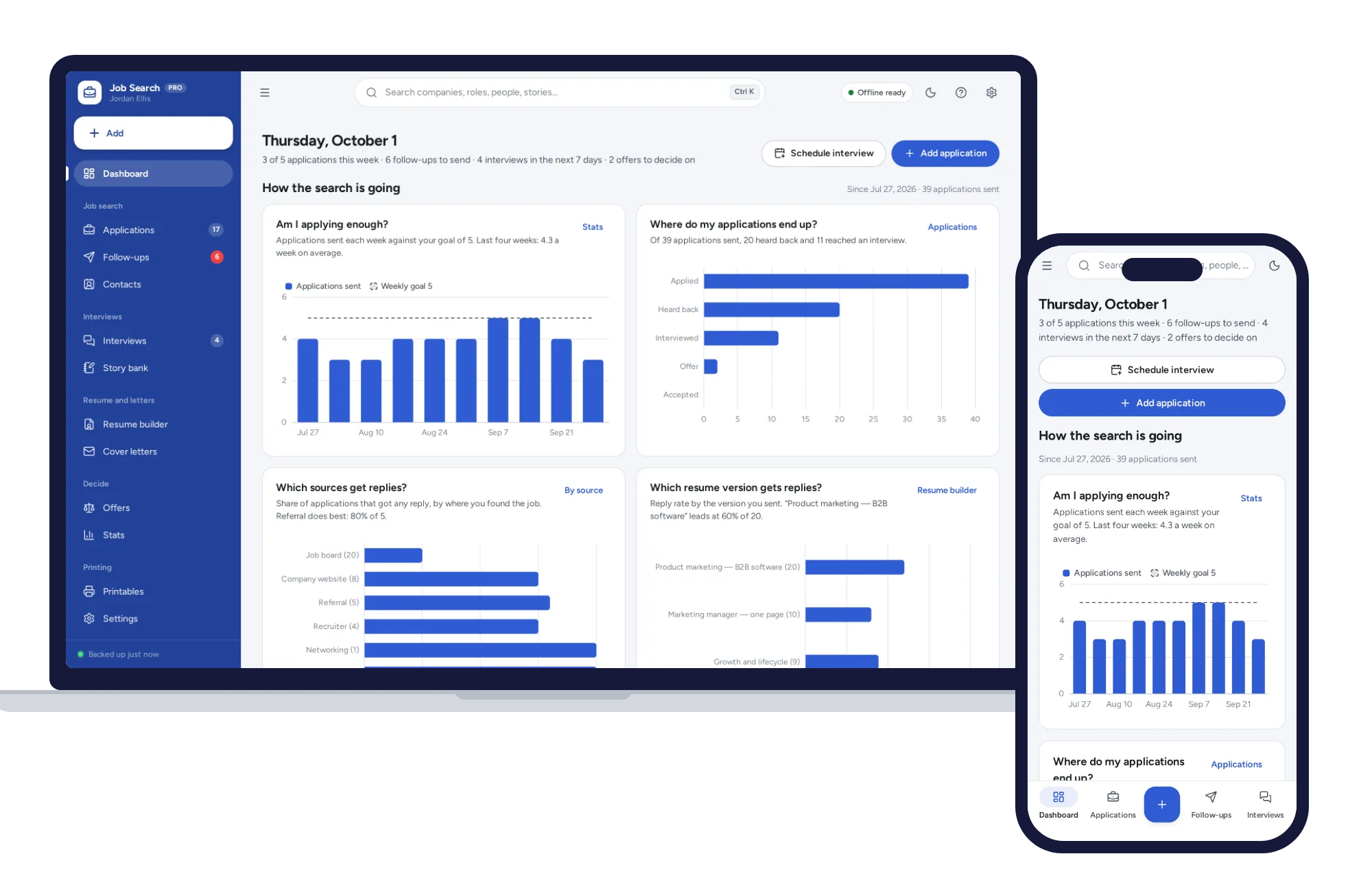
Work & side business
Track every application from wish list to offer, with follow-ups that schedule themselves and a resume builder that prints three clean layouts.
$24.99one-time
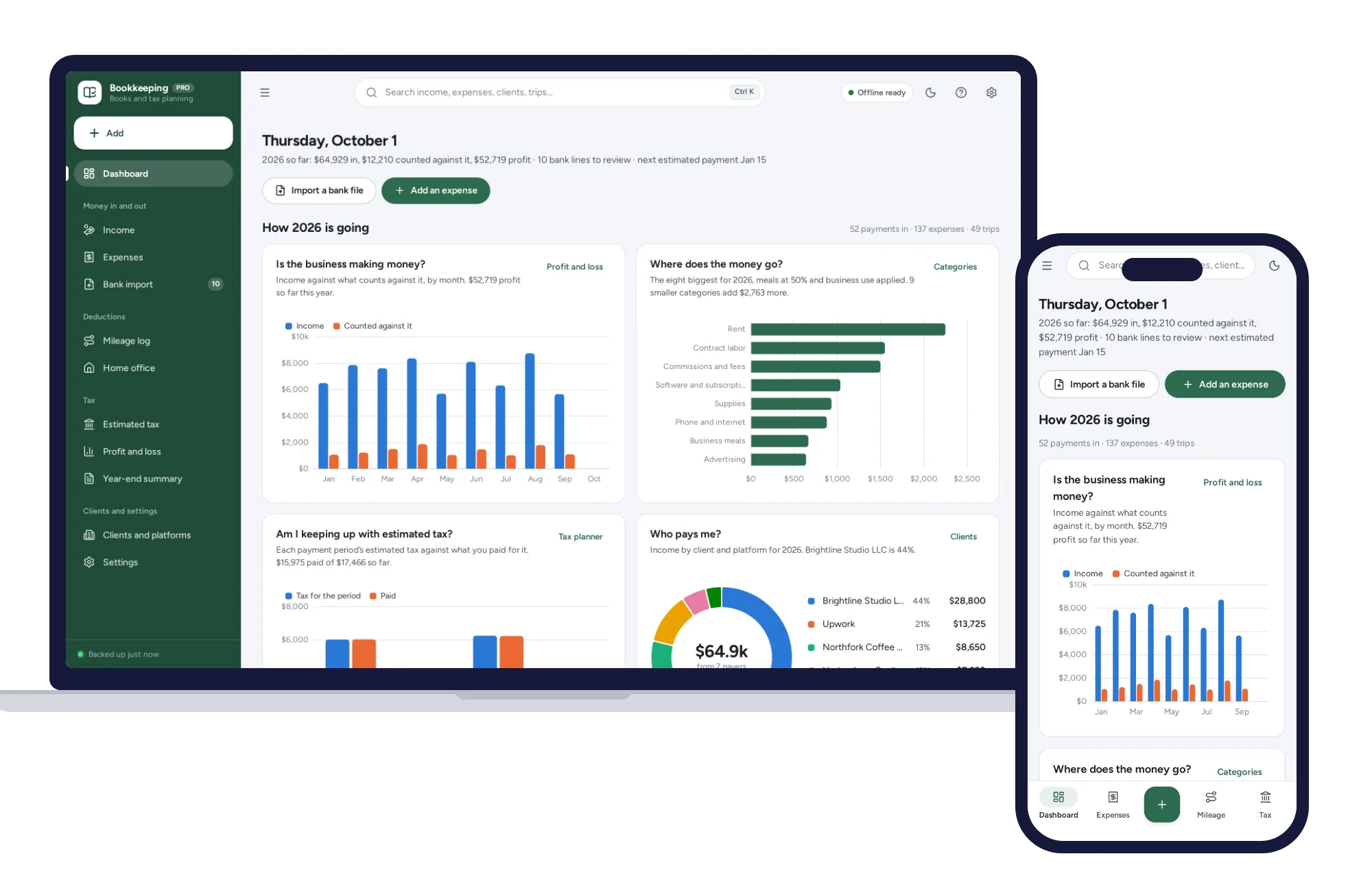
Work & side business
Import your bank CSV, sort it with your own rules, log mileage and see the quarterly tax to set aside.
$29.99one-time