
Wedding budget tracker
Estimated vs actual, with every due date
- Estimated, actual, paid and balance for every category
- Deposits and balances with the date each one is due
- Due dates sent to your own calendar, with an alert
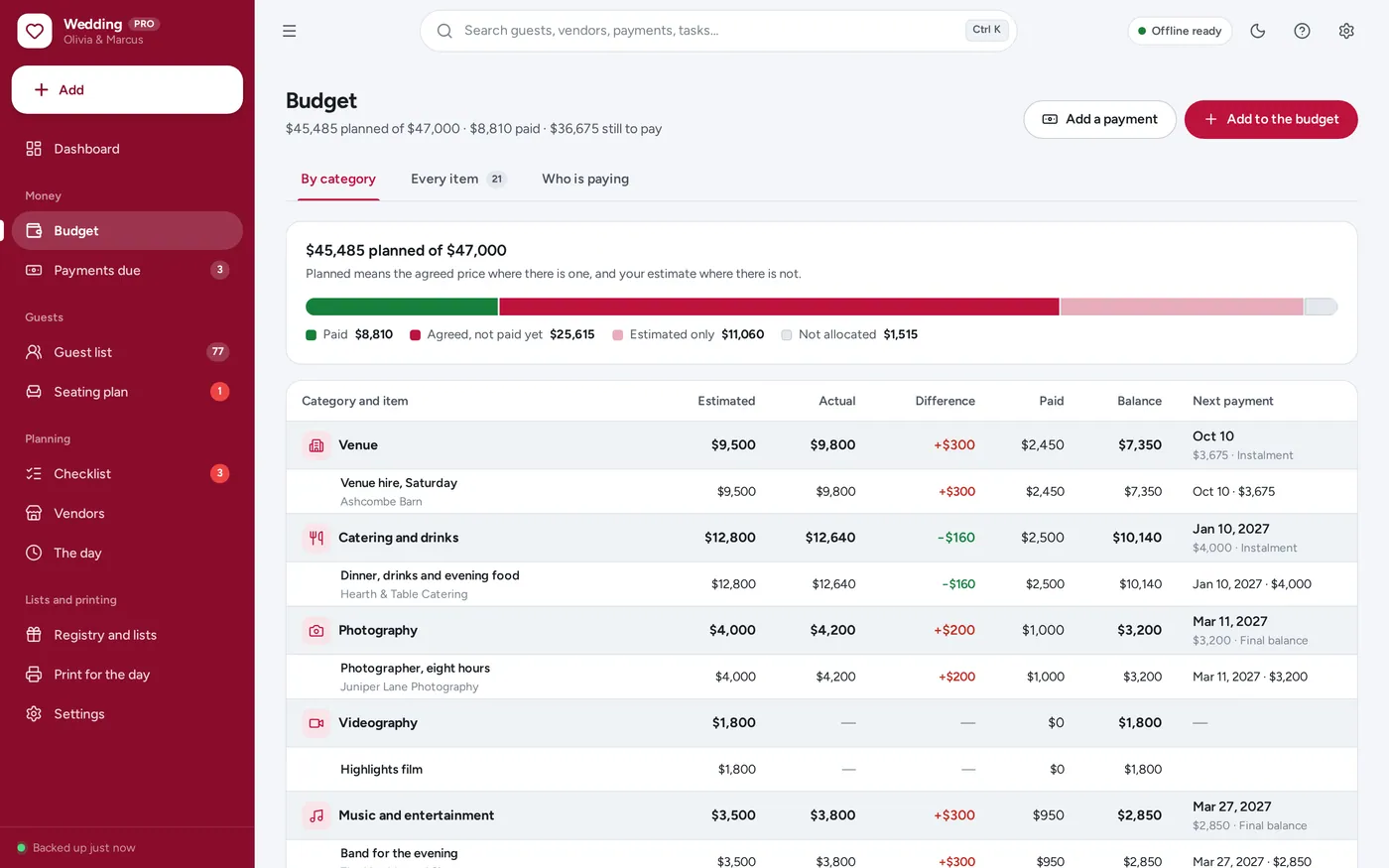
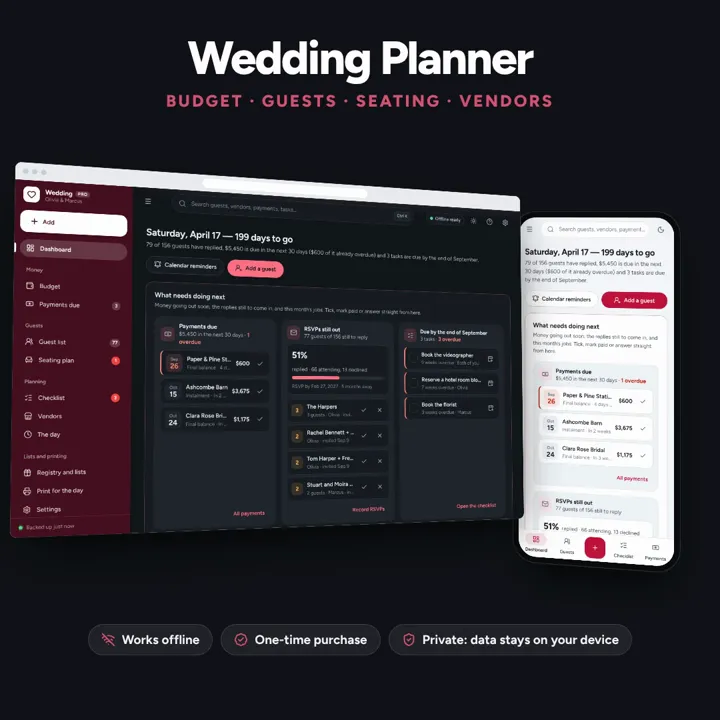
Budget tracker with payment due dates, guest list, seating chart and checklist on one dashboard. No formulas to break, no subscription.
No subscription. Pay once and keep it.
Checkout by Paddle. Tax is added where it applies, and you download straight after paying.
Made for Engaged couples planning their own wedding — one couple, one wedding — who want the budget, the guest list, the seating plan, the vendors and the checklist in one place instead of a tangle of spreadsheet tabs
The wedding budget with every payment due date, the guest list and RSVPs, a seating chart built from it, the vendors and a checklist that moves with your date — one offline app, no formulas to break.
Wedding budget tracker
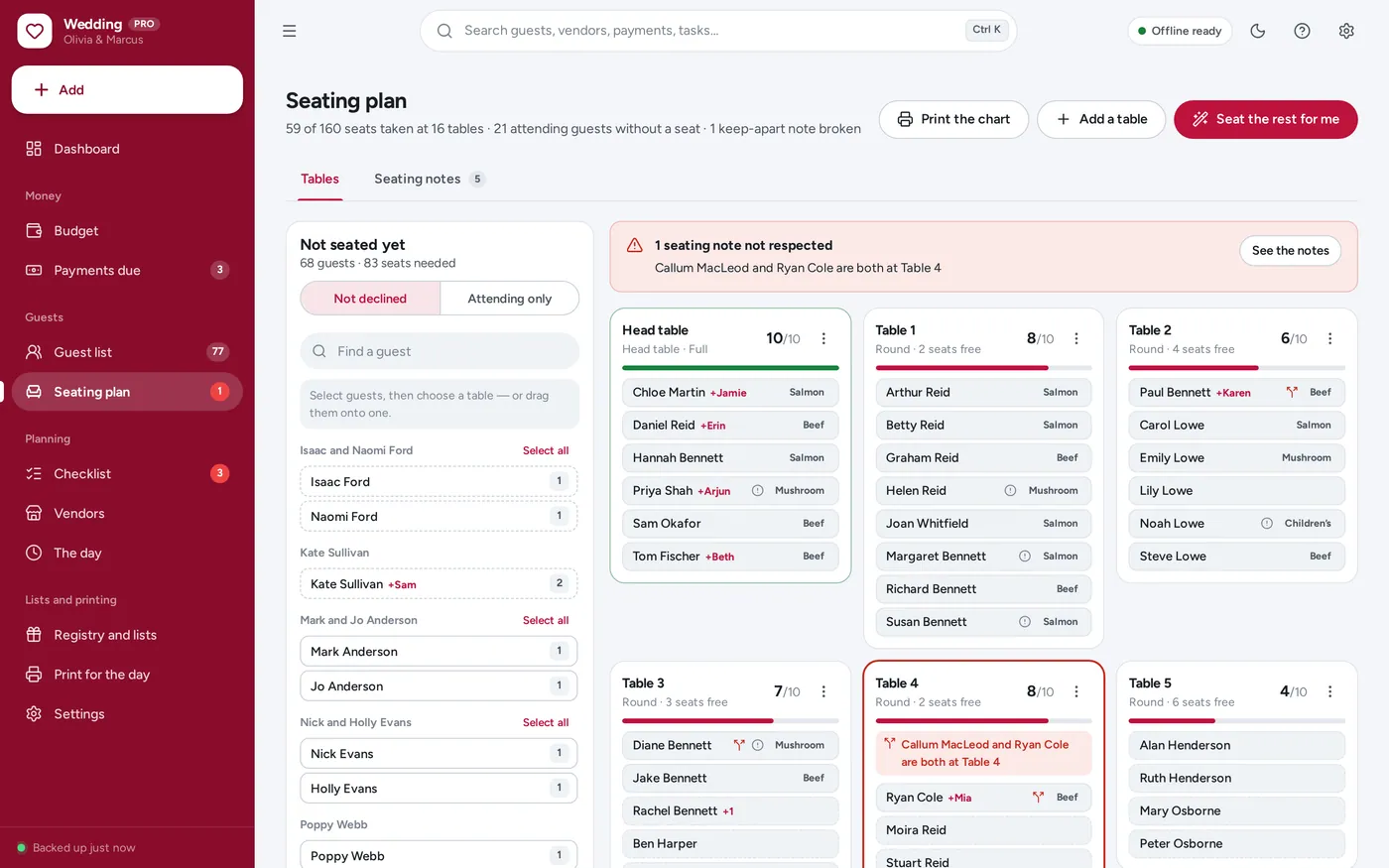
Guest list & RSVP tracker
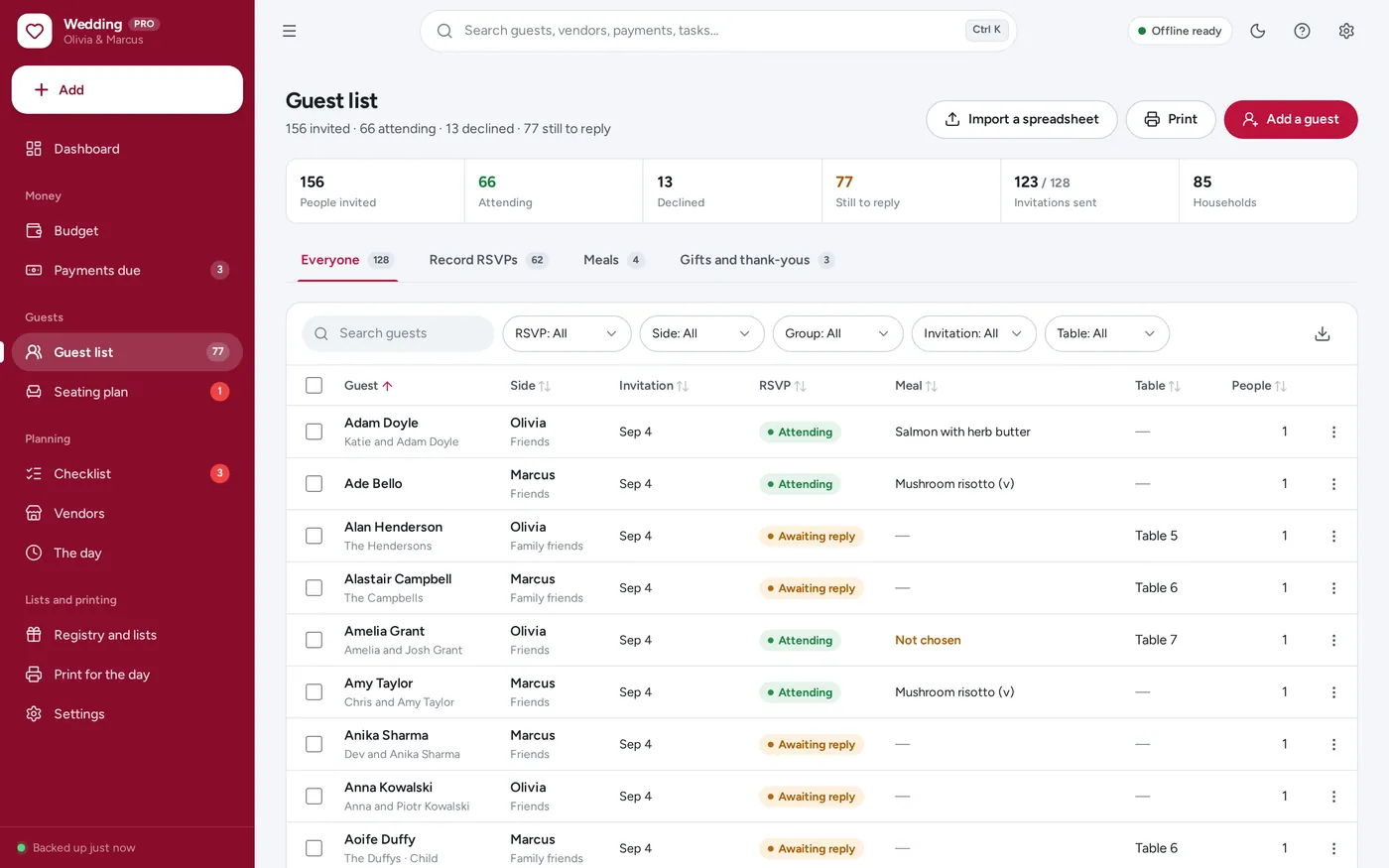
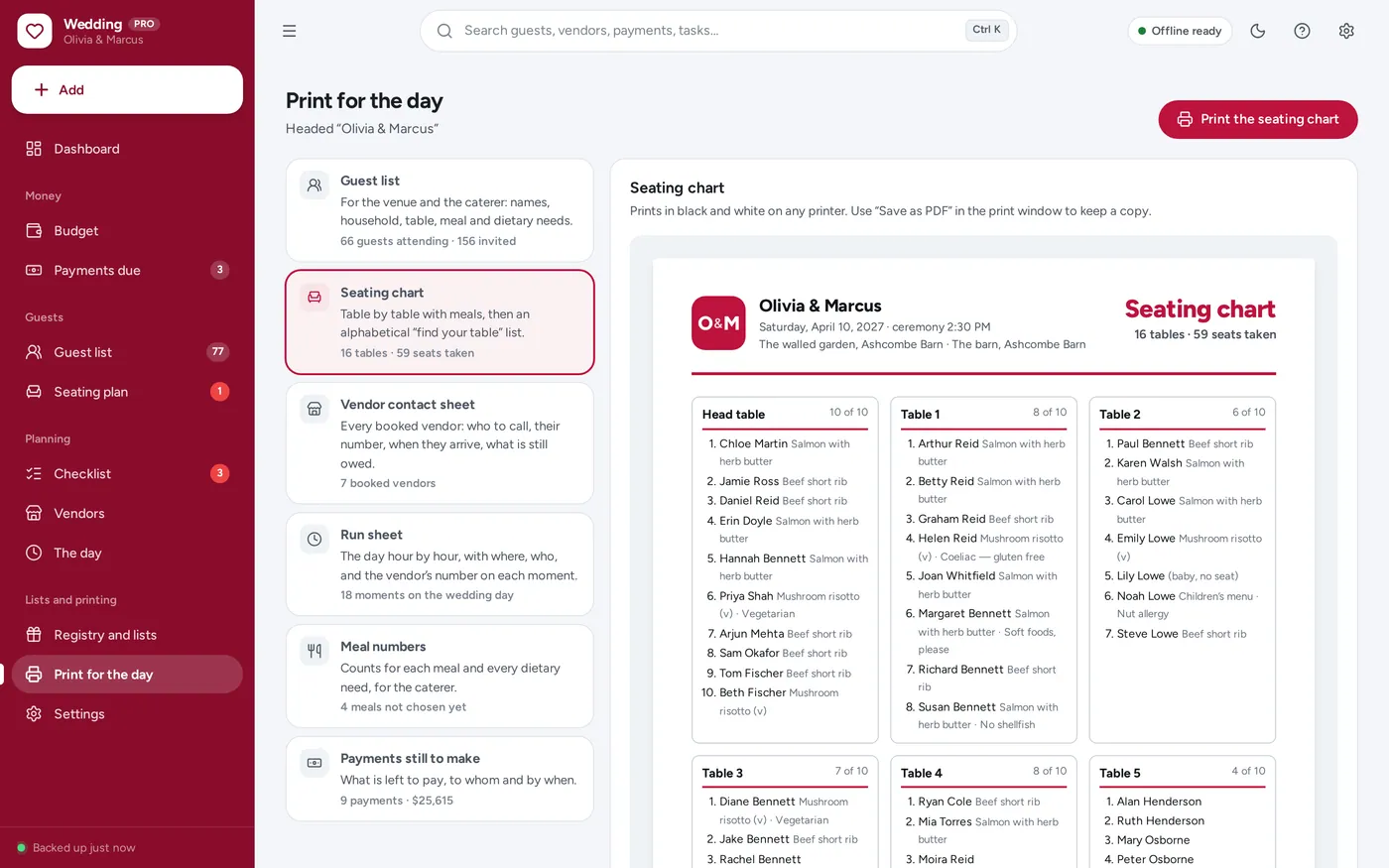
Seating chart
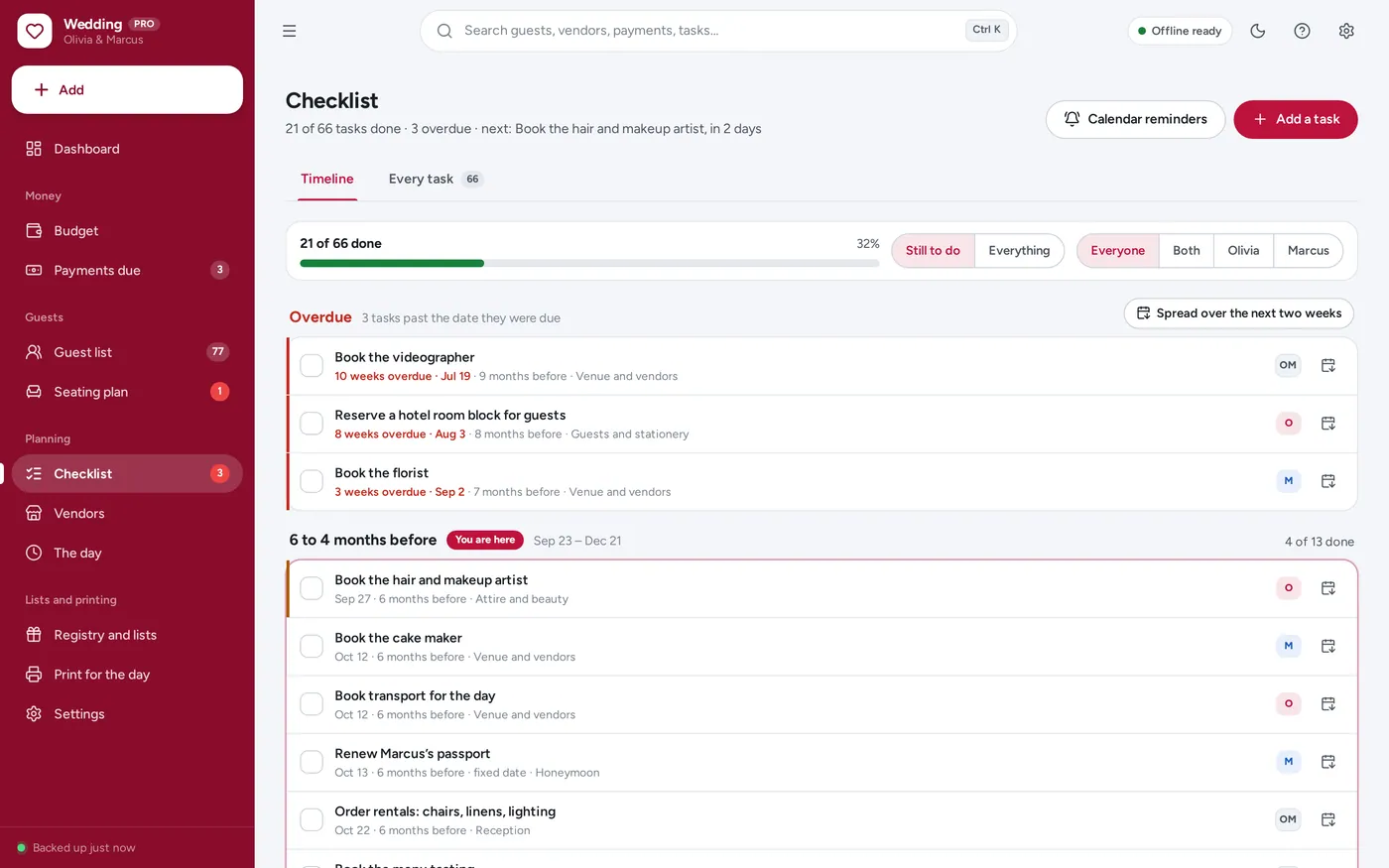
Wedding checklist
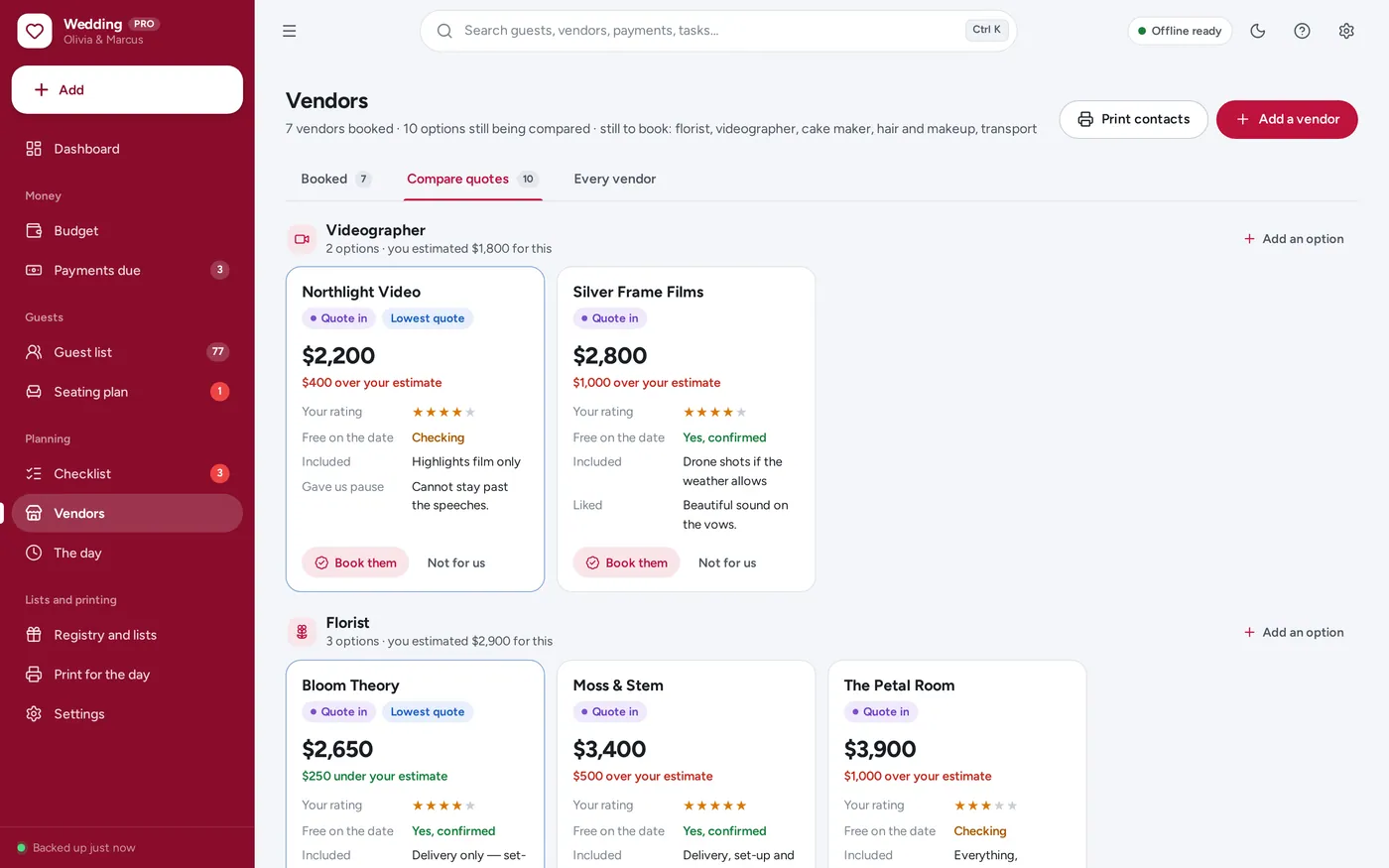
Vendor tracker
Printouts for the venue
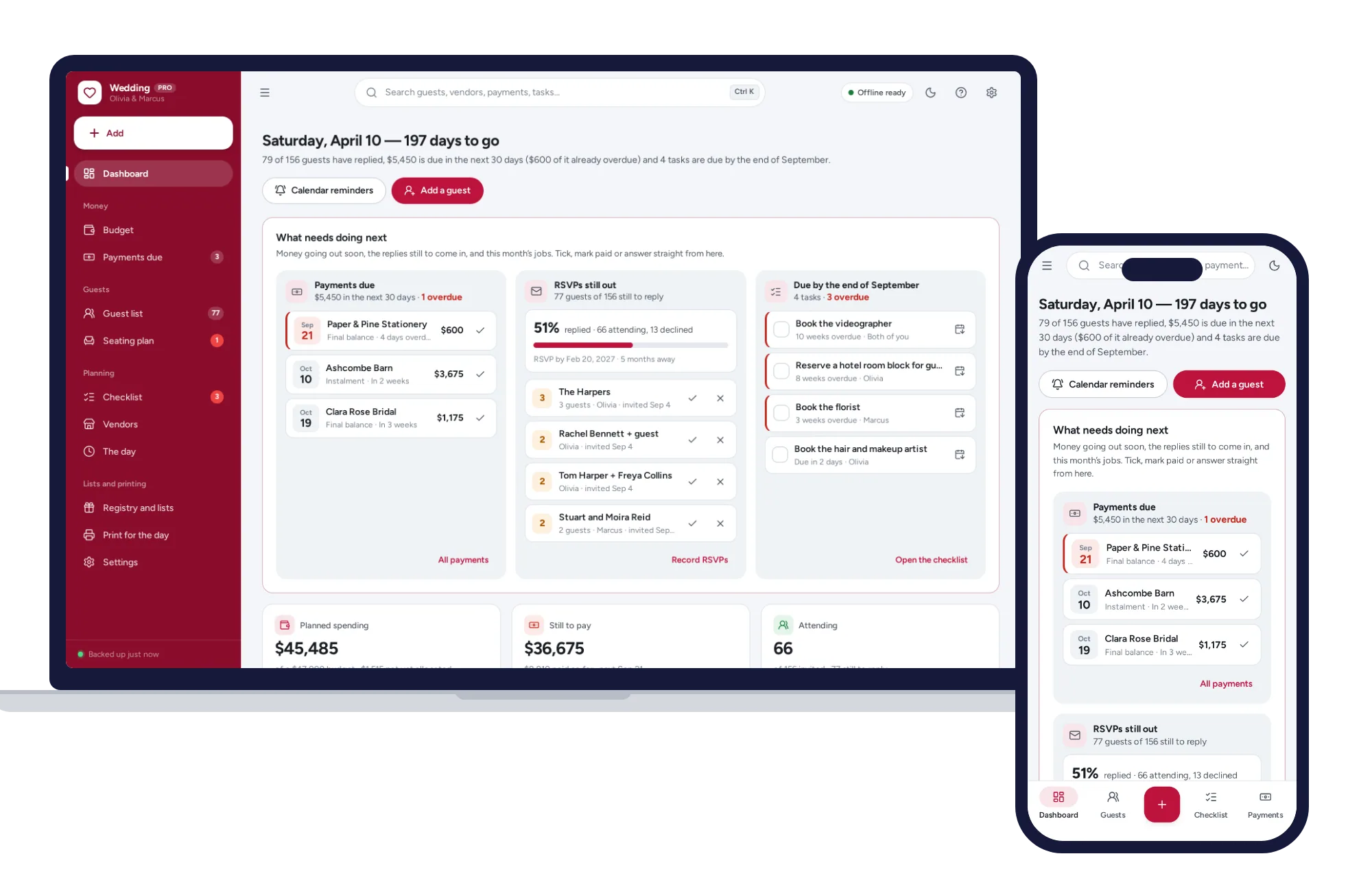
For one couple and one wedding: the dashboard, budget tracker, guest list, seating chart and vendor tracker a spreadsheet planner promises — without the formulas.
Spreadsheet templates break the day a formula gets typed over, and planning sites want an account. This one opens from a double-click, works offline and keeps your guest list on your own device.
What it needs, and what it does not do.
Wedding Planner is an offline app from ColadoSystems that runs in your web browser from a folder on your own device. It costs $24.99 once, with no subscription and no account, and includes 12 tools, sample data to explore and a PDF guide. Your records stay on your device and are never uploaded.
Something else? Email us and we'll answer before you buy.
Everything is saved inside your browser on this device. Nothing is uploaded and there is no account, so no company holds a copy of your wedding records. They are not encrypted, though: anyone who can use this device and browser can open them, so keep the device locked. Download a backup regularly (Settings → Data & backup → Back up now) and keep it somewhere as safe as the records themselves.
Yes. Open index.html and it runs fully offline. You can also host the folder on any website and choose “Install app” in Chrome or Edge to get a desktop or phone icon that works offline.
Yes. The layout adapts to phones and tablets with a bottom navigation bar. Each device keeps its own data, so use Back up / Restore to move records between devices.
Go to Settings → Data & backup → Erase records. Every sample record is removed, and so are the sample couple’s names, wedding date and budget, so nothing of theirs ends up on your printouts. Your other settings are kept.
No. It is for one couple planning one wedding. There are no clients, no invoices and no pipeline of events in it. If you plan weddings for other people as a business, our event planning system is built for that.
The app cannot send notifications, so it hands the dates to your own calendar instead. “Calendar reminders” on the dashboard (or “Download calendar reminders” on Payments due) saves a calendar file with every unpaid payment and every open task that has a date. Open it on your phone or computer and each one lands in your calendar with an alert a few days before. Download a fresh file whenever the dates change. Overdue payments are also shown in red on the dashboard and counted in the menu.
Change the date under Settings → Your wedding and every task moves with it, because each one is stored as “so many days before or after the wedding”, not as a fixed date. A task you have pinned to a fixed date stays where it is.
It is built for several hundred. The guest list pages through 10, 25, 50 or 100 rows at a time, and the seating plan stays quick with 300 guests at 30 tables.
A plus-one belongs to the guest who was invited with them, with their own name and meal, and takes a seat at the same table. Children are guests in their own right with their own meal. A guest marked as a baby takes no seat and no meal, and is counted separately on the meal numbers so the caterer can plan a high chair.
Each device keeps its own copy of the records, so there is no live sync between two phones. Most couples keep it on one laptop and print what the other needs, or move the records between devices with Back up now and Restore.
The life events bundle has every system in this category for one price.
Weddings, final wishes, funerals and the emergency binder, planned with care.
$69.99for 4 systems, $89.96 if bought one by one
You save $19
Life events
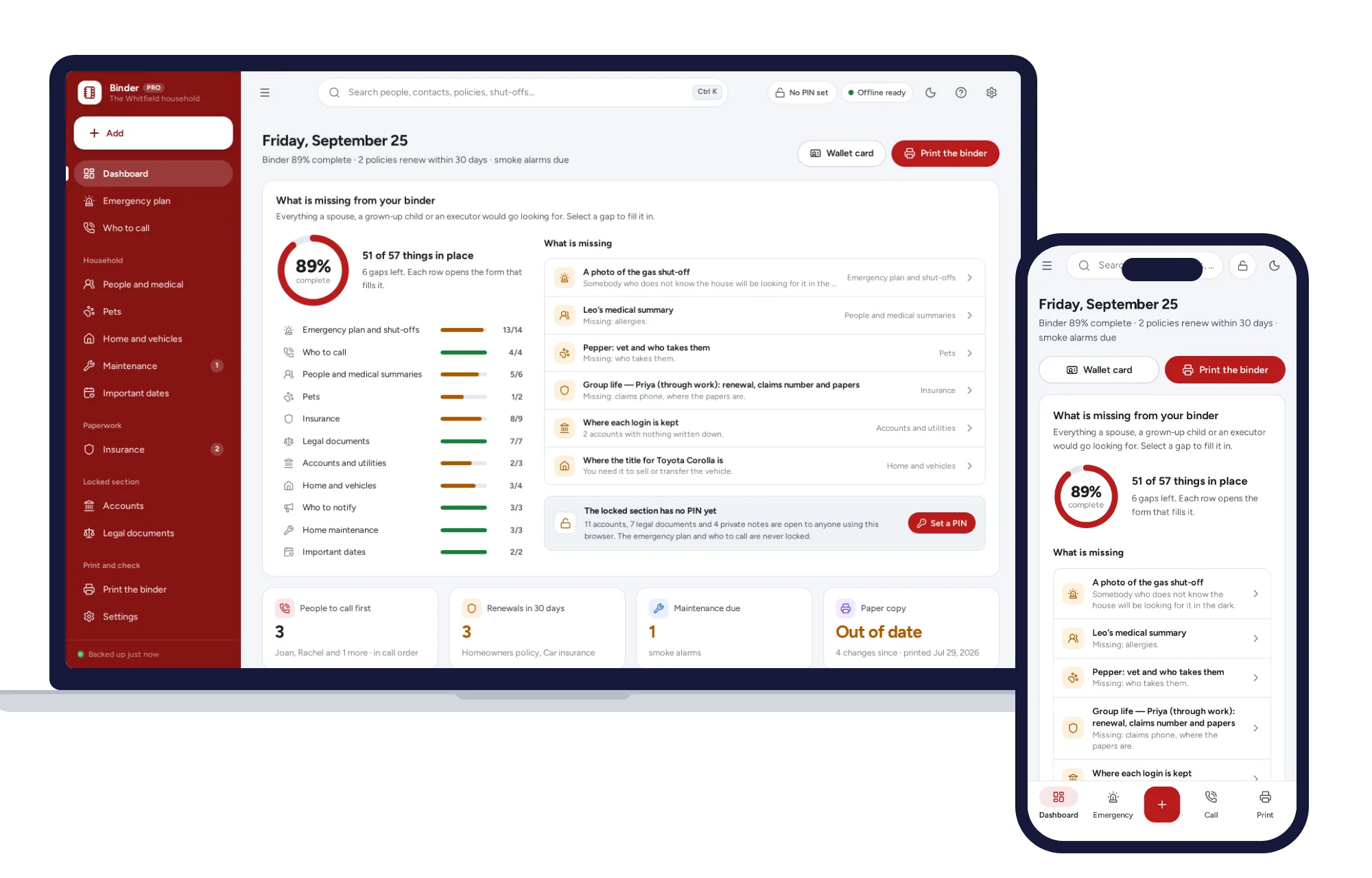
Who to call, where the shut-offs are, a medical page per person and a PIN-locked section. Prints the whole binder in one click.
$24.99one-time
Life events
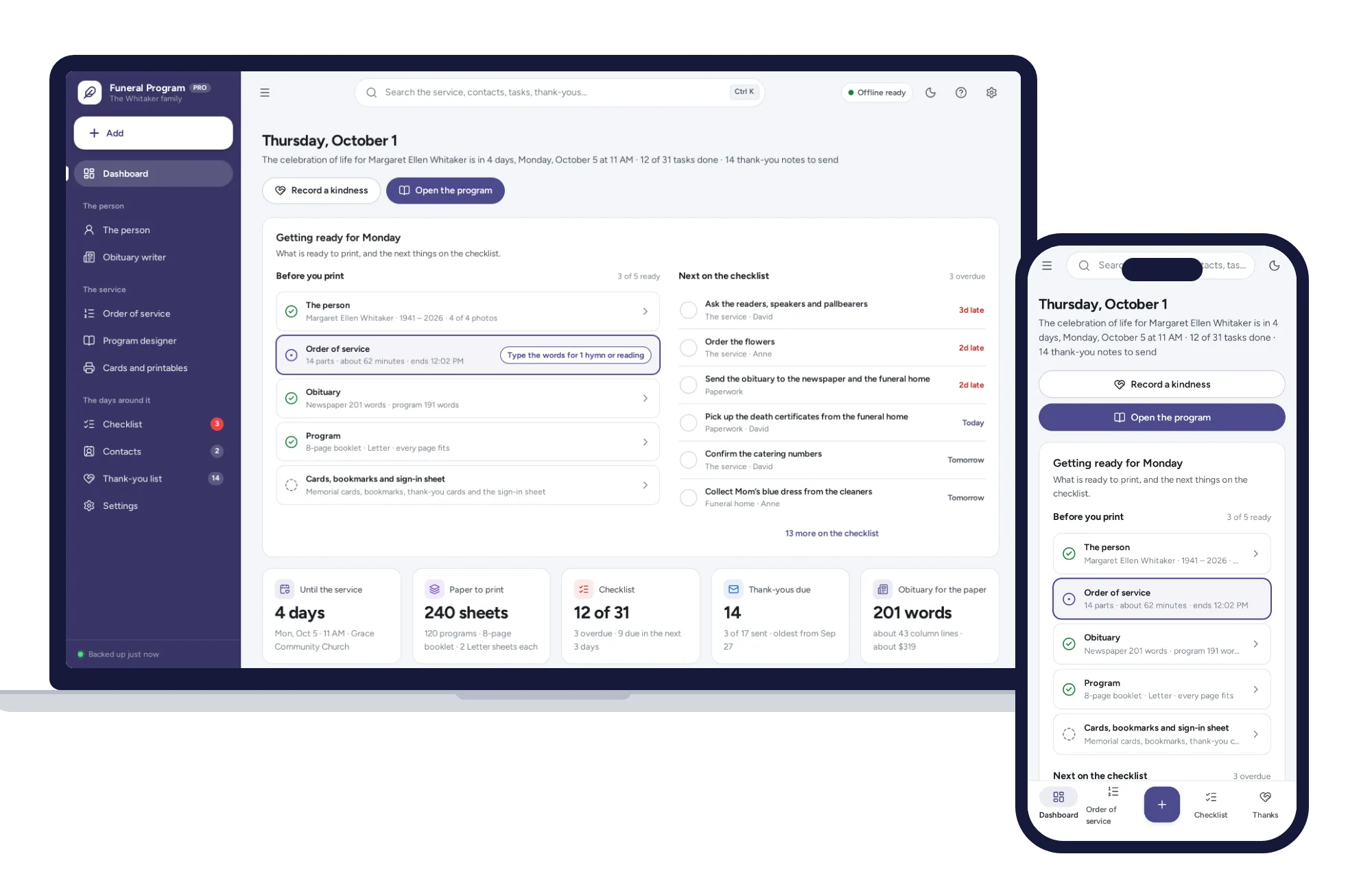
Type the details once and print the folded program, the obituary, memorial cards, bookmarks and thank-you cards.
$14.99one-time
Life events
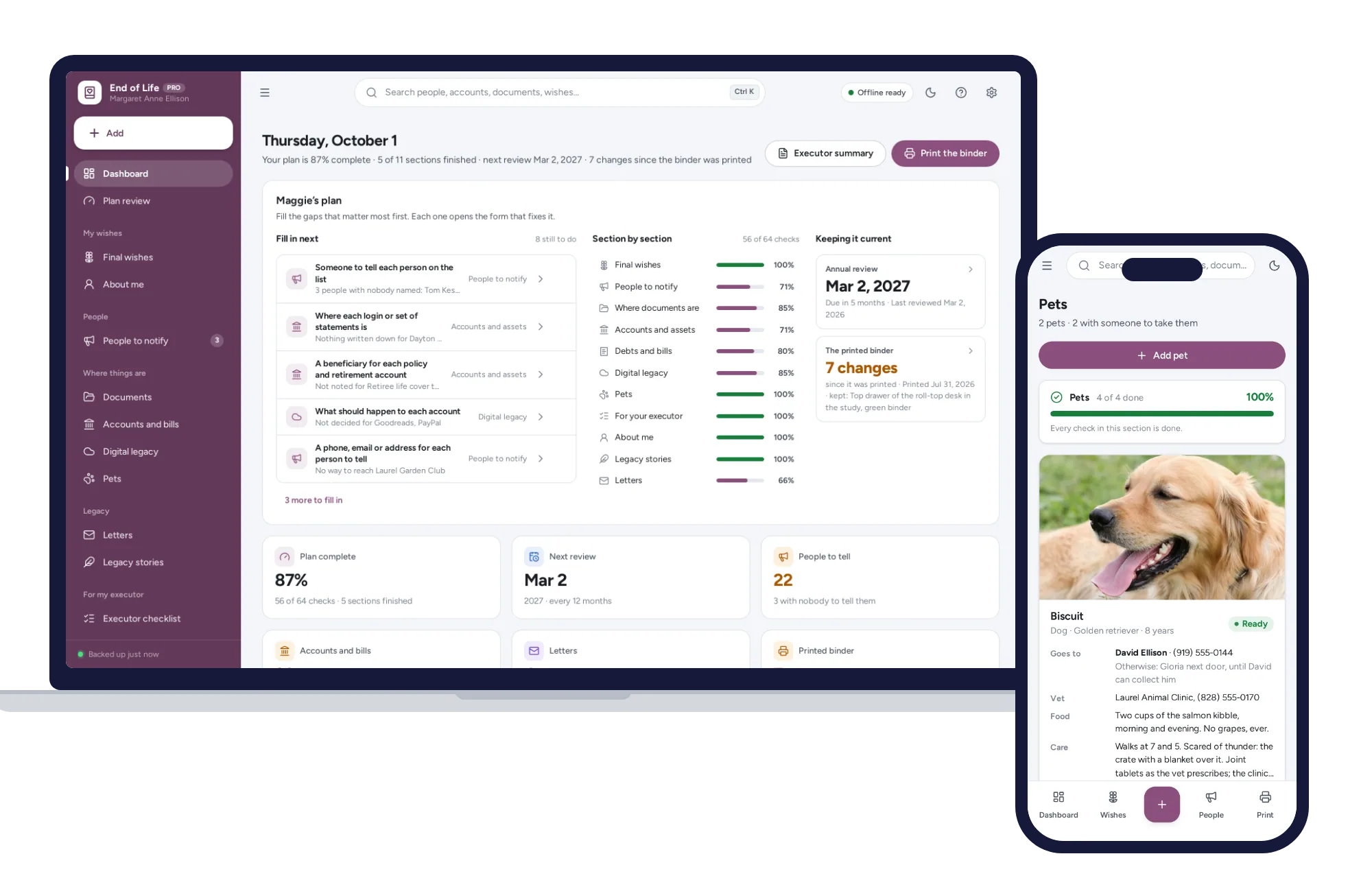
Your final wishes, who to tell, where documents and accounts are, and an executor checklist, with a meter for what is missing.
$24.99one-time