To make a home inventory for insurance, film a narrated walkthrough of every room, photograph valuables and their serial numbers, then write a list of each item’s make and model, purchase date, price paid and rough cost to replace, with receipts or other proof. Keep at least one copy away from home, and update it after big purchases, after renovations and at each policy renewal.
A home inventory is simply a record of what you own, made on a calm afternoon while everything is still in front of you, rather than pieced together from memory the week after a burglary, a fire or a burst pipe. It takes a weekend to do properly, and an hour or two a year to keep current. Here is how to do it room by room, what to record for each item, and where to keep the copy that matters most.
Why make a home inventory for insurance before you need it
After a loss, your insurer will usually ask what was damaged or taken, and may ask for proof that you owned it. Under stress, memory is patchy. People forget whole closets, the tools in the garage, the box of winter coats in the attic. A list made in advance means you are reading, not remembering.
It also helps you look at your coverage with real numbers. If your belongings add up to far more than you assumed, that is worth a conversation with your insurer or agent. Triple-I, the Insurance Information Institute, makes the same point in its guide to what standard homeowners insurance covers: a home inventory is the best way to check whether your coverage for belongings is enough.
Policies differ a lot, so check your own with your insurer before you start. Useful questions to ask:
- Are belongings covered for what it costs to replace them, or for their value after wear?
- Are there limits on categories such as jewelry, electronics, bikes or collections?
- What evidence do they want for a claim: receipts, photos, serial numbers, appraisals?
- Do valuable items need to be listed separately or covered on their own?
What to record for each item
For anything worth more than a modest amount, write down:
- What it is, plus make and model
- Serial number, if it has one
- When and where you bought it
- What you paid
- A rough cost to replace it with something similar today
- A photo, and the receipt or other proof
A worked example: “Living room TV, 55-inch, make and model from the back label, serial number photographed, bought November 2023 from an electronics store, paid $650, similar model now about $550. Receipt in the email folder.”
Lower-value things can often be grouped, such as “kitchen utensils and small gadgets, about 40 items, roughly $600 to replace.” Ask your insurer how much detail they want for small items.
How to do a home inventory, room by room
Start with a video. Walk through each room with your phone, open every closet, drawer and cabinet, and say out loud what you are filming. That alone captures far more than memory would.
Then take photos of anything valuable, plus a close-up of each serial number label. Finally, build the written list from the video and photos, one room per session.
A room-by-room checklist:
- Living room: TV, speakers, game consoles, furniture, rugs, lamps, art, books
- Kitchen: large appliances (model numbers are often inside the door), small appliances, cookware, dishes
- Bedrooms: furniture, mattresses, clothing by category, shoes, jewelry, children’s things
- Bathrooms: hair tools, shavers, towels and linens
- Home office: computers, monitors, printer, tablets, cameras, phones
- Garage and shed: tools, bikes, mower, sports gear, ladders
- Basement, attic and storage: holiday decorations, luggage, stored furniture
- Outside: grill, patio furniture, play equipment
For clothing, estimate by category rather than item: “about 20 work shirts, roughly $30 each to replace.”
Receipts, serial numbers and valuables
Photograph paper receipts as soon as you can, because many fade. Forward email receipts to one folder named for the inventory. If a receipt is long gone, a bank or card statement or an online order history can often show what you paid.
Serial numbers hide in predictable places: on the back or bottom of electronics, inside appliance doors, under a bike’s frame, and in a phone or laptop’s settings screen.
Jewelry, watches, art and collections need extra care. Keep appraisals and certificates with the inventory, and photograph each piece on a plain background. Ask your insurer whether these need to be listed or covered separately.
Don’t forget the house itself
Your inventory should cover upgrades to the building, not just what is inside it. A remodeled kitchen, new flooring or replacement windows can change what it costs to rebuild. Keep the contracts, invoices, payment records, product details and before-and-after photos, and tell your insurer about major work.
If you are in the middle of a project, a home renovation planner that keeps selections, payments and before-and-after photos builds this record as you go.
Where should you keep your home inventory?
Away from home, at least one copy of it. A folder of printouts in the hall closet burns with the hall closet. Washington State’s insurance regulator gives the same advice in its insurance tips for homeowners: keep your list of belongings, receipts, appraisals, photos and videos somewhere safe away from your home.
Keep two copies in two places. Some options:
- A cloud storage folder or an email to yourself with the files attached
- A USB drive at a relative’s house or at work
- A printed copy in a safe deposit box or with someone you trust
Update it after big purchases or gifts, after any renovation, and once a year. Your policy renewal is a good reminder, and an emergency and home binder that tracks insurance renewals and claims numbers will flag that date for you. For the rest of that folder, see what to put in a household emergency binder.
Paper, spreadsheet or an app?
A notebook with printed photos is simple, but slow to update and hard to copy. A spreadsheet with a photo folder is free and easy to copy off-site, though you build the columns and match photos to rows yourself. A subscription inventory app adds scanning and a cloud copy, which genuinely helps with the away-from-home rule, but at, say, $5 a month that is $60 a year, every year, for a list you touch a few times a year. A ready-made offline system costs a one-time price and keeps records on your own device, which means making your own off-site copies.
To be clear about our own systems: neither is an item-by-item inventory database. Your list of things can live in a spreadsheet. What they handle is everything around that list, which is where paperwork tends to go missing.
Keeping it all in one place
Building the surroundings yourself means tracking policies, renewal dates and claims numbers, noting where titles and documents are kept, recording who to call, and filing every renovation invoice and photo. That is several spreadsheets and folders that nobody else in the house can find.
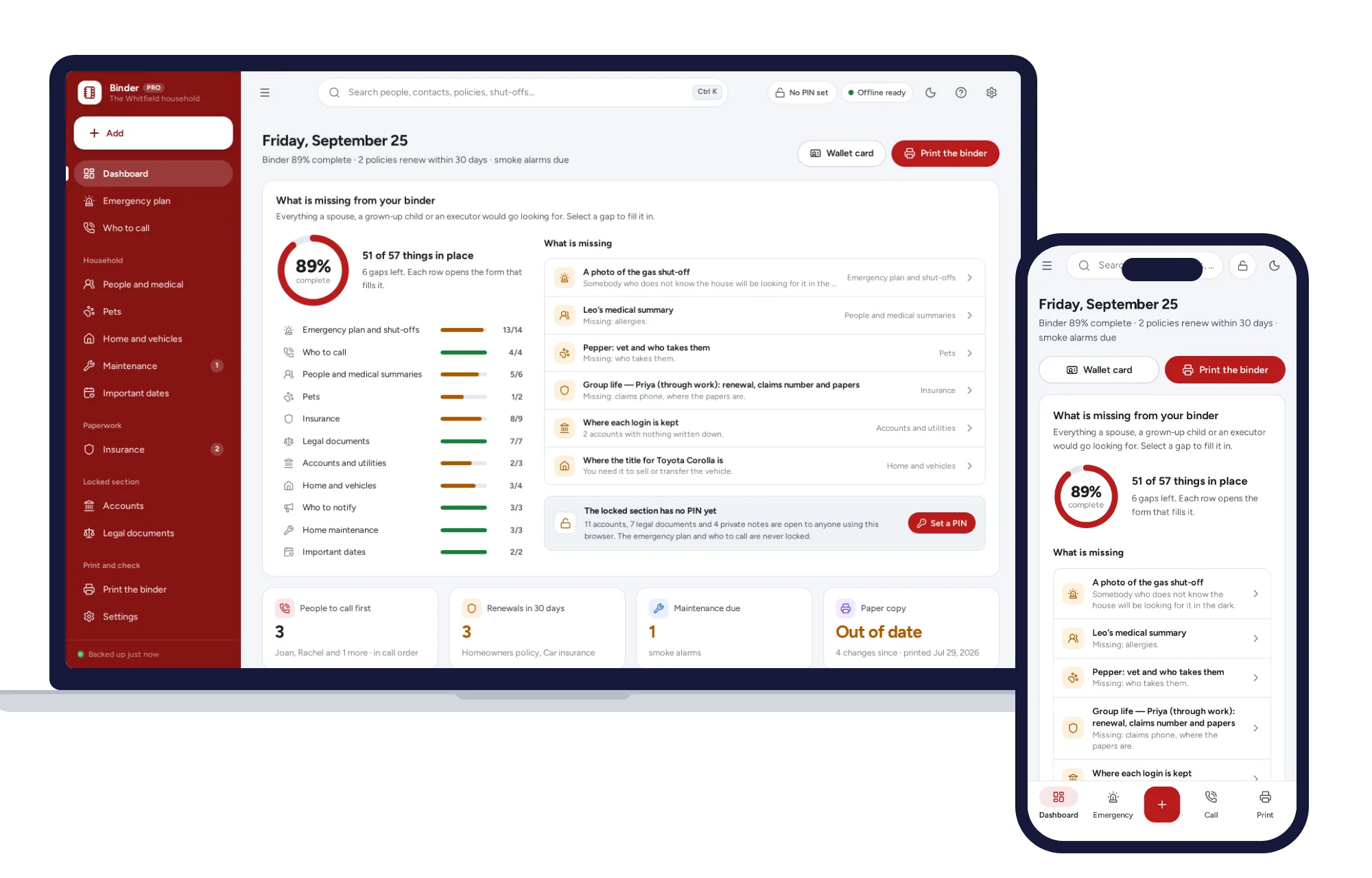
The Emergency & Home Binder has an insurance section for renewals and claims numbers, a home and vehicles section for where the titles are, and a who-to-call list in the order to ring them. Its completeness check shows what is missing, flags renewals and warns when your paper copy is out of date. It prints the whole binder in one click, which is exactly the copy you want somewhere away from home. It does not check what a policy covers; that question stays with your insurer.
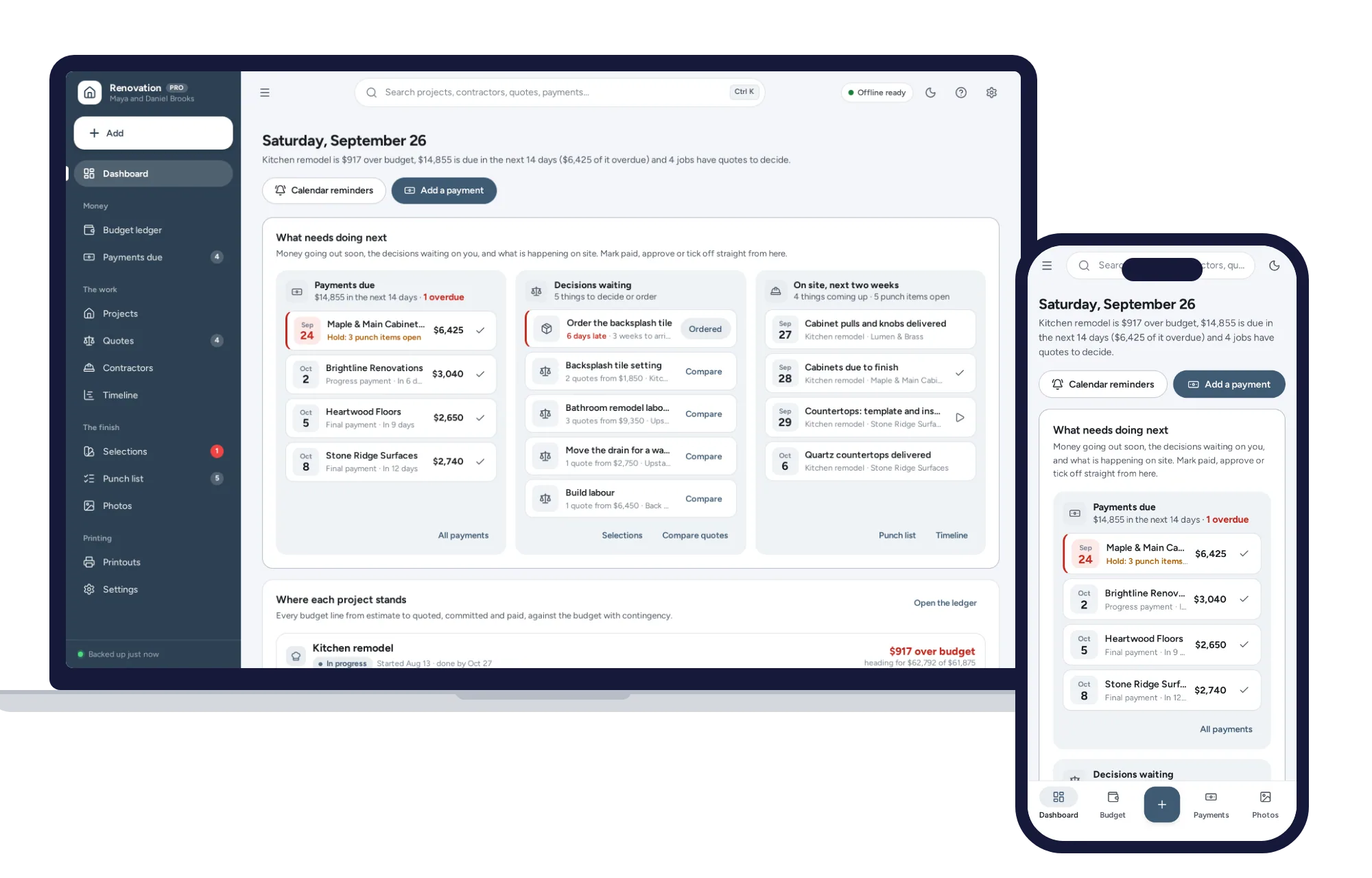
The Home Renovation Planner keeps a budget ledger from estimate to paid, payment schedules, contractors with their license and insurance details, selections with finish, model, supplier and price, permit numbers and inspection results, and before-and-after photos kept on your device.
Both open with sample data, so you can see how a finished record looks before you add your own. There is no account, they work without internet, and each comes with a PDF guide. Anyone who can use your device can open the records, so keep it locked and keep your backup file somewhere as safe as the binder itself. You can find more for big moments on the life events shelf.
Start with your insurance details and one room this weekend. You can see everything inside the Emergency & Home Binder and try it with the sample household the same day.
Skip the setup
The Emergency & Home Binder has the records this guide describes already set up. Who to call, where the shut-offs are, a medical page per person and a PIN-locked section. Prints the whole binder in one click.
$24.99 one-time
- Sample data to try it the same day
- Works offline, records stay on your device
- A PDF guide in the download
See everything inside the Emergency & Home Binder. Or take the whole Life events shelf: 4 systems for $69.99, $19 less than one by one.
Common questions
What should be included in a home inventory for insurance?
For each item, note what it is, the make and model, any serial number, the purchase date and store, the price you paid and a rough cost to replace it today. Add a photo and a receipt or other proof of purchase. Appraisals for jewelry and art belong with it too, along with records of renovations to the house itself.
Is a video walkthrough enough for a home inventory?
A narrated video is a quick and useful start, because it shows what you owned and its condition. On its own it can leave gaps, such as serial numbers, purchase dates and values, that make a claim slower to put together. Use the video as a first pass, then build a written list from it, and ask your insurer what evidence they accept.
How often should I update my home inventory?
Add new items when you buy or receive anything of real value, and update the house records after any renovation. Then do a full pass once a year. Your policy renewal date is a handy reminder, since it is also a good time to ask your insurer whether your coverage still matches what you own. Moving house is another good moment for a fresh walkthrough.
Do I need receipts to make a home insurance claim?
It depends on your insurer and your policy. Receipts help, but other evidence can often support a claim too, such as photos, bank or card statements, online order histories, manuals and appraisals. Ask your insurer what they accept before you ever need to claim. Photograph paper receipts now, because receipts printed on thermal paper can fade within a few years.