
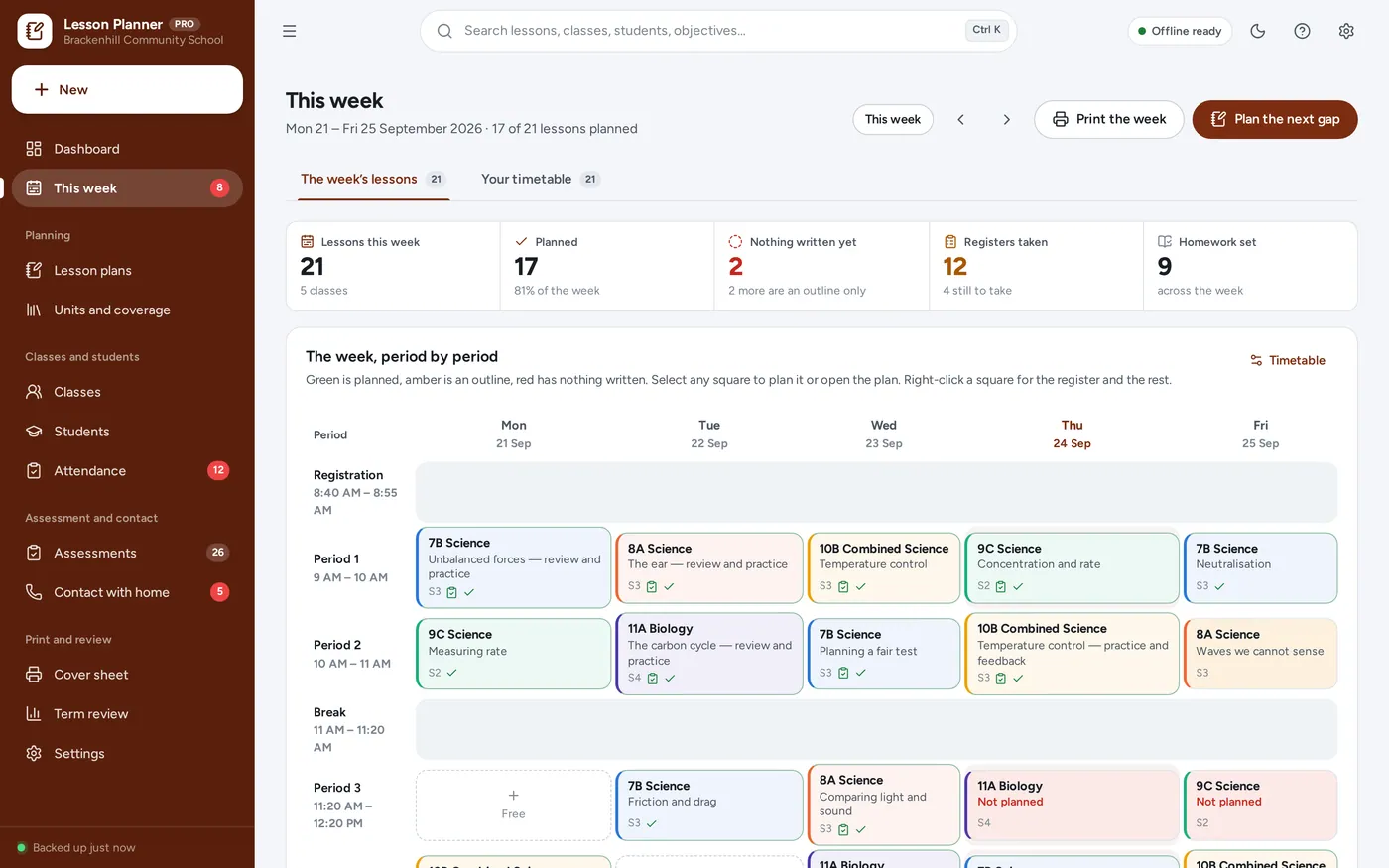
The week’s lessons
See the gaps before Monday does
- One row per period, one column per day, your real school day
- Green is planned, amber an outline, red has nothing written
- Select a square to plan it, or jump to the next gap
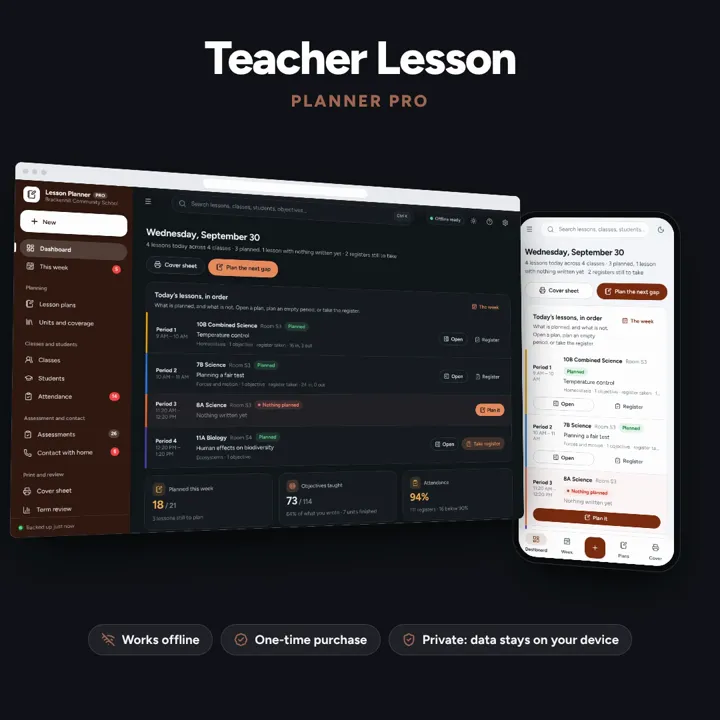
Plan the week, evidence what you taught, keep the register and the marks — and print a cover sheet a stranger could actually teach from.
No subscription. Pay once and keep it.
Checkout by Paddle. Tax is added where it applies, and you download straight after paying.
Made for One teacher planning and recording a term — primary and secondary, subject specialists, supply teachers with a regular timetable and home educators who keep formal records
Plan the week, evidence what you taught, keep the register and the marks — and print a cover sheet a stranger could actually teach from. Offline, on your own device.
The week’s lessons
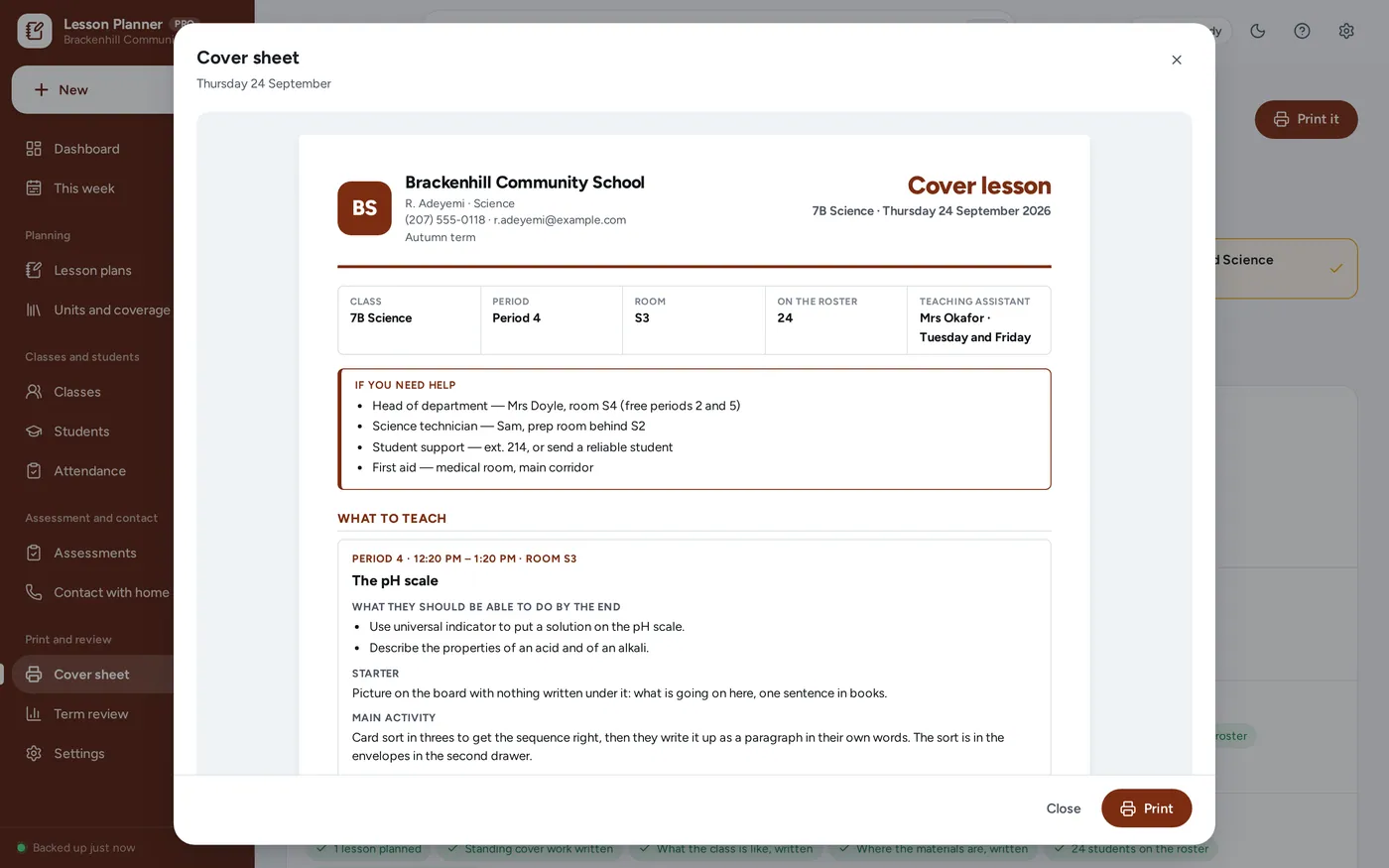
Cover sheet
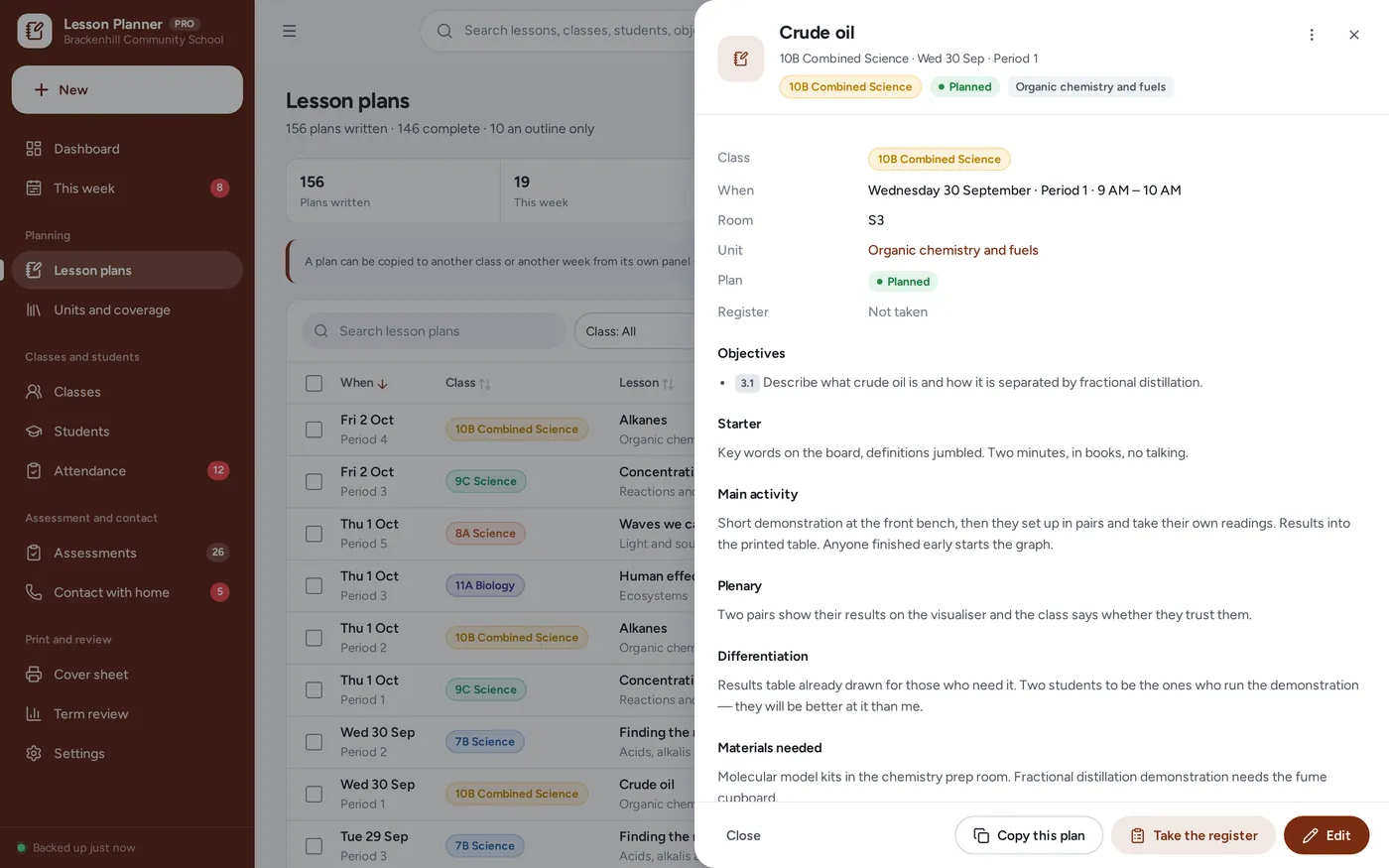
Lesson plans
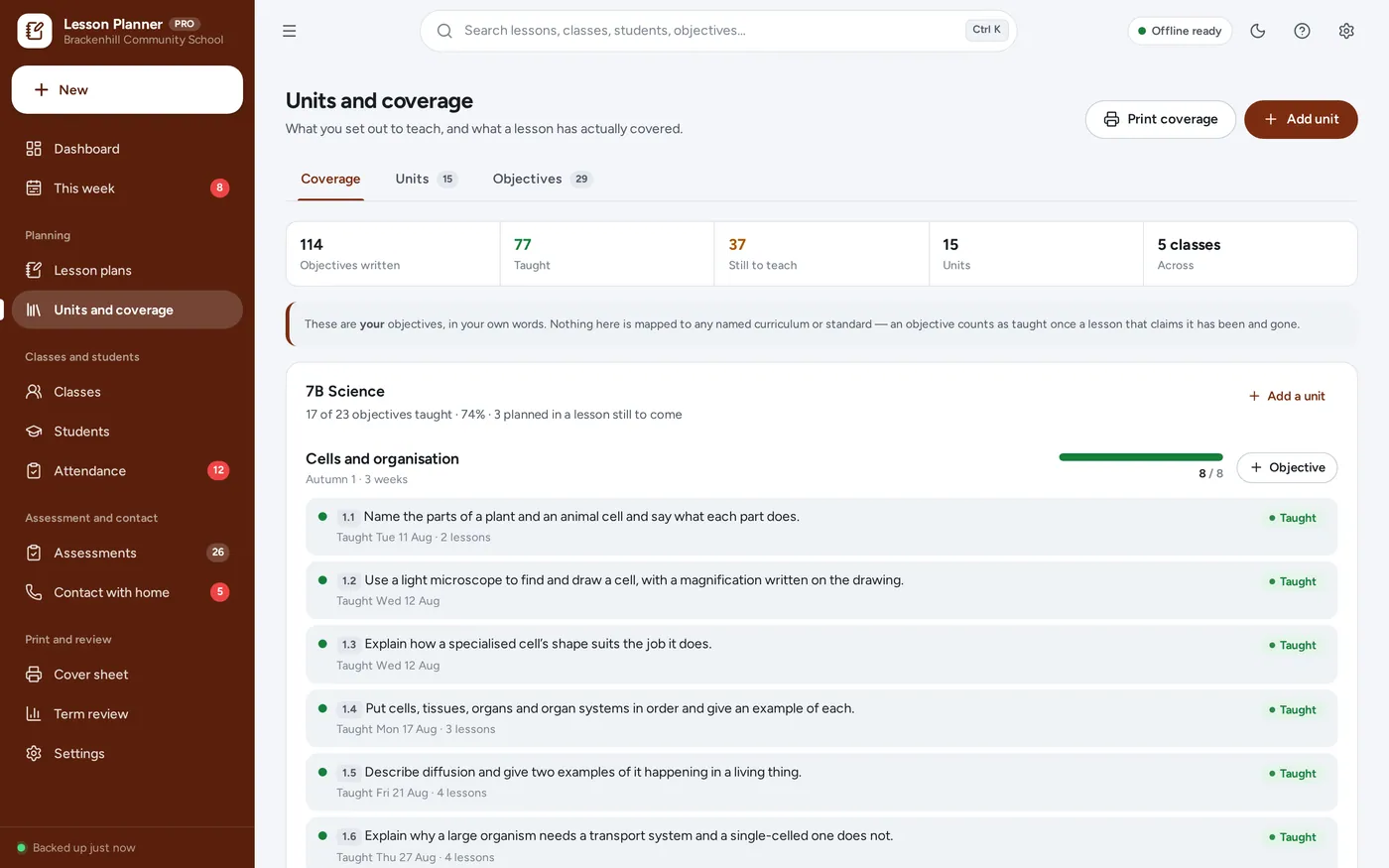
Units and coverage
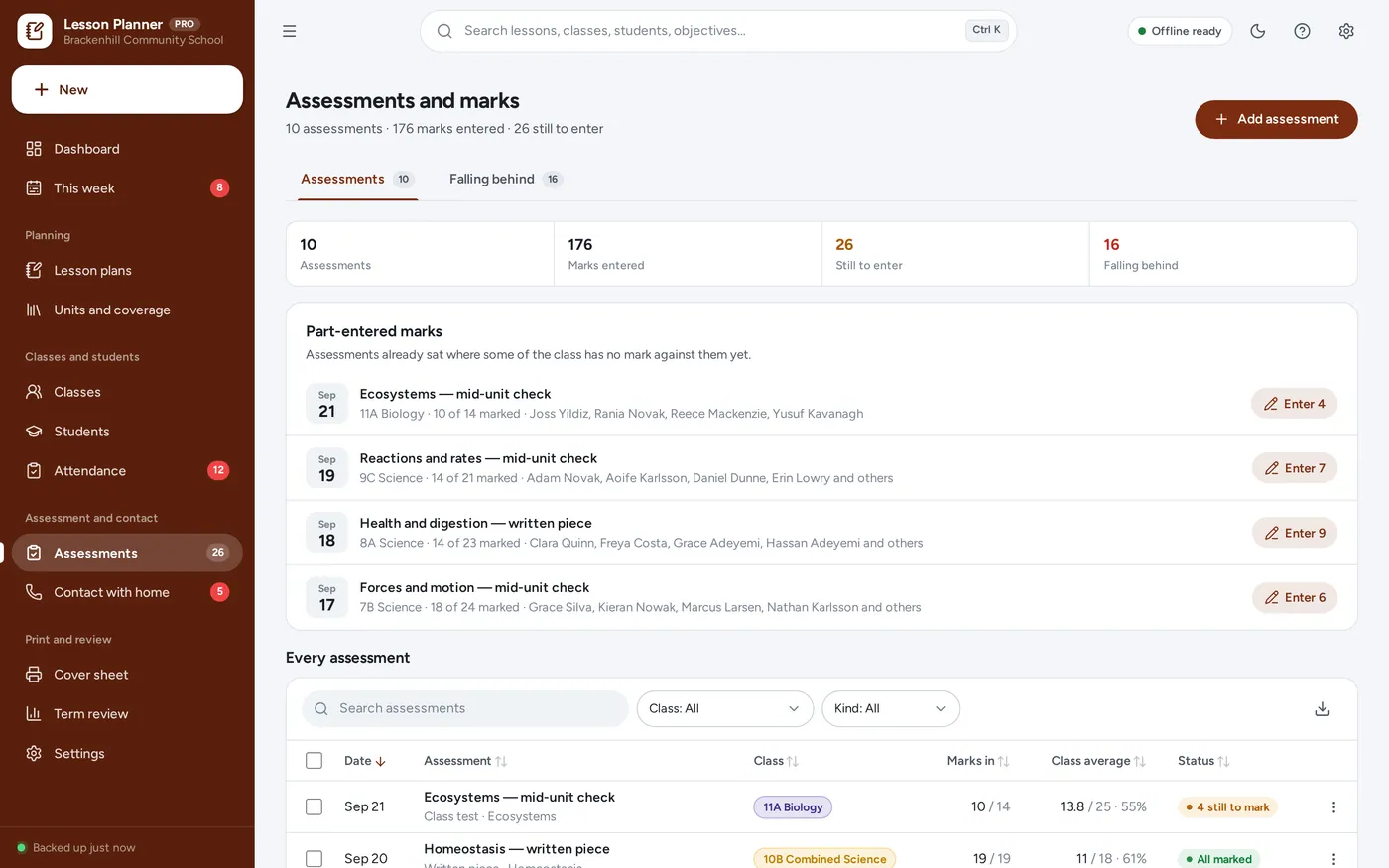
Attendance and marks
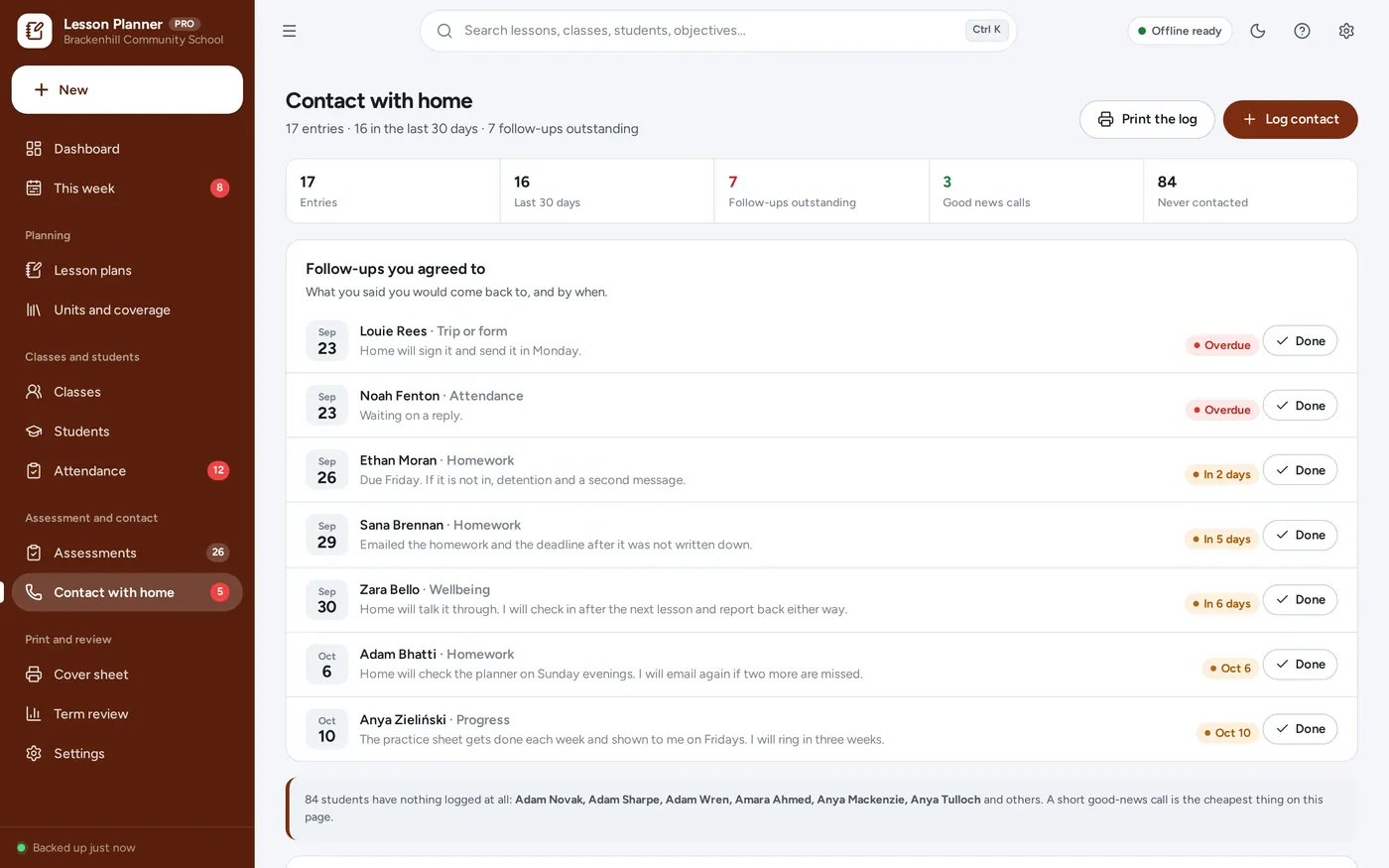
Contact with home
For one teacher’s term: primary and secondary, subject specialists, supply teachers with a regular timetable and home educators who keep formal records.
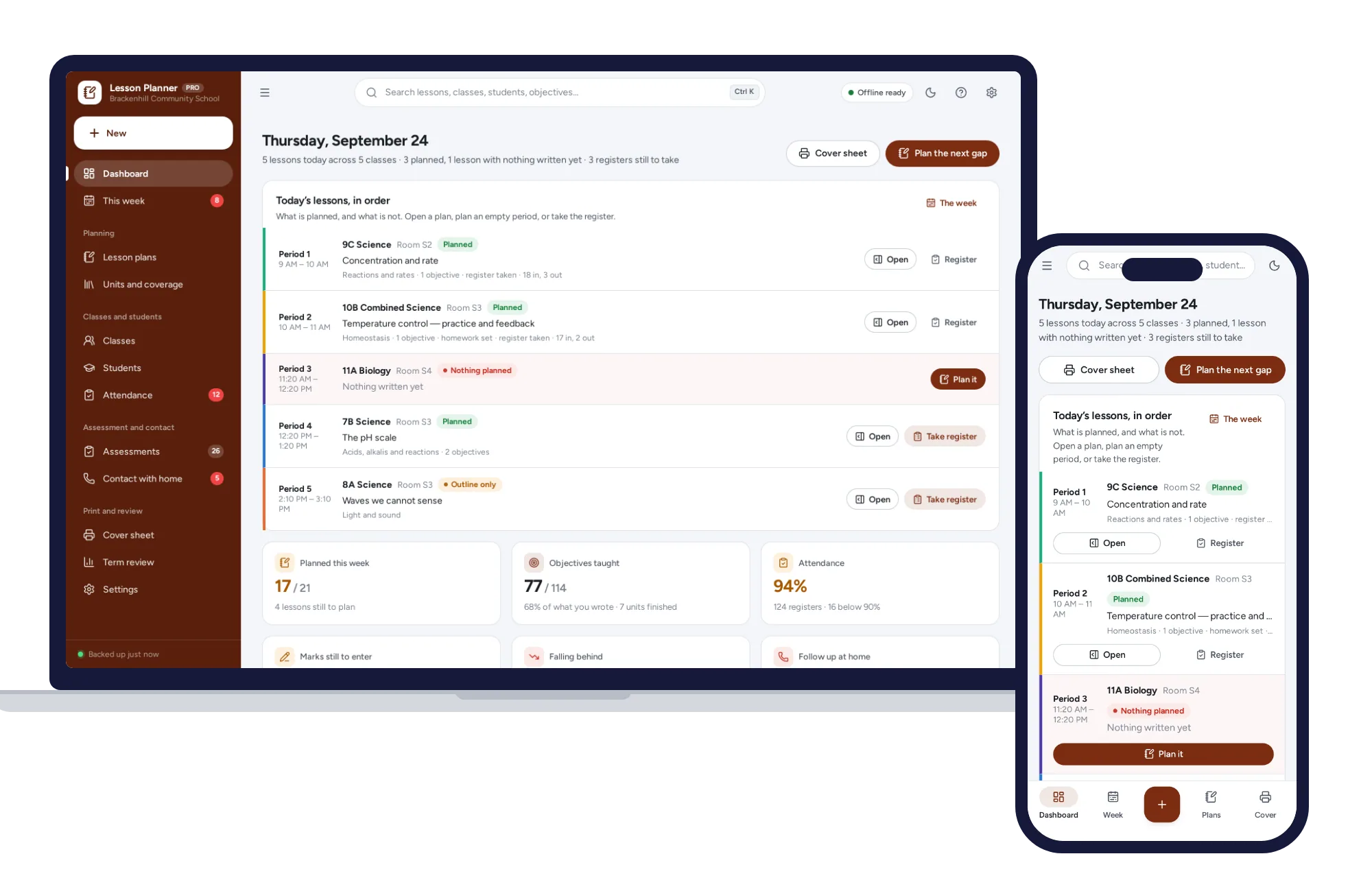
Light and dark mode. Install it like an app. Your records stay in the browser on your own device — no account, no subscription, nothing uploaded.
What it needs, and what it does not do.
Teacher Lesson Planner is an offline app from ColadoSystems that runs in your web browser from a folder on your own device. It costs $29.99 once, with no subscription and no account, and includes 12 tools, sample data to explore and a PDF guide. Your records stay on your device and are never uploaded.
Something else? Email us and we'll answer before you buy.
Everything is saved inside your browser on this device. Nothing is uploaded and there is no account, so no company holds a copy of your records. They are not encrypted, though: anyone who can use this device and browser can open them, so keep the device locked. Download a backup regularly (Settings → Data & backup → Back up now) and keep it somewhere as safe as the records themselves.
Yes. Open index.html and it runs fully offline. You can also host the folder on any website and choose “Install app” in Chrome or Edge to get a desktop or phone icon that works offline.
Yes. The layout adapts to phones and tablets with a bottom navigation bar. Each device keeps its own data, so use Back up / Restore to move records between devices.
Go to Settings → Data & backup → Erase records. Your business profile and settings are kept; all sample records are removed.
No. You write your own units and your own objectives in your own words, with your own reference numbers if you use them. The app records which lessons have taught which objectives; it makes no claim about any named curriculum, syllabus or standard, and it does not check your objectives against one.
Be clear about what it is. Records are saved in this browser, on one device. Nothing is uploaded and there is no account — but they are not encrypted, and anyone who can use that device and browser profile can read every note. Your school’s data-protection rules are yours to follow: use a device your school allows for pupil data, keep it behind a password and a screen lock, turn the app lock on if the machine is shared, keep backup files just as protected, and delete records you no longer need to hold.
An optional PIN asked for before the app opens on that device. It covers the screen; it does not encrypt anything. It is off until you set a PIN under Settings → App lock. If you forget the PIN, choose “Forgot PIN?” on the lock screen and type RESET — the lock clears and not one record is deleted. The PIN is deliberately left out of backup files so restoring on a new computer can never lock you out.
It prints the class’s standing cover work, what the class is like, how the lesson runs, where the materials are, the register, and for each student only the line you wrote in “What a cover teacher needs to know”. Support-need details and your private notes about a student are never printed on it. Six switches under Settings → Cover sheet decide which sections appear.
Each device keeps its own copy, so there is no live sync between teachers. It is built for one teacher’s own planning and records. Back up and Restore move everything between your own devices; printouts are how you share with anybody else.
No. It stores the marks you type, works out the percentage and the class average, and lists anybody under the line you set. There is no grading model, no prediction and no advice — the judgements stay yours.
Change it. Under Settings → You and your teaching week you can add, rename, retime or remove periods, mark registration, break, lunch and assembly as non-teaching, and set whether you teach five, six or seven days. The grid follows.
No. It runs offline on your own device, so there is no booking page for customers and it does not take card payments. You record bookings and payments in it yourself, including ones taken by phone, card reader or another website.
Teaching or running a school? These systems are close cousins. Here is who each one is for.
The school office: students, attendance, grades, report cards and fees.
One teacher: lesson plans, cover sheets, marks and contact with home.
Homeschooling parents: weekly plans per child, attendance hours and transcripts.
The schools & learning bundle has every system in this category for one price.
From running a school office to planning a homeschool week.
$119.99for 8 systems, $219.92 if bought one by one
You save $99
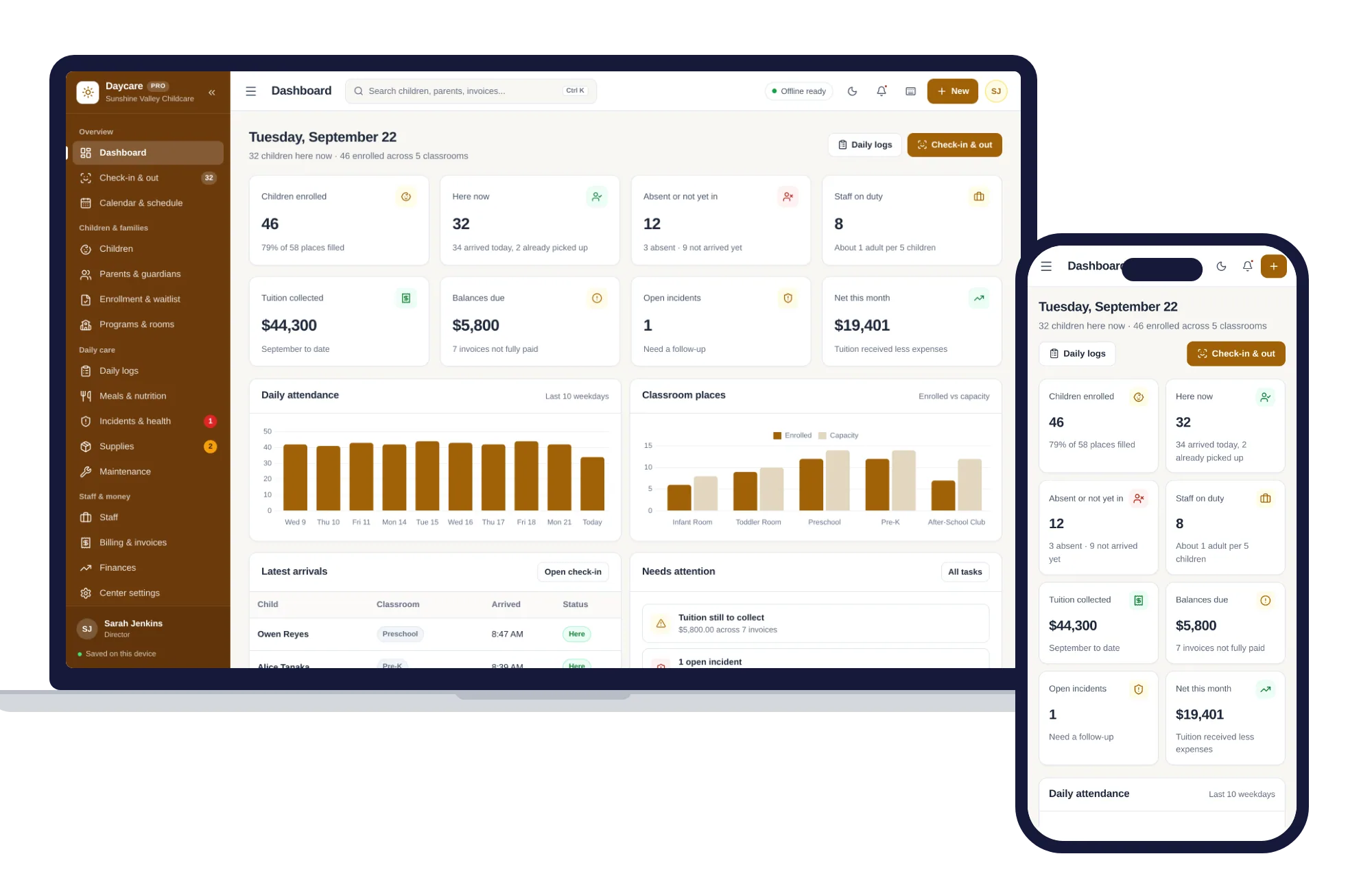
Schools & learning
Check-in and out, children and families, daily logs, meals, staff and tuition billing — one offline app.
$29.99one-time
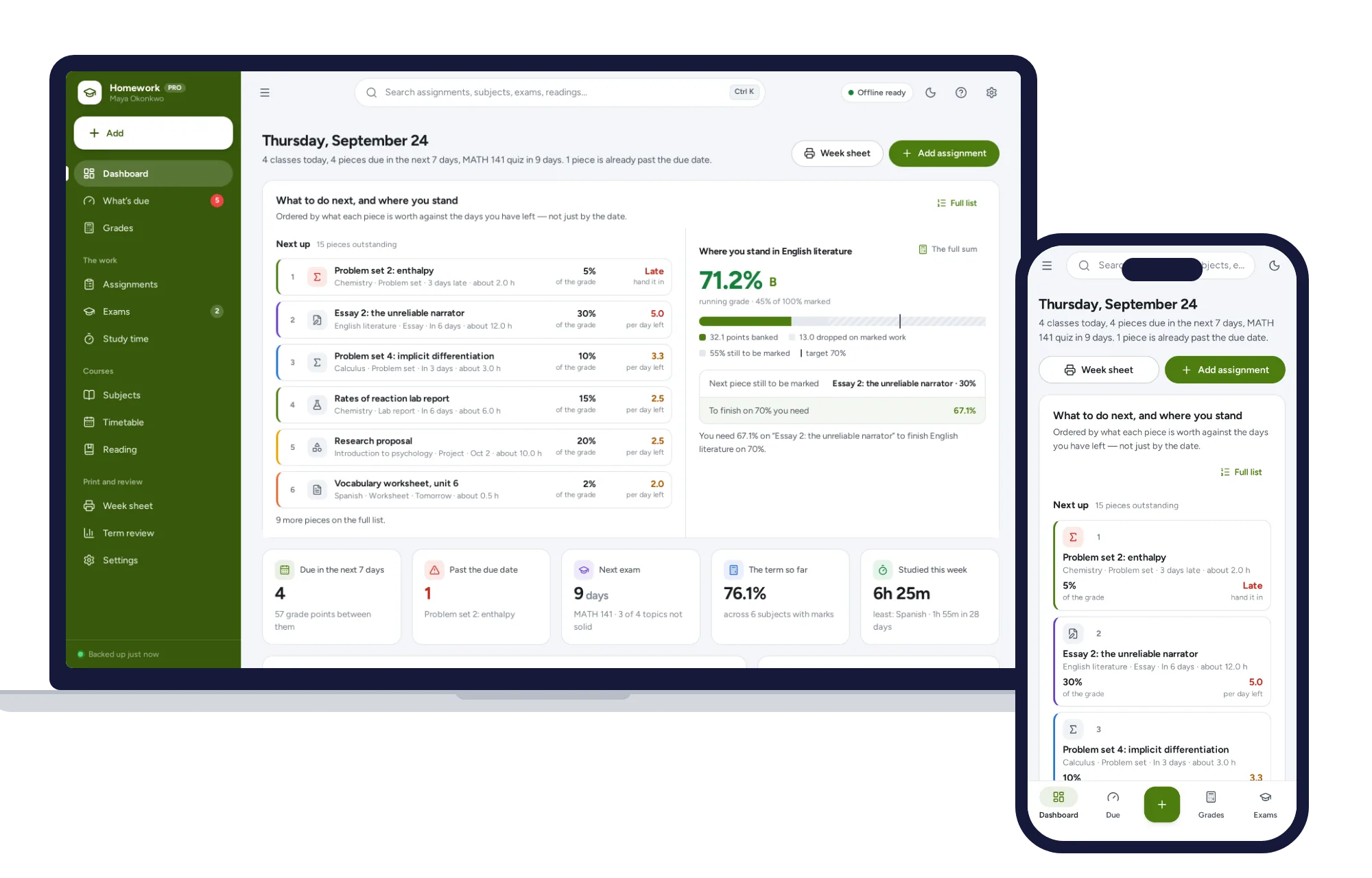
Schools & learning
What’s due by what it is worth, the running grade in every subject, and the mark you need on the final — offline.
$24.99one-time
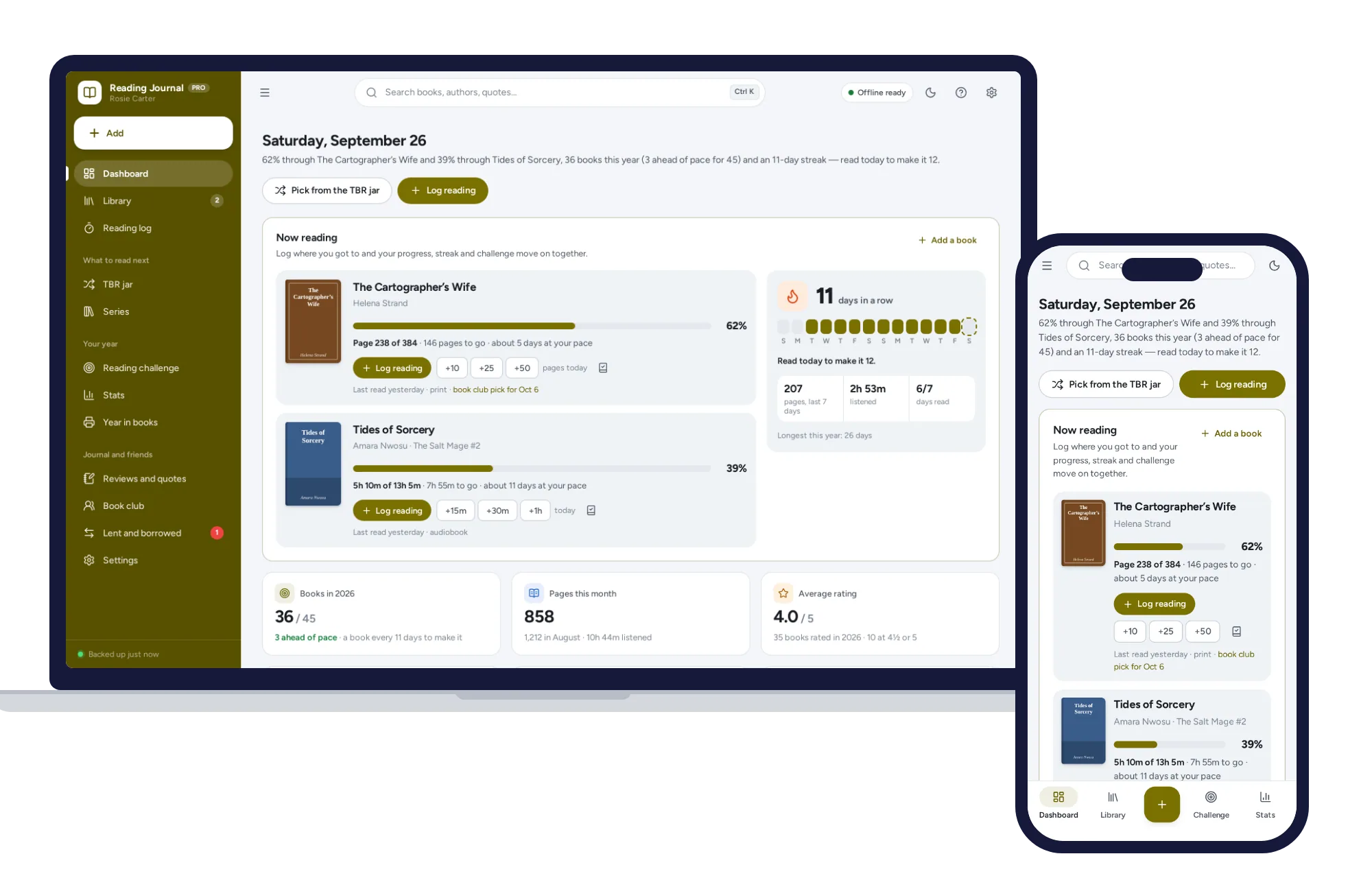
Schools & learning
Log the page you reached and your progress, streak and reading challenge update. No formulas to break, no subscription.
$24.99one-time
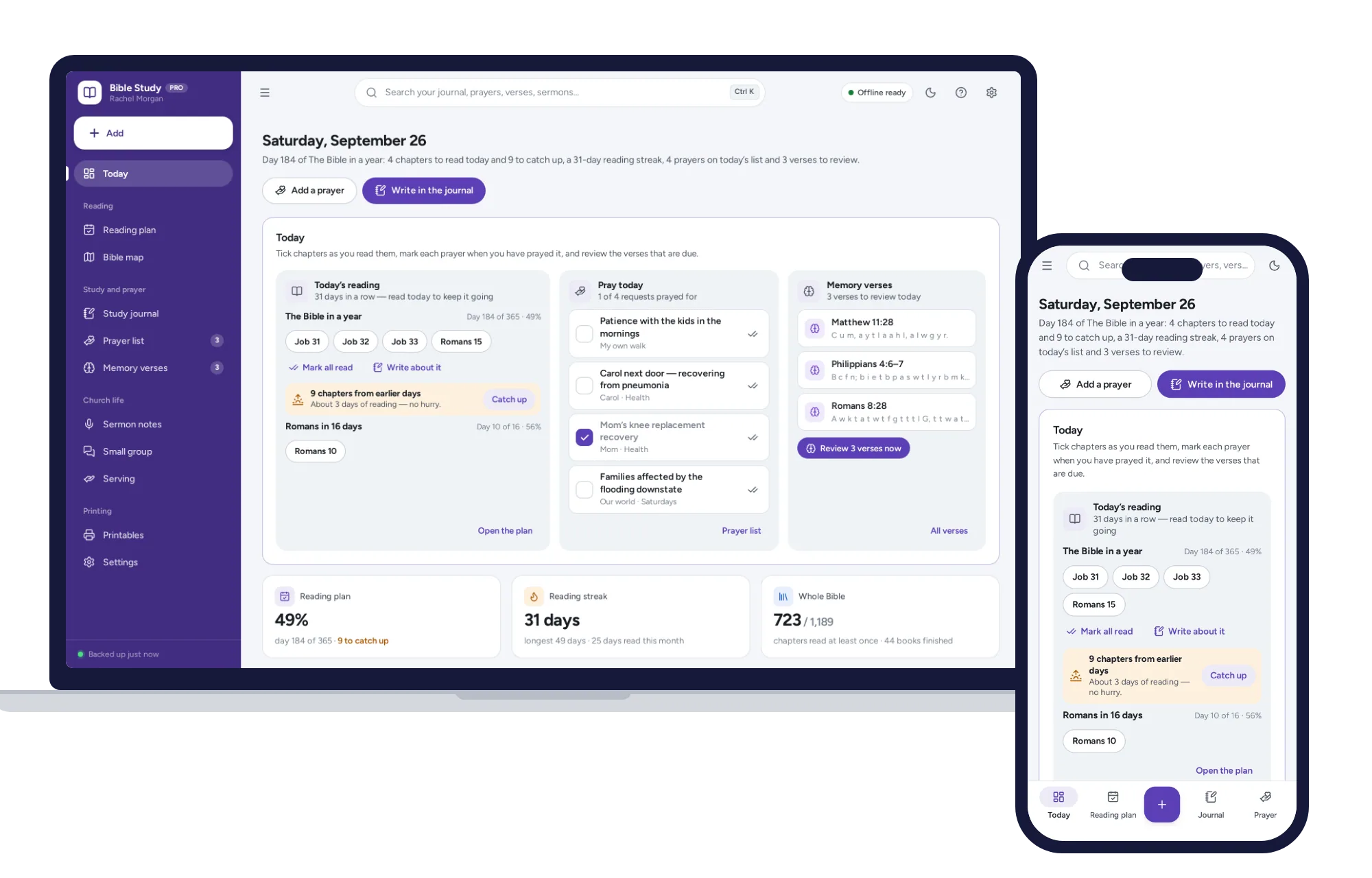
Schools & learning
A Bible reading plan that catches you up when you miss a day, a SOAP journal and a prayer list on one dashboard. No subscription.
$24.99one-time