
IEP goal tracker
Tap + or −. The percentage is worked out.
- Trial-by-trial data for every IEP goal
- A tally for frequency, a timer for duration
- Paper data sheets to print when you need them
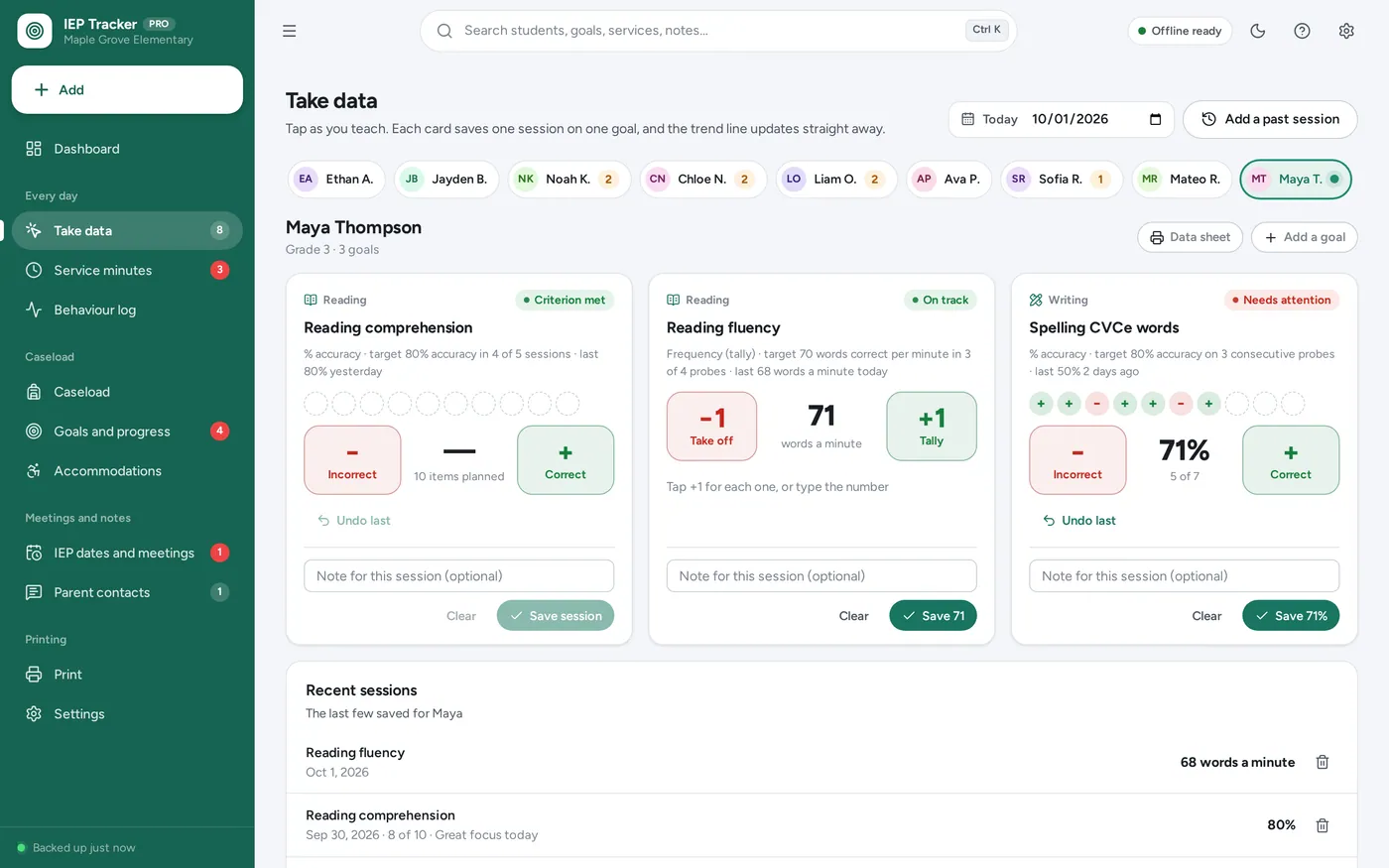
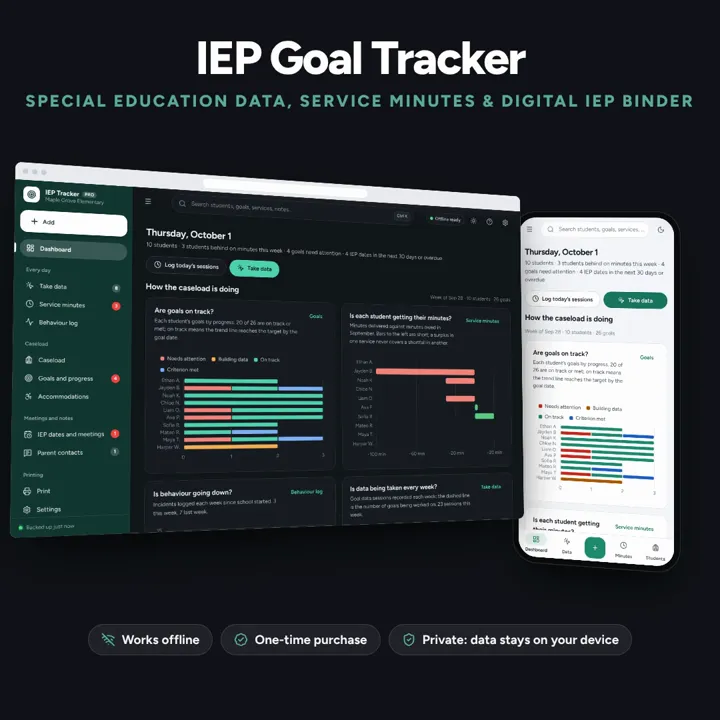
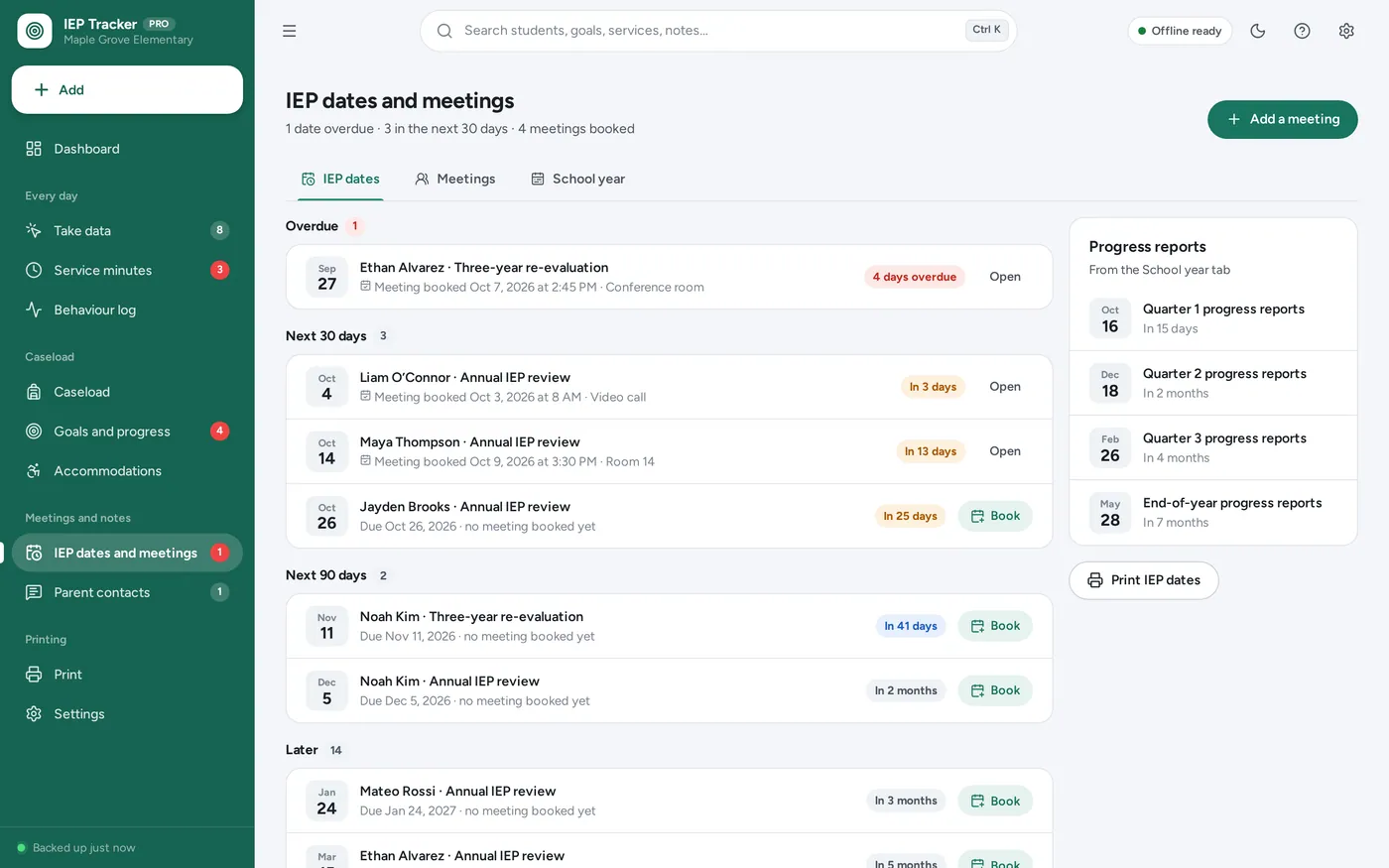
A special education tracker for teachers, case managers and parents: tap in goal data trial by trial, see each goal’s trend line, know who is behind on service minutes and count down to every IEP date. No subscription.
No subscription. Pay once and keep it.
Checkout by Paddle. Tax is added where it applies, and you download straight after paying.
Made for Special-education teachers, resource teachers and case managers with a caseload — and parents following one child’s IEP — who keep goal data, service minutes and IEP dates on paper data sheets and spreadsheets today
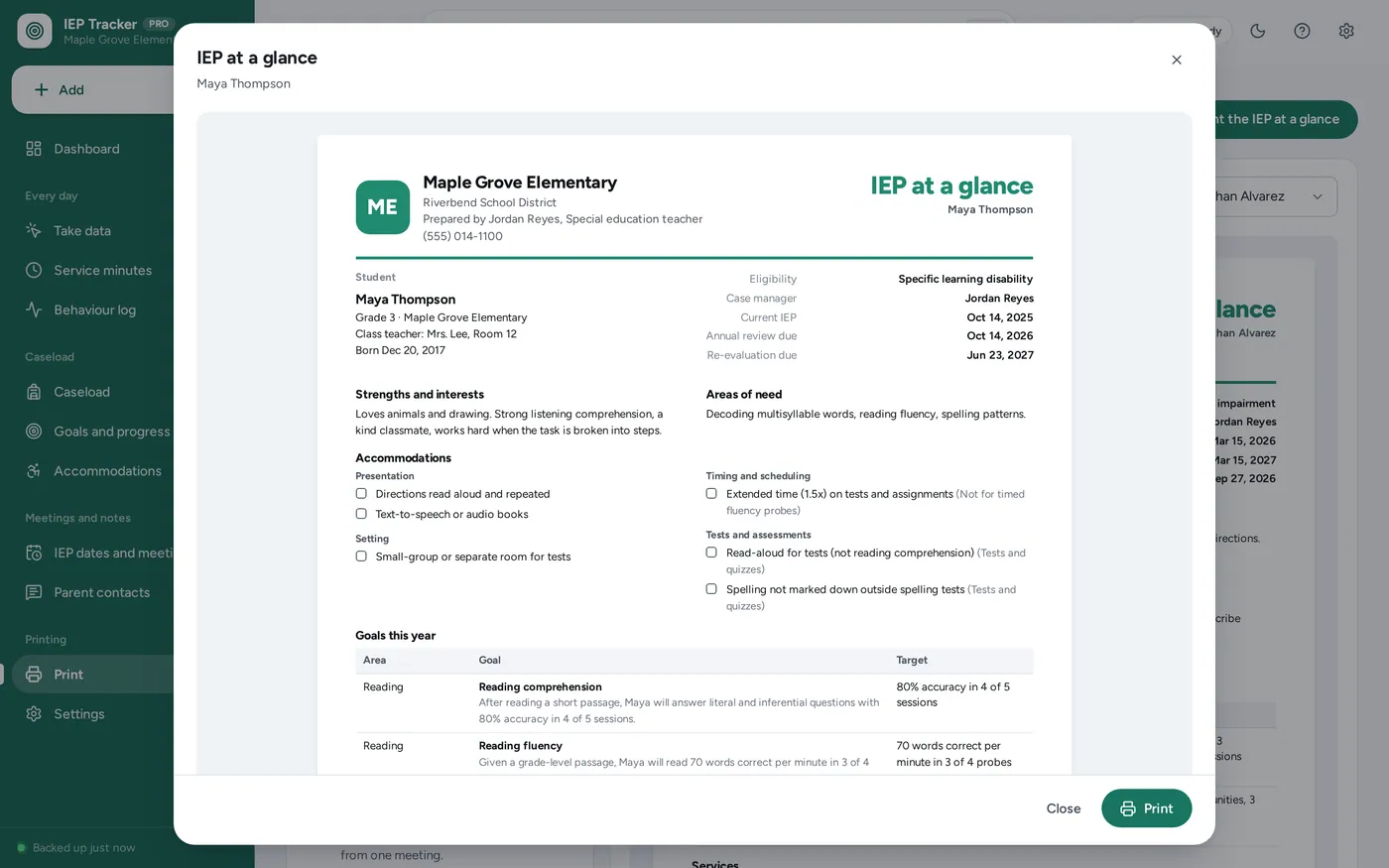
An IEP goal tracker and special education data tracker for teachers, case managers and parents: a caseload with IEP date countdowns, trial-by-trial data with the percentage worked out, tallies and timers, progress charts with target and trend lines, service minutes owed against delivered, accommodations, an ABC behaviour log, parent contacts, meeting notes, an IEP at a glance and printable progress reports — offline, no formulas to break.
IEP goal tracker
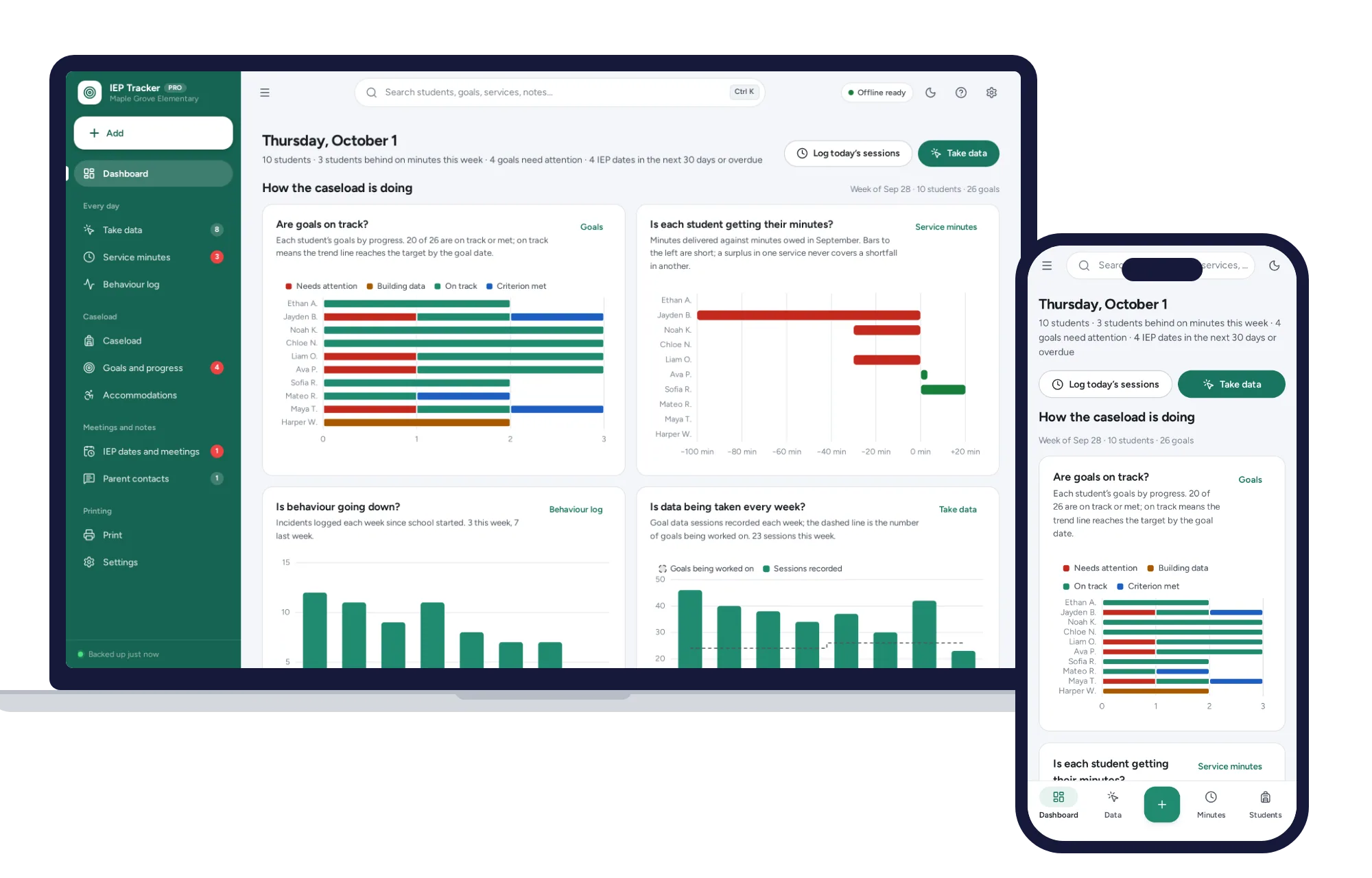
Special education dashboard
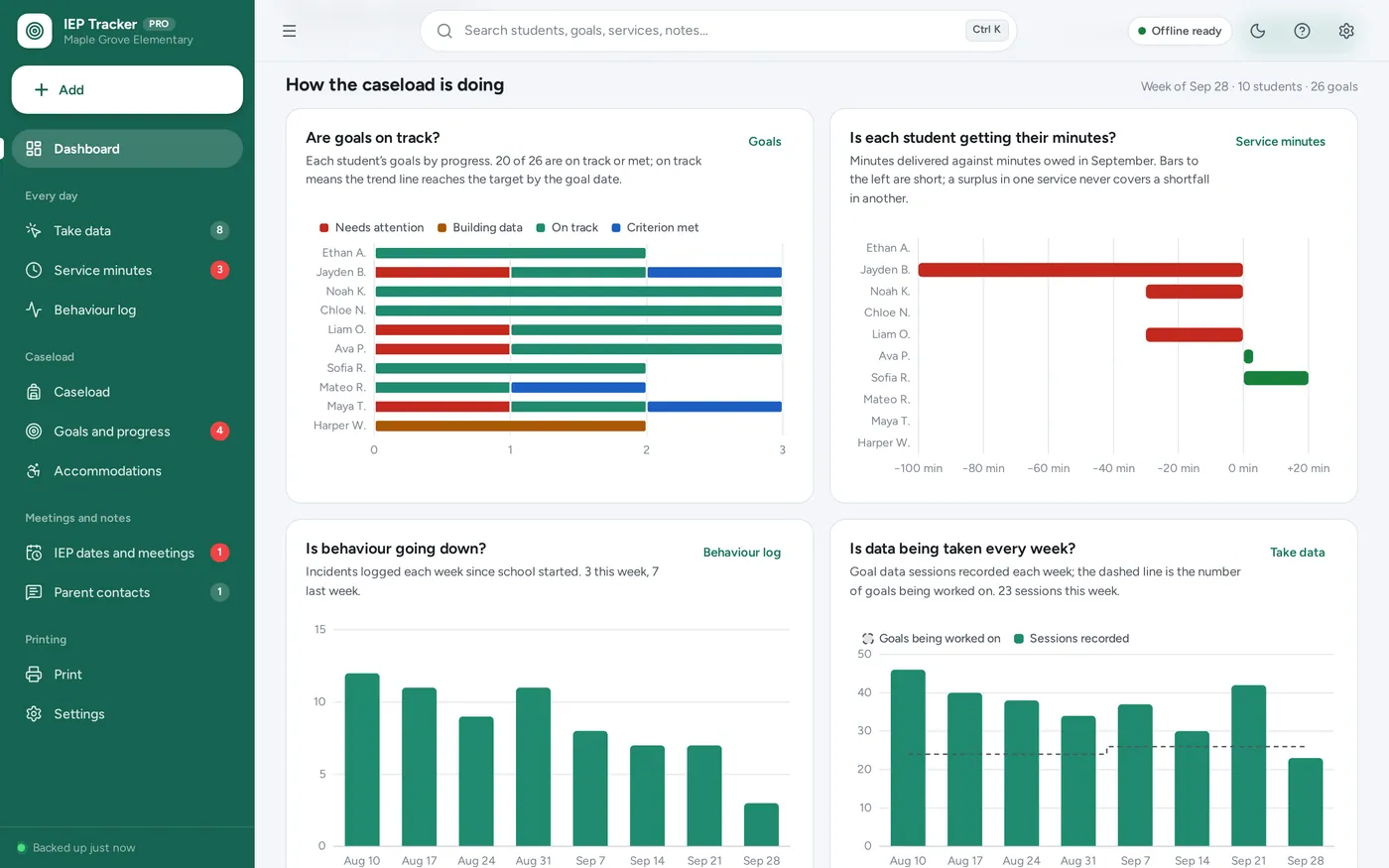
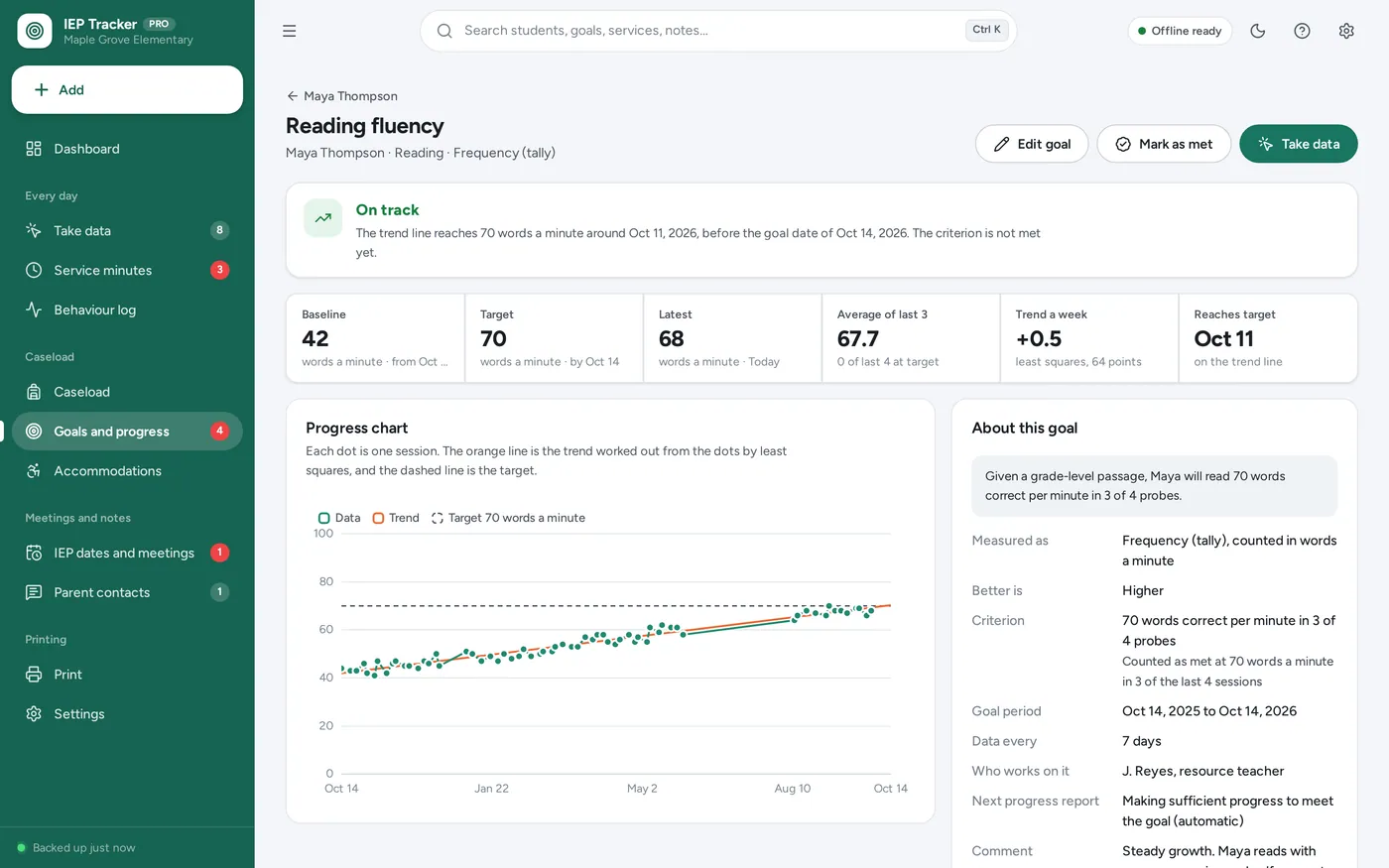
Progress monitoring
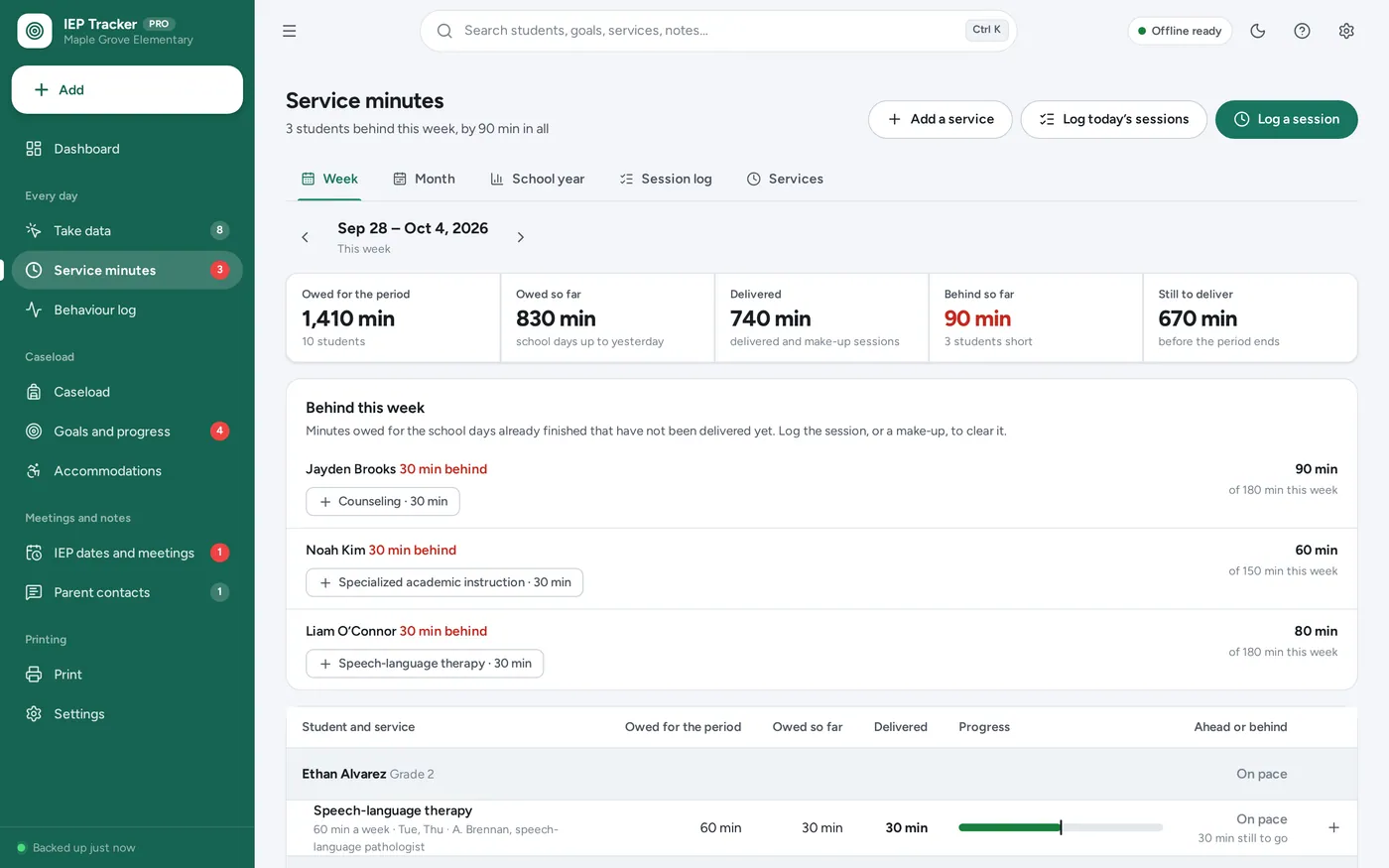
Service minutes tracker
Digital IEP binder
IEP at a glance
For special-education teachers, case managers and parents: the IEP goal tracker, data sheets, service minutes log and IEP binder a spreadsheet promises — with trend lines and countdowns, and without the formulas.
IEP data ends up on sticky notes, paper data sheets and spreadsheets whose formulas break when a cell is typed over, and IEP apps charge every month. This opens from a double-click, works offline and student records stay on this device.
What it needs, and what it does not do.
IEP & Special Education Tracker is an offline app from ColadoSystems that runs in your web browser from a folder on your own device. It costs $29.99 once, with no subscription and no account, and includes 16 tools, sample data to explore and a PDF guide. Your records stay on your device and are never uploaded.
Something else? Email us and we'll answer before you buy.
Everything is saved inside your browser on this device. Nothing is uploaded and there is no account, so no company holds a copy of your student records. They are not encrypted, though: anyone who can use this device and browser can open them, so keep the device locked. Download a backup regularly (Settings → Data & backup → Back up now) and keep it somewhere as safe as the records themselves.
Yes. Open index.html and it runs fully offline. You can also host the folder on any website and choose “Install app” in Chrome or Edge to get a desktop or phone icon that works offline.
Yes. The layout adapts to phones and tablets with a bottom navigation bar. Each device keeps its own data, so use Back up / Restore to move records between devices.
Go to Settings → Data & backup → Erase records. Every sample record is removed, and so are the sample teacher’s name and school, so nothing of theirs ends up on your printouts. Your other settings are kept.
Both. Choose “I’m a teacher or case manager” or “I’m a parent or guardian” in Settings → You and your school. It changes the wording (Caseload or My child, Parent contacts or School contacts) and which pages come first; every feature works either way.
Each session is a point: the days since the first session across, the result up. A least-squares trend line is fitted through the points and extended to the goal date. If it reaches the target by then, the goal is on track; if not, it needs attention. A goal is shown as criterion met when the result is at the target in the number of recent sessions you set, for example 3 of the last 3. The trend needs at least three sessions on two different days.
A weekly service owes its minutes spread over the weekdays (or over its usual days, if you set them); a monthly service spreads its minutes over the weekdays of that month; a daily service owes them every school day. Days with no school owe nothing (switch this off in Settings → School year and minutes), nothing is owed outside the school year, and a service that starts or ends part-way through a week or month owes only the days it covers. Behind means the minutes owed for the days already finished have not been delivered. A surplus in one service never covers a shortfall in another.
Student records stay on this device: nothing is uploaded and there is no account. They are not encrypted, so keep the device locked. Your school or district has its own rules about where student records may be kept — check them before you use a personal device, and share printouts only with people who work with the student.
No. It tracks an IEP that has been written: the dates, goals and the data on them, services and minutes, accommodations, behaviour, contacts and meetings, and it prints summaries and progress reports. The IEP itself stays in your district’s system.
Each device keeps its own records and there is no live sync. A provider can keep their own copy for their caseload, or records can be moved with Back up now and Restore.
No. It is made for one person on one device, and records do not sync between devices. To move to another device, save a backup and restore it there.
No. It runs offline on your own device, so there is no booking page for customers and it does not take card payments. You record bookings and payments in it yourself, including ones taken by phone, card reader or another website.
The schools & learning bundle has every system in this category for one price.
From running a school office to planning a homeschool week.
$119.99for 8 systems, $219.92 if bought one by one
You save $99
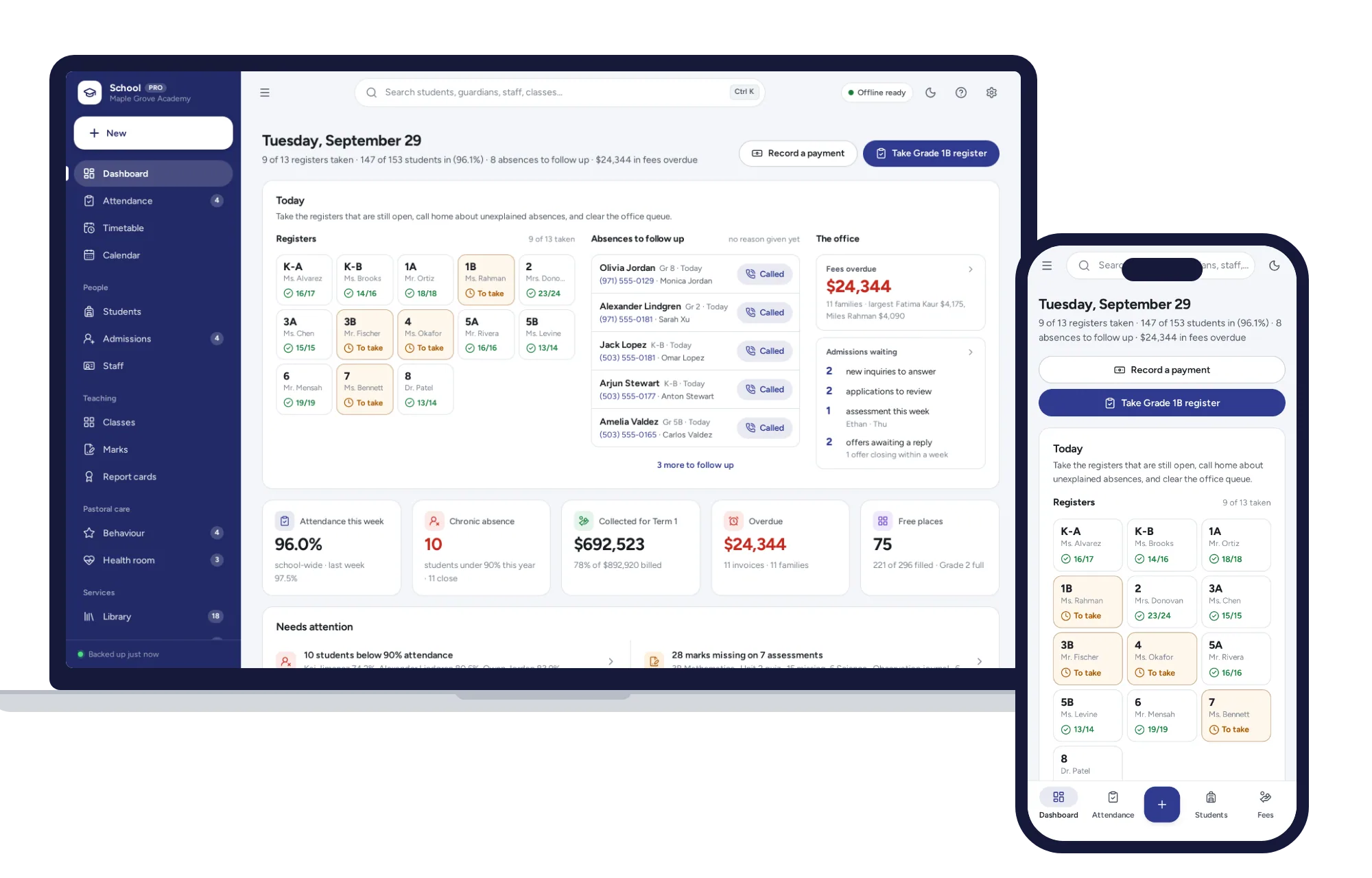
Schools & learning
Daily registers in a few taps, a clash-checked timetable, report cards and term fees billed a whole grade at once.
$29.99one-time
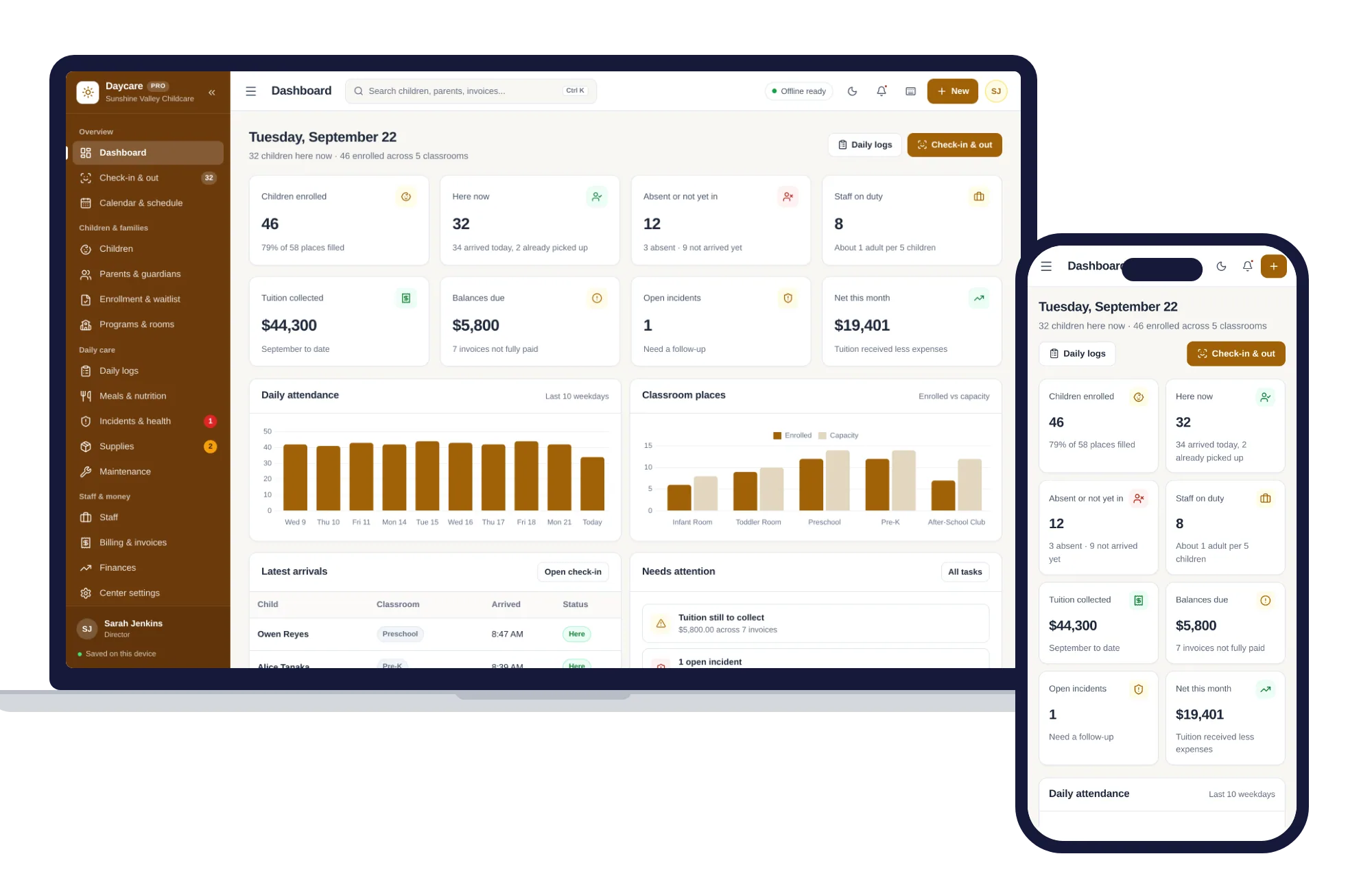
Schools & learning
Check-in and out, children and families, daily logs, meals, staff and tuition billing — one offline app.
$29.99one-time
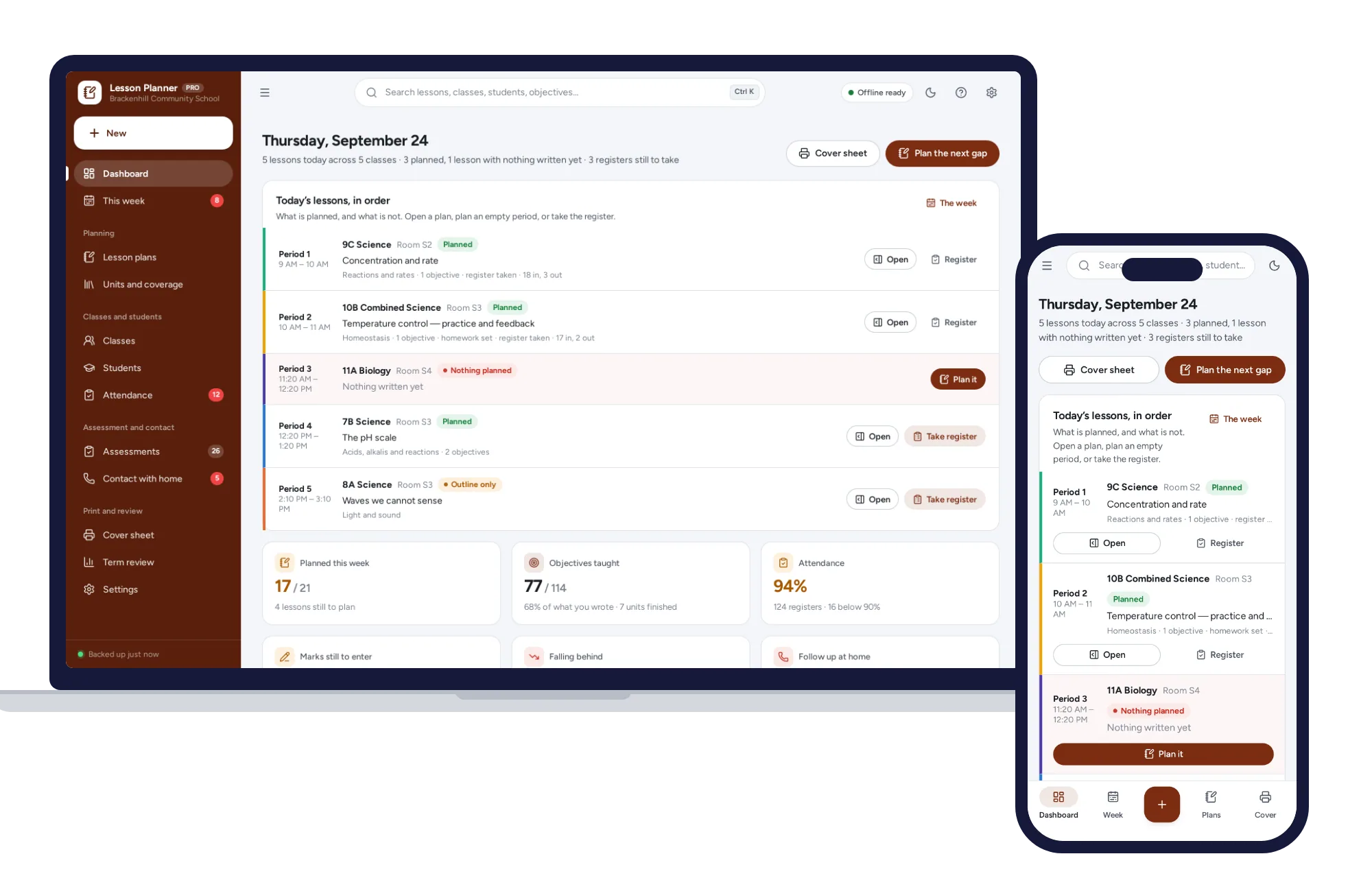
Schools & learning
Plan the week, evidence what you taught, keep the register and the marks.
$29.99one-time
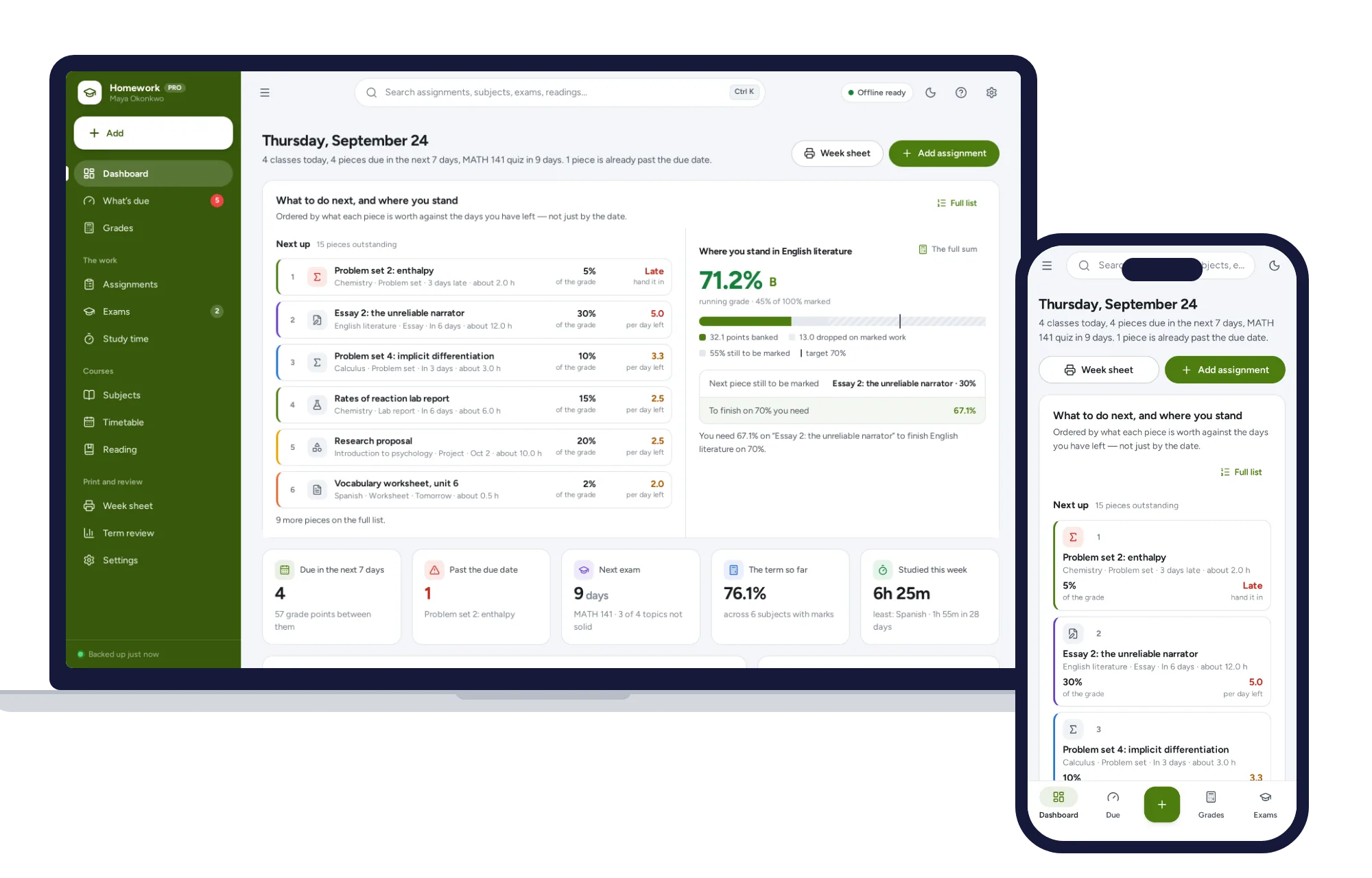
Schools & learning
What’s due by what it is worth, the running grade in every subject, and the mark you need on the final — offline.
$24.99one-time