
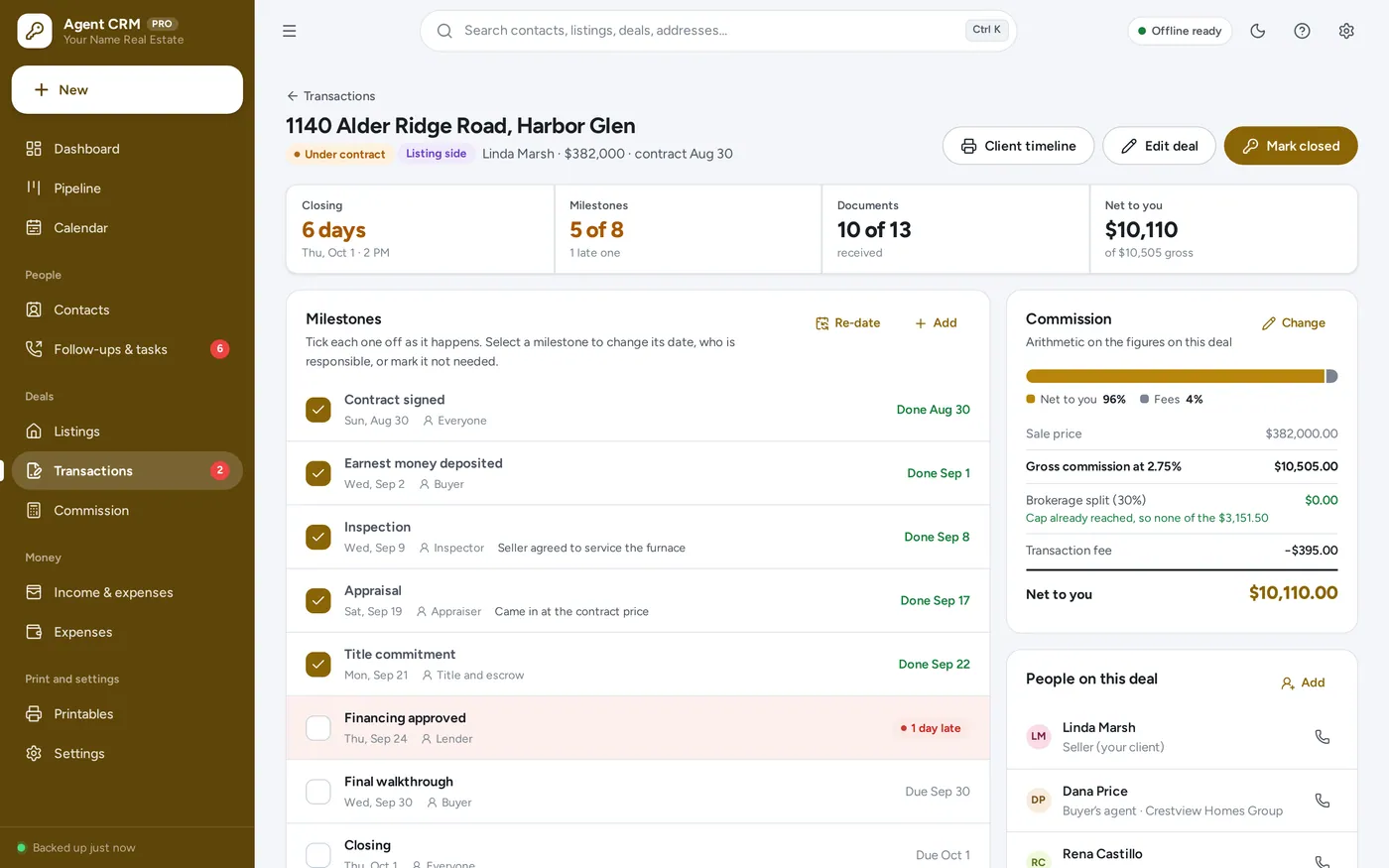
Transaction tracker
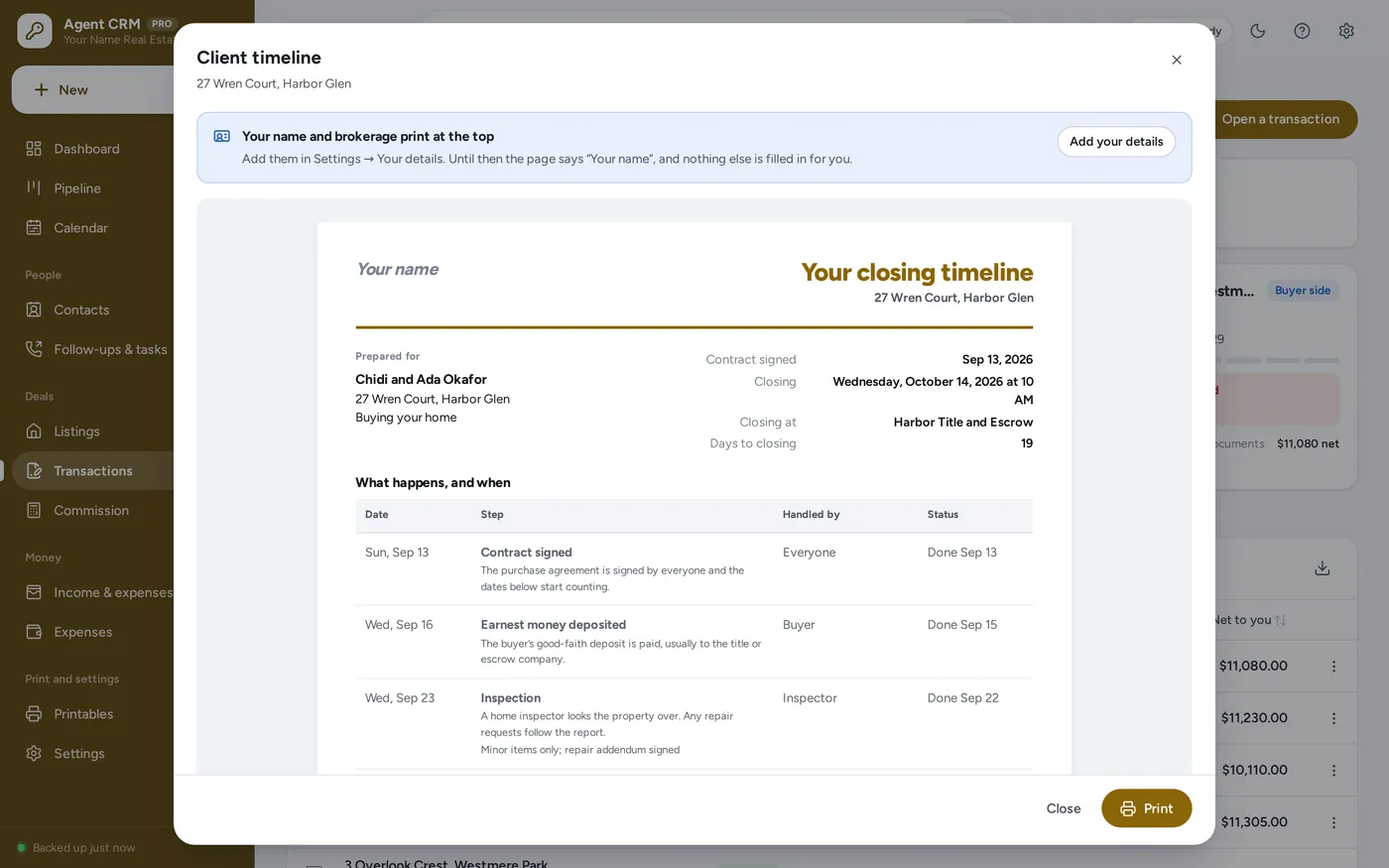
Every deal, milestone by milestone
- Contract, inspection, appraisal, financing, title, walkthrough, closing
- A date, who is responsible and done or not on every step
- Documents received and the people on the deal, one tap away
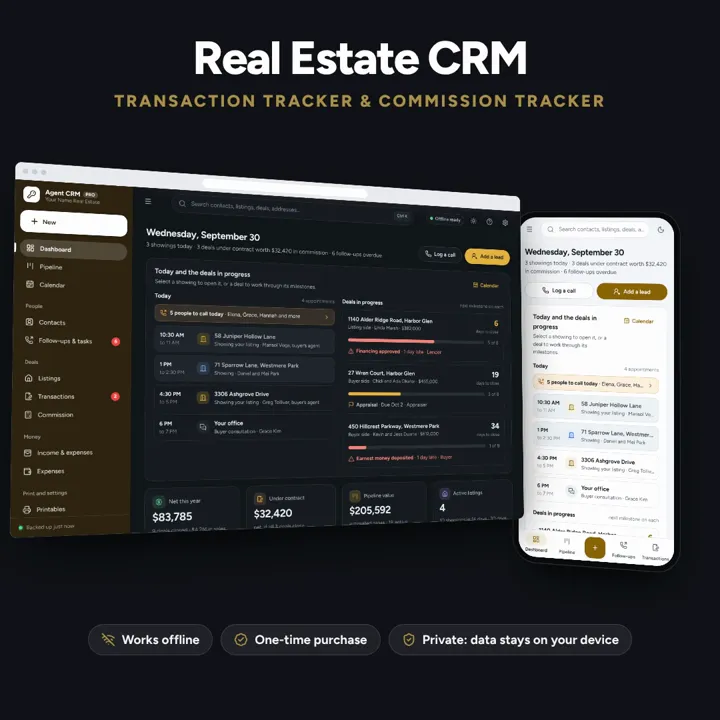
Your database is yours, not your brokerage’s — leads, listings, deals and commission, offline on your own device.
No subscription. Pay once and keep it.
Checkout by Paddle. Tax is added where it applies, and you download straight after paying.
Made for Real estate agents and transaction coordinators who want their own book of business on their own device — your database is yours, not your brokerage’s
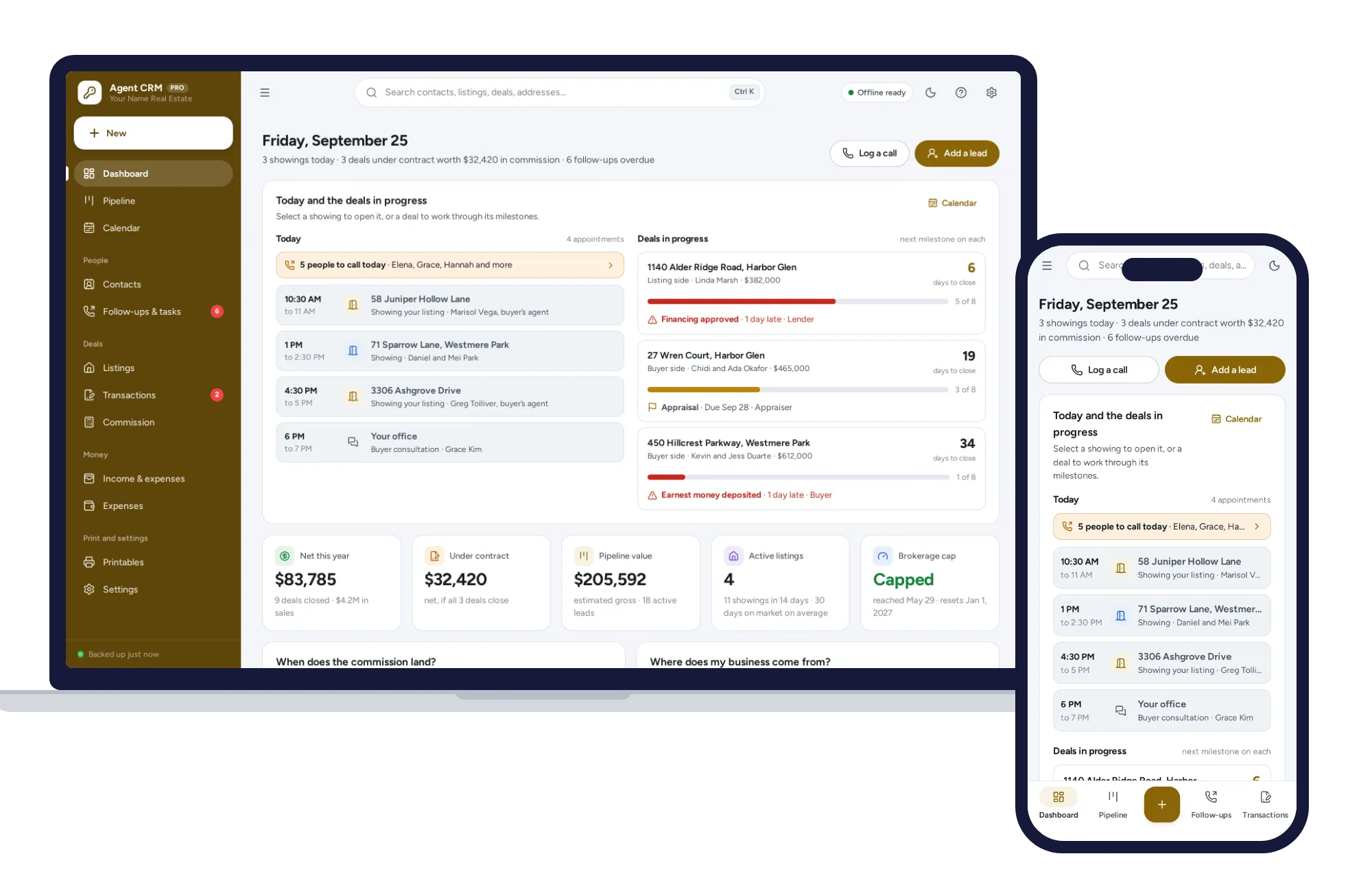
A real estate CRM and transaction tracker that works out your commission — offline, on your own device, and yours whichever brokerage you are with.
Transaction tracker
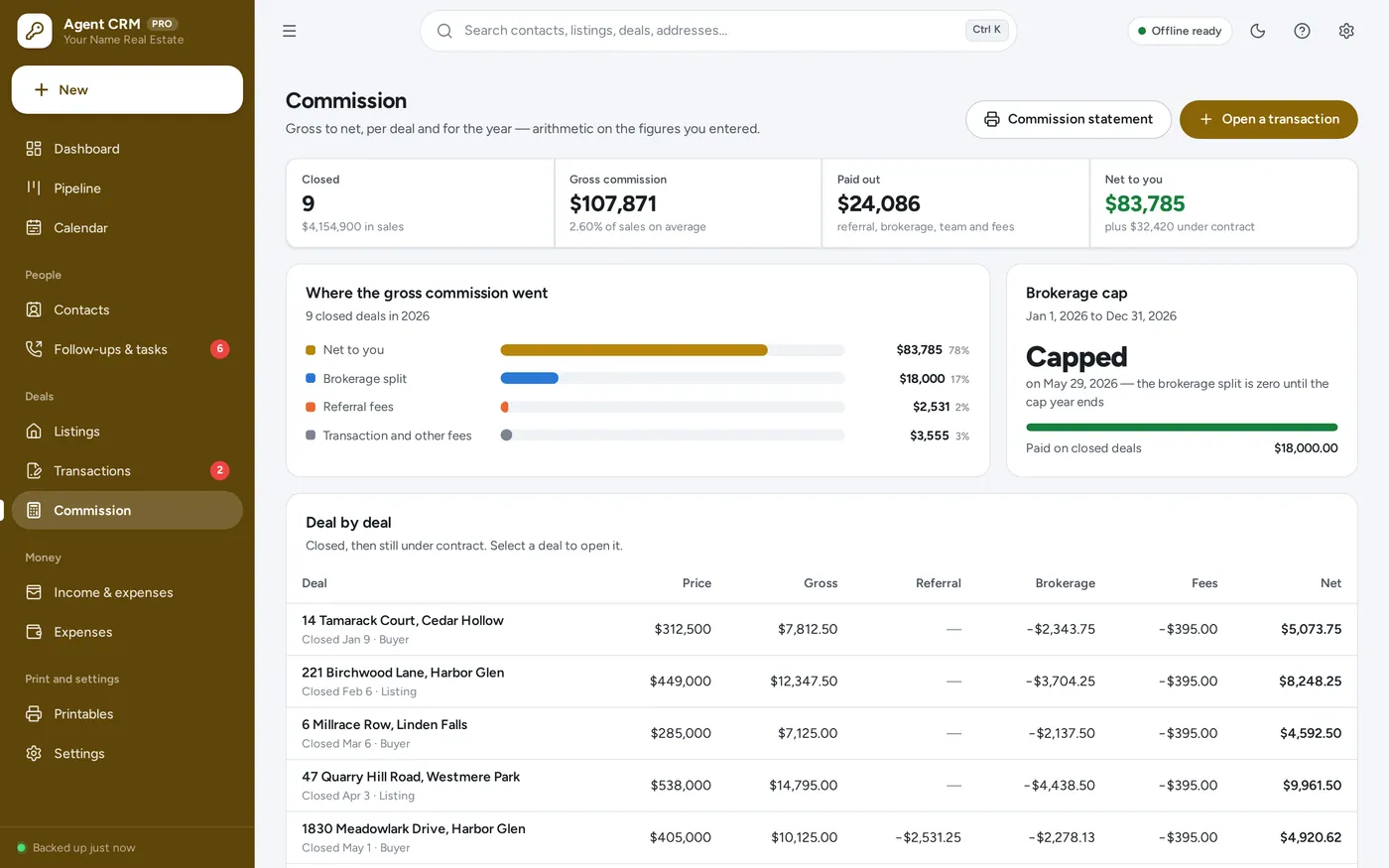
Commission tracker
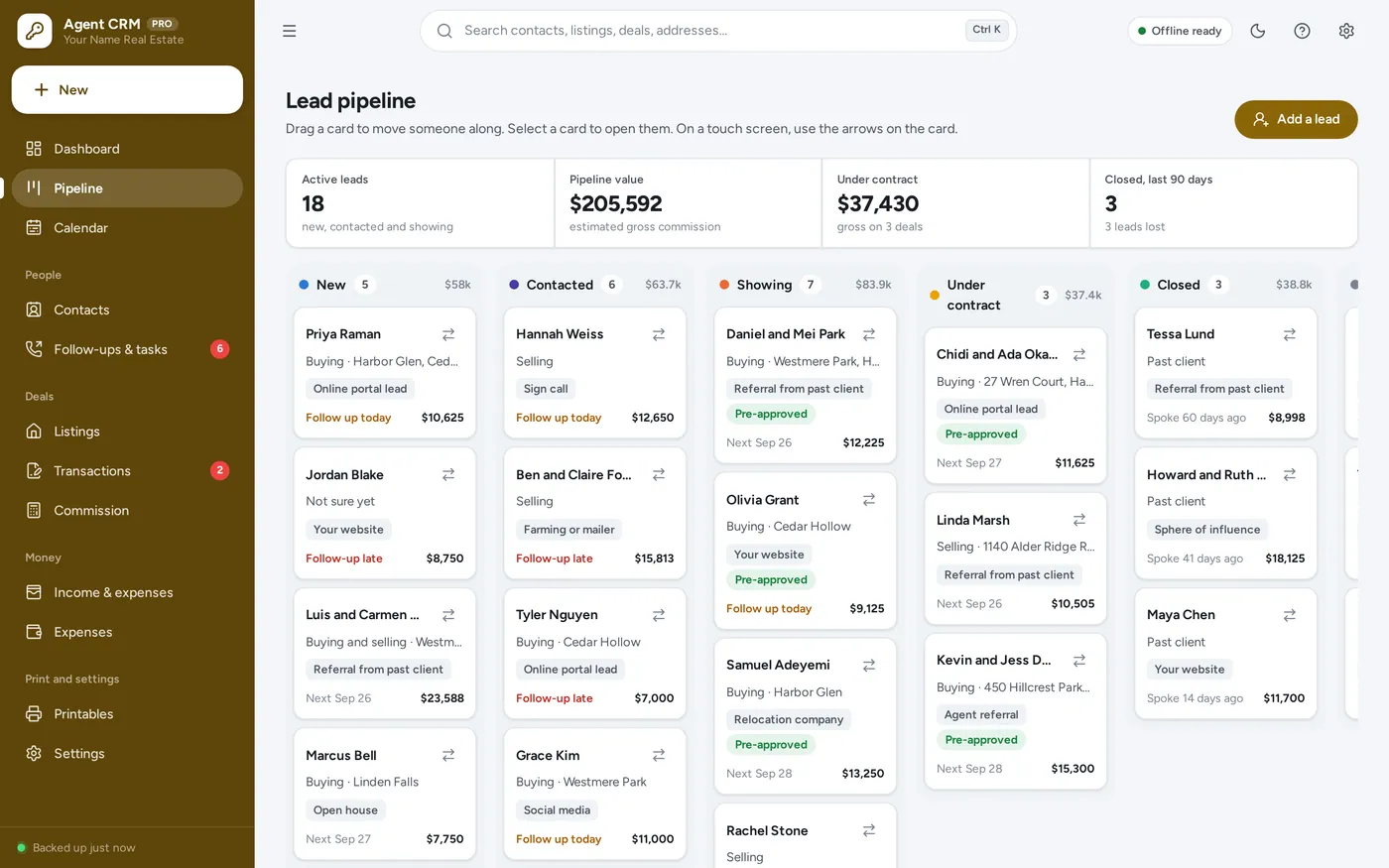
Lead pipeline
Follow-up reminders
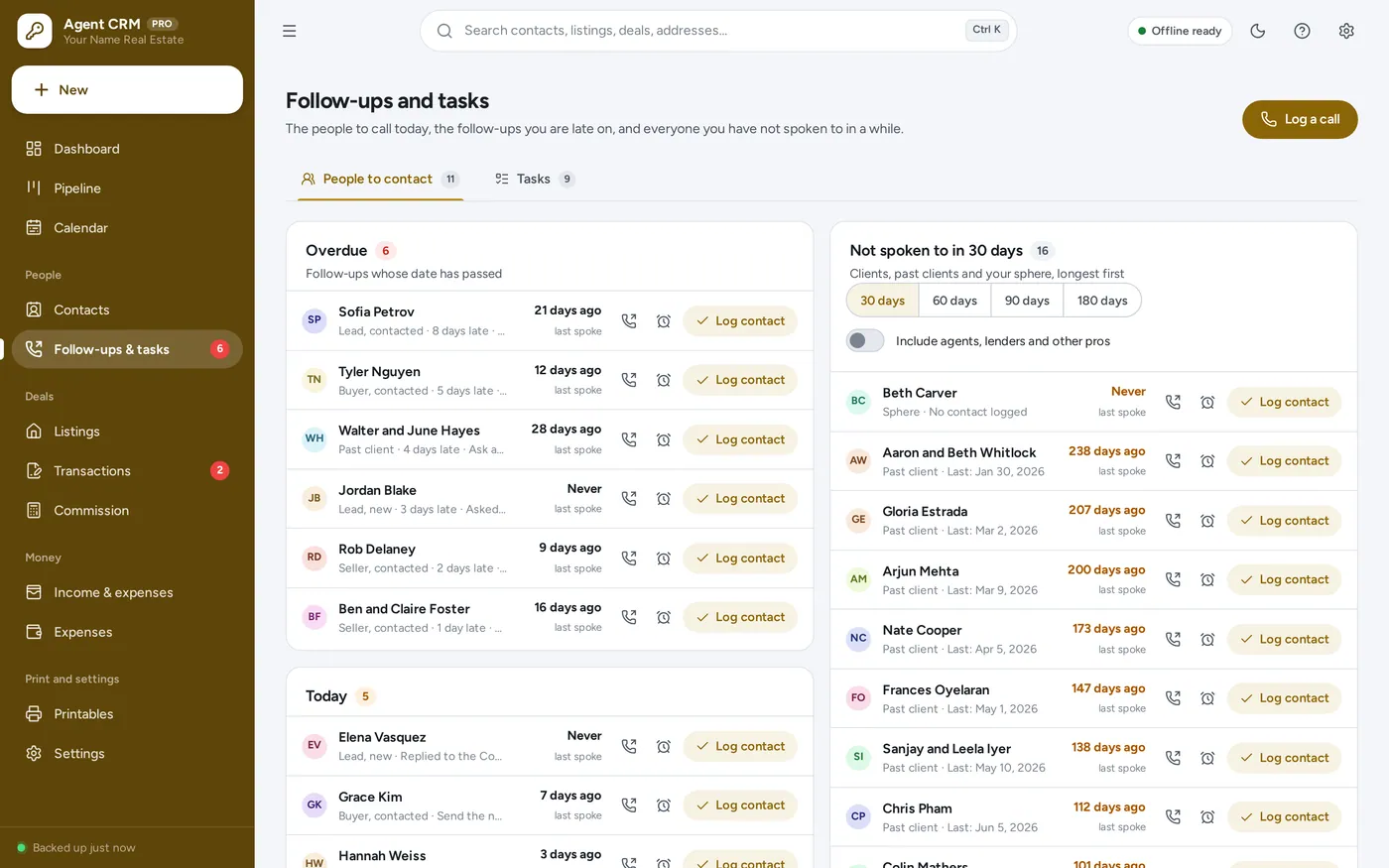
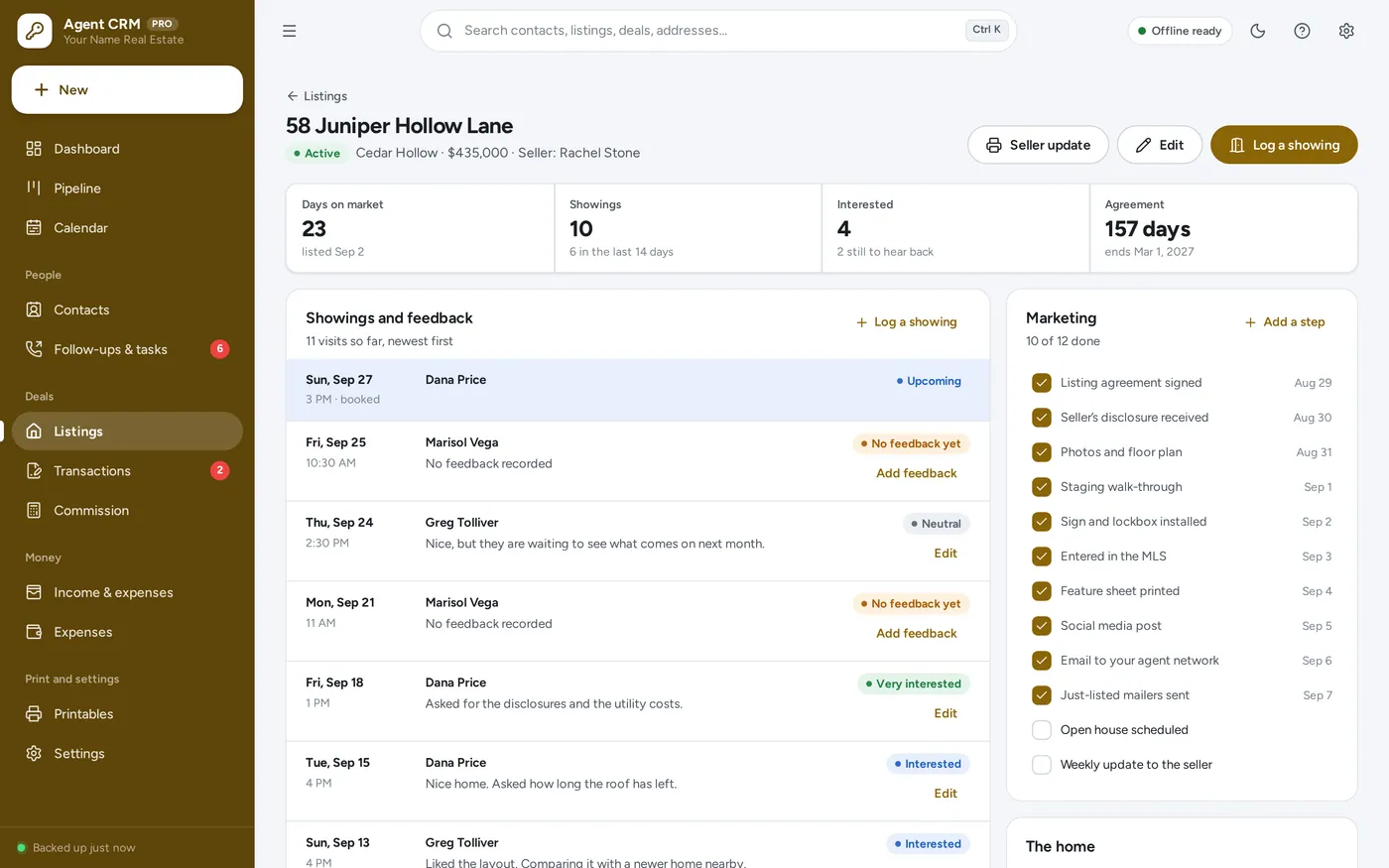
Listings and showings
Printables
Built for a real estate agent working on their own or on a small team — and for the transaction coordinator beside them.
Contacts, deals and commission stay in the browser on your own device — not in a brokerage or portal system. No account, no subscription. Change brokerages and your book comes with you.
What it needs, and what it does not do.
Real Estate Agent CRM is an offline app from ColadoSystems that runs in your web browser from a folder on your own device. It costs $29.99 once, with no subscription and no account, and includes 12 tools, sample data to explore and a PDF guide. Your records stay on your device and are never uploaded.
Something else? Email us and we'll answer before you buy.
Everything is saved inside your browser on this device. Nothing is uploaded and there is no account, so no company holds a copy of your contacts, listings and deals. They are not encrypted, though: anyone who can use this device and browser can open them, so keep the device locked. Download a backup regularly (Settings → Data & backup → Back up now) and keep it somewhere as safe as the records themselves.
Yes. Open index.html and it runs fully offline. You can also host the folder on any website and choose “Install app” in Chrome or Edge to get a desktop or phone icon that works offline.
Yes. The layout adapts to phones and tablets with a bottom navigation bar. Each device keeps its own data, so use Back up / Restore to move records between devices.
Go to Settings → Data & backup → Erase records. Your business profile and settings are kept; all sample records are removed.
Yes. Everything is saved in this browser on your own device, not in any brokerage, portal or company system, and there is no account. If you move brokerages, nothing changes: the app goes with you, and a backup file moves your records to a new computer. Contacts and deals also export to Excel or CSV at any time.
In a fixed order, on the figures you entered for that deal: gross commission is the price times your rate (or a flat amount); the referral fee comes off the top; the brokerage takes its split of what is left; any team split comes off your share; then the transaction fee and other flat fees. Each line is rounded to the cent as it is worked out. It is arithmetic, not tax, legal or accounting advice — check it against your brokerage’s disbursement statement.
Enter your cap and the month your cap year starts under Settings → Commission and mileage. The app works through your deals in closing-date order and takes the brokerage split only until the year’s cap is paid; after that the split is zero until the next cap year. A deal your brokerage treats differently can be left out with the “Count this deal toward your cap” switch on the deal.
The budget or expected price you entered for each active lead, multiplied by your own default commission rate, before any splits. Once someone has a deal, their card uses that deal’s gross commission instead. It is your own arithmetic, not a forecast or a probability.
No. It is your own record of your business. Your brokerage, your license and the rules where you work decide what the official transaction file must contain and how long it is kept; the documents checklist here is a list you can change to match, not a compliance check.
No. It works offline and connects to nothing. You add contacts and listings yourself or import them from a CSV file, and you can keep the MLS number on each listing for reference.
Only what you put in Settings: your name, title, brokerage and its address, your phone, email, website and logo, and your license number if you entered one. Leave your name blank and printouts say “Your name”; nothing is taken from the sample data or invented.
Yes, for the deals they coordinate. Each deal carries its milestones, documents and the people on it, and the client timeline prints for the client. Each device keeps its own copy of the records, so there is no live sharing; use Back up and Restore to hand the records to someone else.
No. It is made for one person on one device, and records do not sync between devices. To move to another device, save a backup and restore it there.
No. It runs offline on your own device, so there is no booking page for customers and it does not take card payments. You record bookings and payments in it yourself, including ones taken by phone, card reader or another website.
Working in real estate? These systems are close cousins. Here is who each one is for.
Agents: leads, follow-ups, listings, transactions and commission.
Investors and flippers: deal analysis, rehab budget and rental cash flow.
The property & rentals bundle has every system in this category for one price.
Tenants, bookings, deals and fleets for landlords, hosts and agents.
$99.99for 6 systems, $179.94 if bought one by one
You save $79
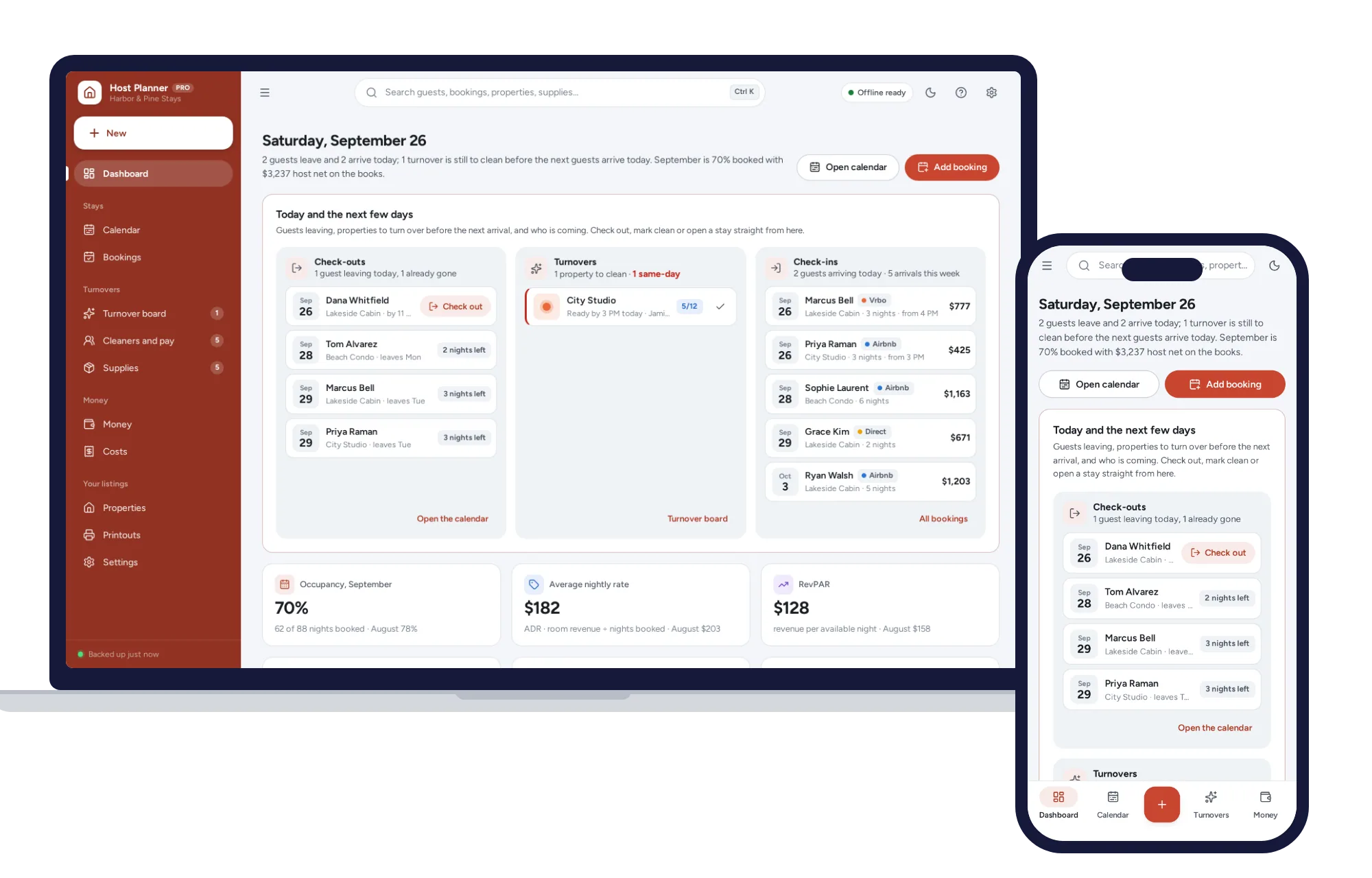
Property & rentals
See what every stay really leaves you after fees and cleaning. No formulas to break, no subscription.
$29.99one-time
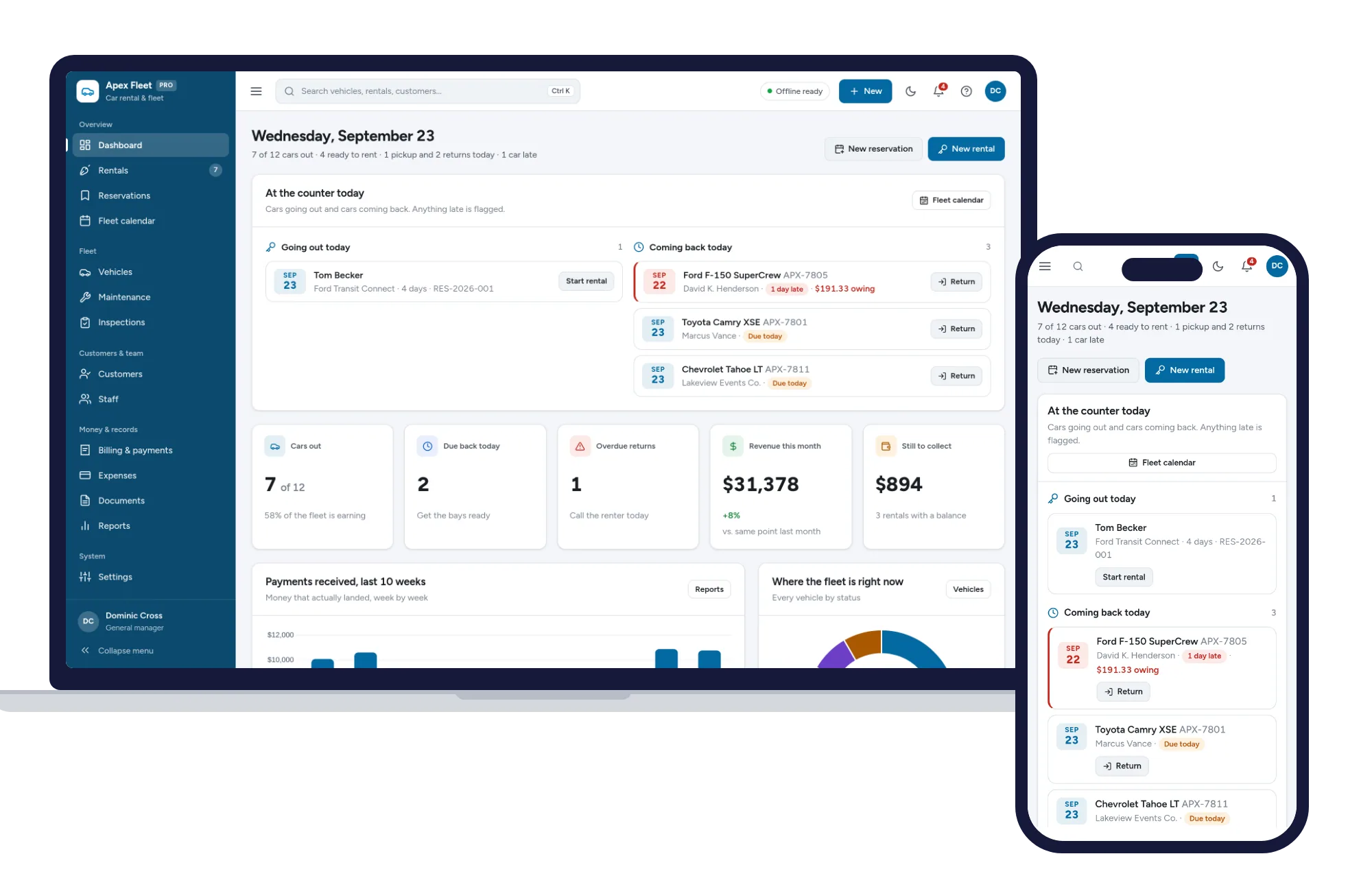
Property & rentals
Rentals, reservations, fleet calendar, maintenance, inspections and billing — one offline app.
$29.99one-time
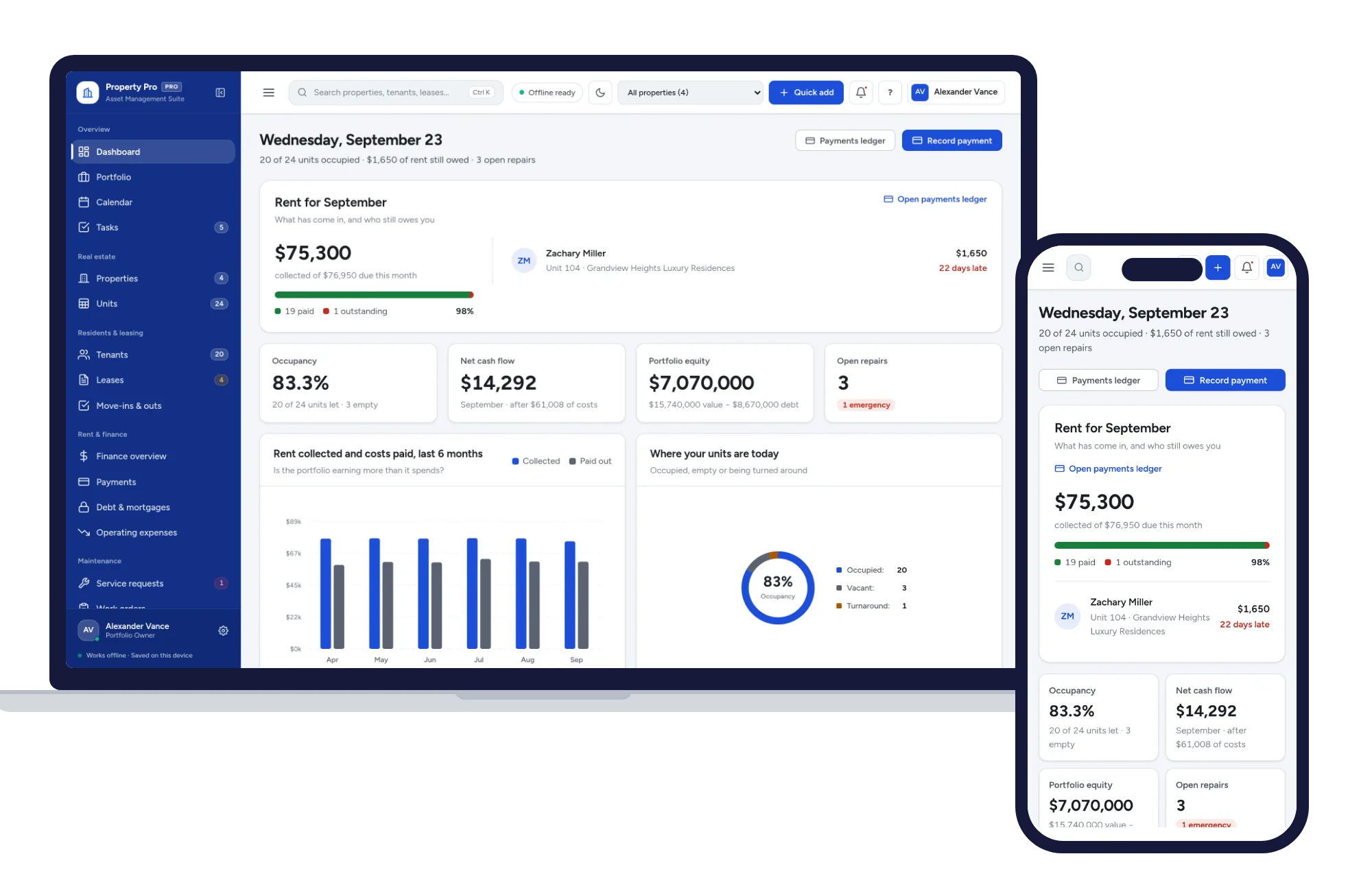
Property & rentals
Properties, units, tenants, leases, rent and repairs in one offline app.
$29.99one-time
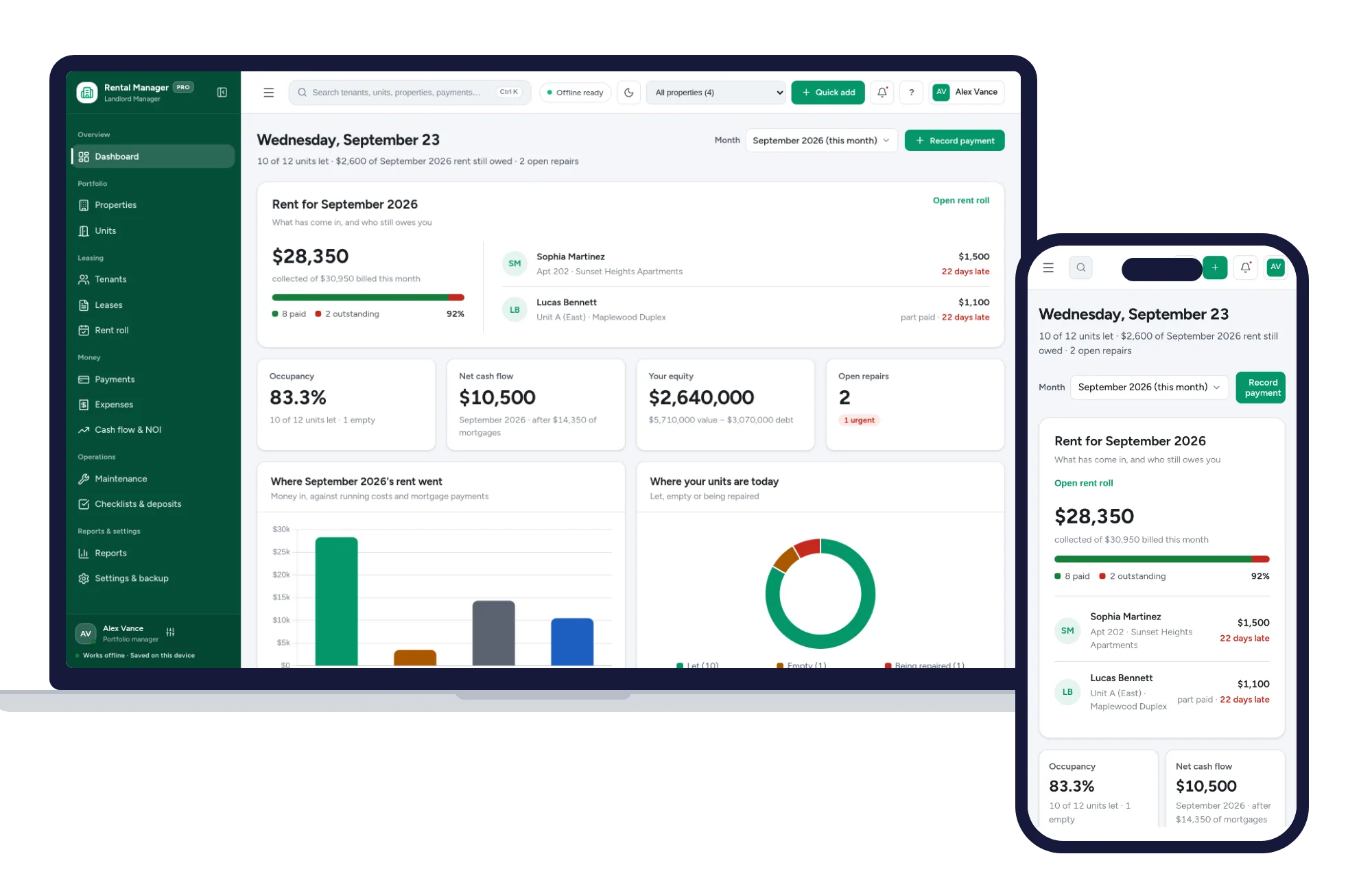
Property & rentals
Rent roll, tenants, leases, expenses and cash flow for landlords, in one offline app.
$29.99one-time