You can plan your week in about 20 minutes if you stop trying to plan everything. Most people who give up on weekly planning are not short on discipline. Their plan was a list of 40 things, written for a version of themselves with no meetings, no sick kids and no bad nights. By Wednesday it was fiction, and fiction is easy to ignore.
Here is how to plan your week in a way that survives real life. You need a timer, your calendar and something to write on. Paper is fine. Do it at the same time every week, Sunday evening or Friday afternoon, so it becomes a habit, not a decision.
How do you plan your week in 20 minutes?
Five short steps, each with its own time limit:
- Look back at last week (2 minutes)
- Empty your head (4 minutes)
- Map the fixed week (5 minutes)
- Choose three priorities (3 minutes)
- Give each one a slot and a first step (6 minutes)
Stop each step when its timer goes off. A good-enough plan beats a perfect one you never finish.
Step 1: Look back at last week
Ask two questions only. What got done? What got in the way?
Write the done list first. If the same thing got in the way more than once, such as a Tuesday meeting that always runs late, note it. You will plan around it in step 3.
Step 2: Empty your head
Write down everything taking up space: work tasks, errands, calls, the birthday card, the school form, the worry. Do not sort while you write. A typical dump runs to 20 or 30 items, and that is fine, because most of them do not belong to this week.
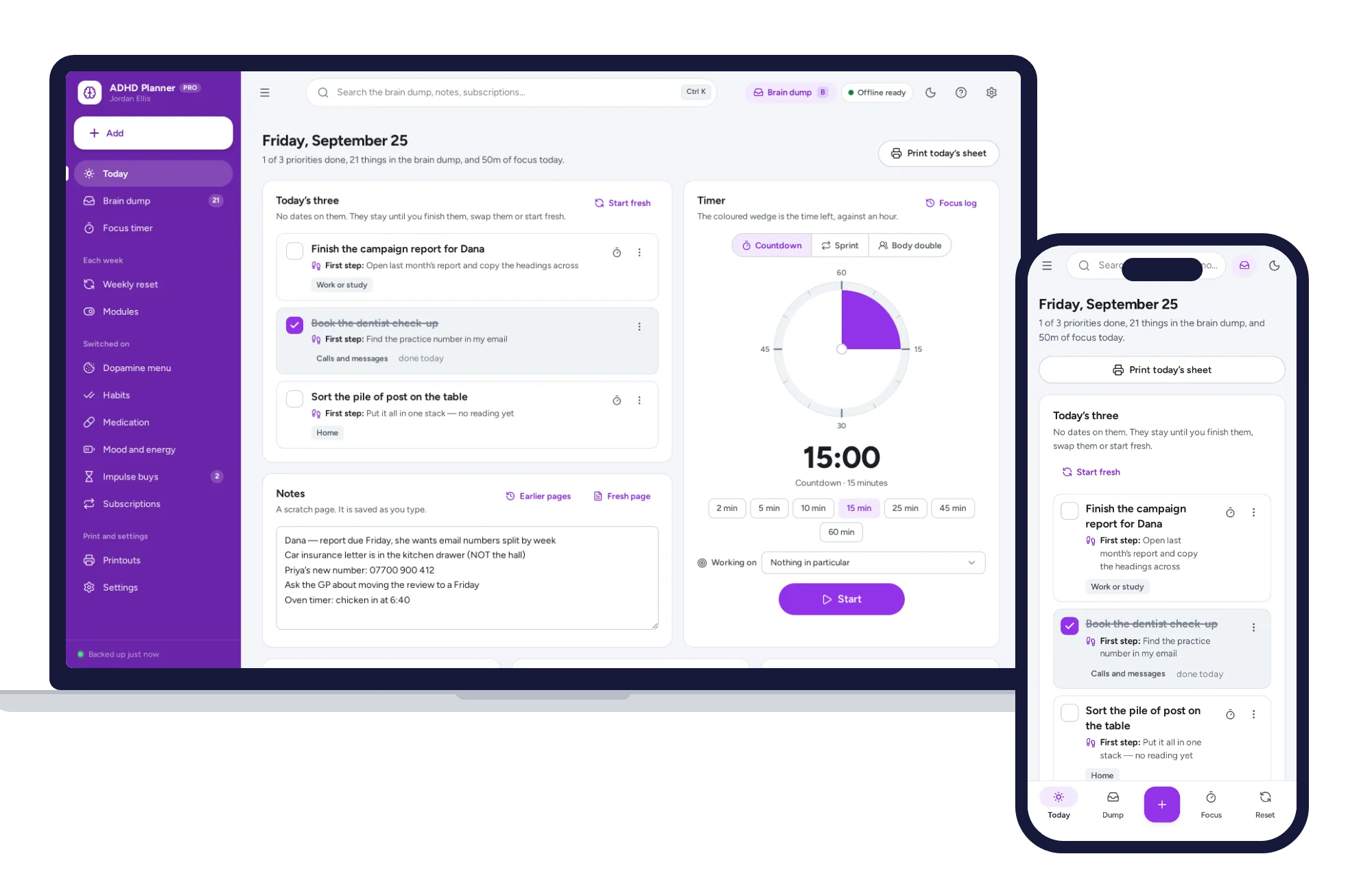
When the timer goes, mark each item with one of four labels: this week, later, someone else, or drop. Be honest about the last two. If your head is especially noisy, an ADHD planner with a brain dump one keystroke away sorts what you type into errands, calls, admin, worries and ideas, though a notebook page does the same job more slowly.
Step 3: Map the fixed week
Go through Monday to Sunday and write down what is already decided: meetings, deadlines, appointments, school runs, practices, travel days.
Then look for clashes. A clash is two things that need you at the same time, or close enough that you cannot get from one to the other. Practice ends at 6:15 and your call runs until 6:30. Decide now, while it is still Sunday: ask someone to cover, move the work side, or accept it and plan around it.
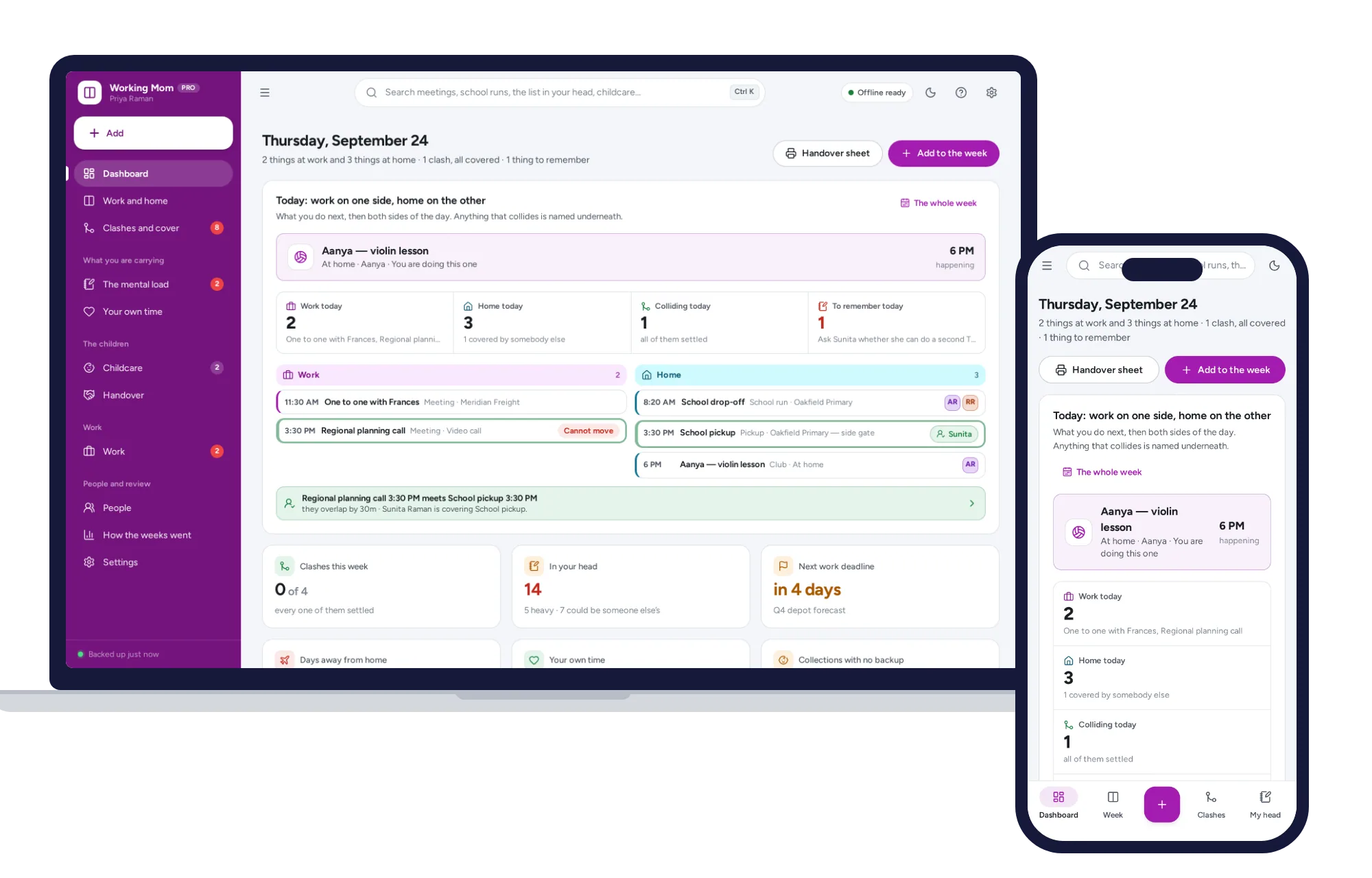
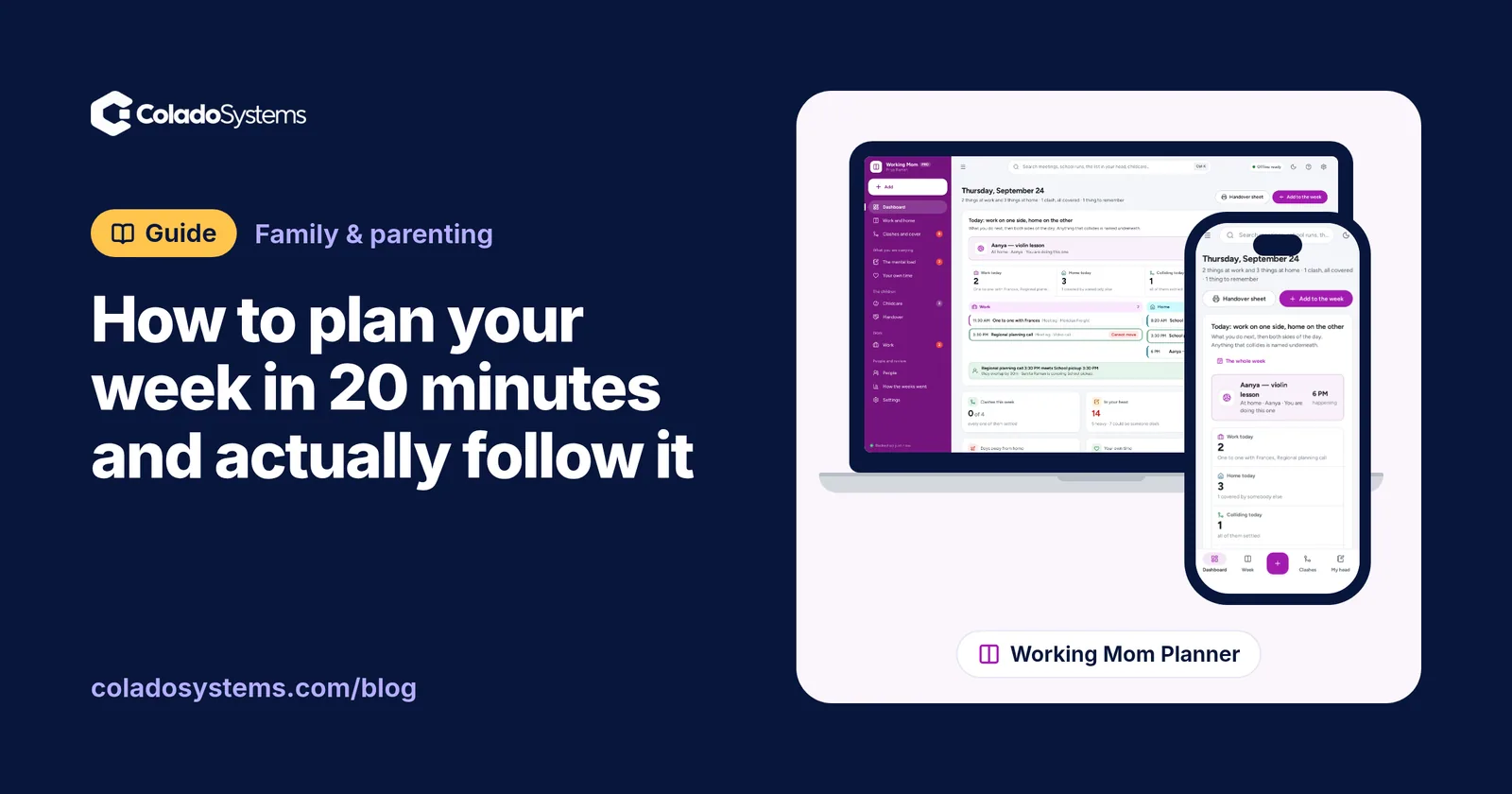
What is left are the gaps, and the gaps are the only time your plan can use. Say your fixed commitments leave six hours of real focus time at work and three free evenings at home. That is your true capacity, not the 40 hours you hoped for. When work and home share the same week, a working mom planner that puts work and home side by side names each clash underneath the day, so the 6:15 problem shows up before Tuesday.
Step 4: Choose three priorities
Not ten. Pick three things that would make this a good week if they got done, even if nothing else did. A useful mix is one for work, one for home and one for you:
- Finish the first draft of the quarterly report
- Book the kids’ dentist appointments
- Walk three times
Everything else marked “this week” in step 2 goes on a short list for spare time. Three fits in your head, and in a week full of other people’s plans.
Step 5: Give each priority a slot and a first step
Put each priority into a specific gap from step 3. “Report draft: Tuesday 9 to 11 and Thursday 2 to 3.” A task without a time is a wish.
Then write the smallest possible first step next to it: “Open last quarter’s report and copy the headings.” On a tired Tuesday morning, starting is the hard part, and a two-minute first step makes starting easy.
Two more rules. Fill only about two thirds of your free time, because something always spills. And give your own priority a real slot, since it is the first thing to be cut.
How to actually follow your weekly plan
Planning takes 20 minutes. Following it takes a few small habits.
Check in for two minutes each morning. Look at today’s slots and your three priorities. That is all.
Move, don’t drop. When a meeting eats your block, move the task to the next free gap the same day. A moved task is still alive; a quietly dropped one turns into guilt.
Use a timer to start. Set 15 minutes and work on the first step. If you stop after 15, that still counts.
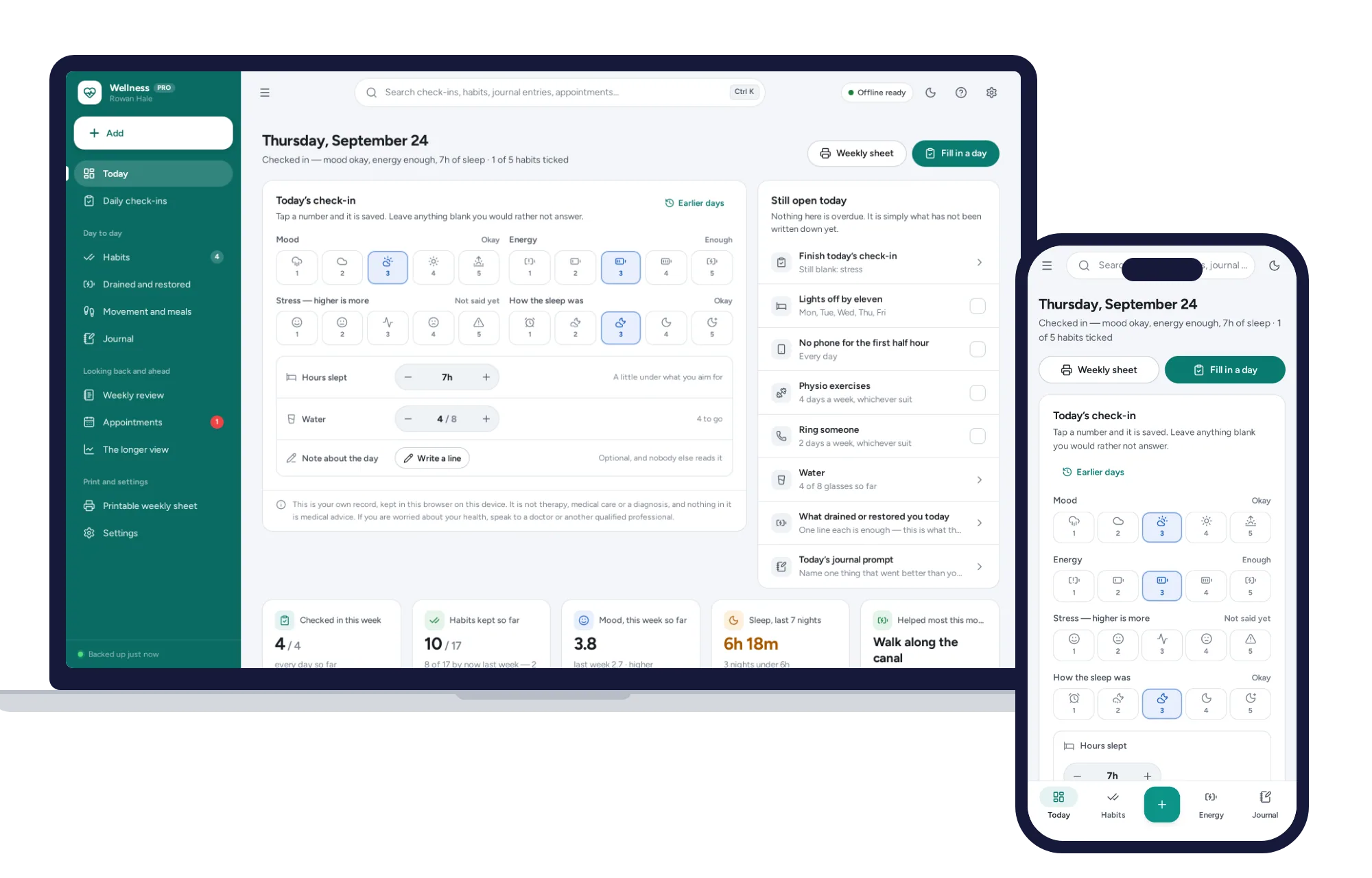
Watch your energy, not just your time. A ten-second note of sleep, energy and stress each day shows patterns after a few weeks. If Thursdays are always flat, stop putting hard work there. A self-care and wellness planner with a daily check-in keeps that record and leaves blank days blank instead of counting them as zeros.
Have a plan for a missed week. If you skip a week, do not try to catch up on everything. Run the 20 minutes fresh and keep only what still matters. For a family version of this habit, see a simple Sunday reset routine for busy families.
Paper, apps or a ready-made planner?
Every option can hold this routine, and each has real strengths.
A paper planner is fast and flexible, and crossing things out feels good. But it does not carry unfinished tasks forward, and a few blank dated pages after a hard month can make restarting feel like failure.
A shared calendar app does one thing paper cannot: it keeps your phone and your partner’s in step. If two adults share the driving, that is worth a lot. Calendars are weaker at brain dumps, priorities and looking back.
A subscription planner app adds reminders and syncing, at a cost. At, say, $8 a month, that is $96 a year, every year.
A ready-made offline planner costs a one-time price, needs no account and opens without internet. The trade-off is that each device keeps its own copy, there is no live sync with your partner’s phone, and you make your own backups.
Skip the setup and start planning
You could build this routine in a spreadsheet or a notes app: an inbox for the brain dump with categories, a two-column week, a way to spot clashes, a priorities box, a habit tracker that does not punish missed days, and a page for looking back. It works, but you are building the tool before you can use it.
The three planners below already have those pieces.
The ADHD Planner opens on three priorities instead of a list, keeps the brain dump one key away (press B), puts a tiny first step on every task, and has a visual timer with focus sprints. It is undated, with a five-minute weekly reset that counts only what got done and lets stale items go without guilt. It is a planner, not treatment or medical advice.
The Working Mom Planner lays out work down one column and home down the other, lists every clash for the next four weeks with a choice to ask for cover, move the work side or live with it, and keeps a list for the mental load. It prints a one-page handover sheet for whoever has the kids that day, which helps when there is no shared app between your phones.
The Self-Care & Wellness Planner takes about ten seconds a day for mood, energy, stress and sleep, counts habits as days kept out of days planned, and writes your weekly review in sentences from your own entries. If you prefer a pen, it prints a weekly sheet. It is a personal record, not therapy or medical advice.
Each one opens with sample data, so you can try a full week before entering your own. There is no sign-up, records stay in the browser on your own device, and a PDF guide comes with each. The ADHD Planner and the Self-Care & Wellness Planner both sit on the health and care shelf, which also comes as one of the bundles for less than buying each system separately. You can browse more planners for family and parenting too.
Pick the planner that matches where your week usually breaks. If it is work colliding with home, you can see everything inside the Working Mom Planner and plan next week with the sample data first.
Skip the setup
The Working Mom Planner has the records this guide describes already set up. Put your job and your household on one screen, name every collision, and see what your own time actually cost you — offline, on your own device.
$24.99 one-time
- Sample data to try it the same day
- Works offline, records stay on your device
- A PDF guide in the download
See everything inside the Working Mom Planner. Or take the whole Family & parenting shelf: 5 systems for $79.99, $44 less than one by one.
Common questions
What is the best day to plan your week?
The best day is the one you will repeat. Sunday evening suits many people because the weekend is over and Monday feels close. Friday afternoon works well for work-heavy weeks, since the details are still fresh. Pick one, put it on your calendar as a recurring appointment, and keep it for a month before deciding whether to change it.
How many tasks should I plan for one week?
Fewer than you think. Choose three priorities that would make the week a good one if nothing else got done, and give each a specific time slot. Everything else goes on a list for spare time. Plan only about two thirds of your free hours, because interruptions, sick days and long meetings will use up the rest.
What should I do when my weekly plan falls apart by Wednesday?
Do not abandon it or try to catch up on everything at once. Take five minutes, look at what is left of the week, and move each priority into the next free gap. If one no longer fits, push it to next week on purpose. A plan that bends is still a plan, and moving a task is better than silently dropping it.
Should I use a paper planner or an app to plan my week?
Either works if you use it every week. Paper is fast, flexible and easy to keep open on a desk. Apps are better at carrying unfinished tasks forward, searching old weeks and sharing a calendar between devices. Many people do the weekly planning on paper and keep appointments in a calendar they already check every day.