A monthly money check-in is a 30-minute appointment with your own finances. You look at what came in, where it went, what is due next, and whether your debts and savings are moving the right way. Then you choose one thing to change next month. You need your statements, a timer and the same five steps every time.
It works because it is regular. Most households look at money only when something goes wrong: a declined card, an overdraft fee, a bill nobody remembered. A check-in moves those surprises to a calm Sunday.
One note first. This is general guidance for organizing your money, not financial advice. For decisions about debt, investments or tax, talk to a qualified adviser, an accountant or a non-profit credit counselor. The FTC’s guide on how to get out of debt explains what a good credit counselor does and how to find one.
Set up before your first check-in
Pick a date and keep it: the first Sunday after your main payday works well. Put it in your calendar as a repeating appointment.
Have these ready:
- Last month’s statements for checking, savings and every card
- A list of your regular bills and their due dates
- Current balances for any debts
- Last month’s notes, once you have some
If you have never set a plan to compare against, the FTC’s consumer.gov guide to making a budget walks through listing your bills and income, with a simple worksheet.
If you share money with a partner, both of you come. Start with one thing that went well, talk about the numbers rather than each other, and keep it to the half hour.
The monthly money check-in, step by step
Step 1: What came in (3 minutes)
Add up every deposit: paychecks, side income, refunds. Note transfers from your own savings separately, because they are not income. Did you get what you expected?
Step 2: Where it went (10 minutes)
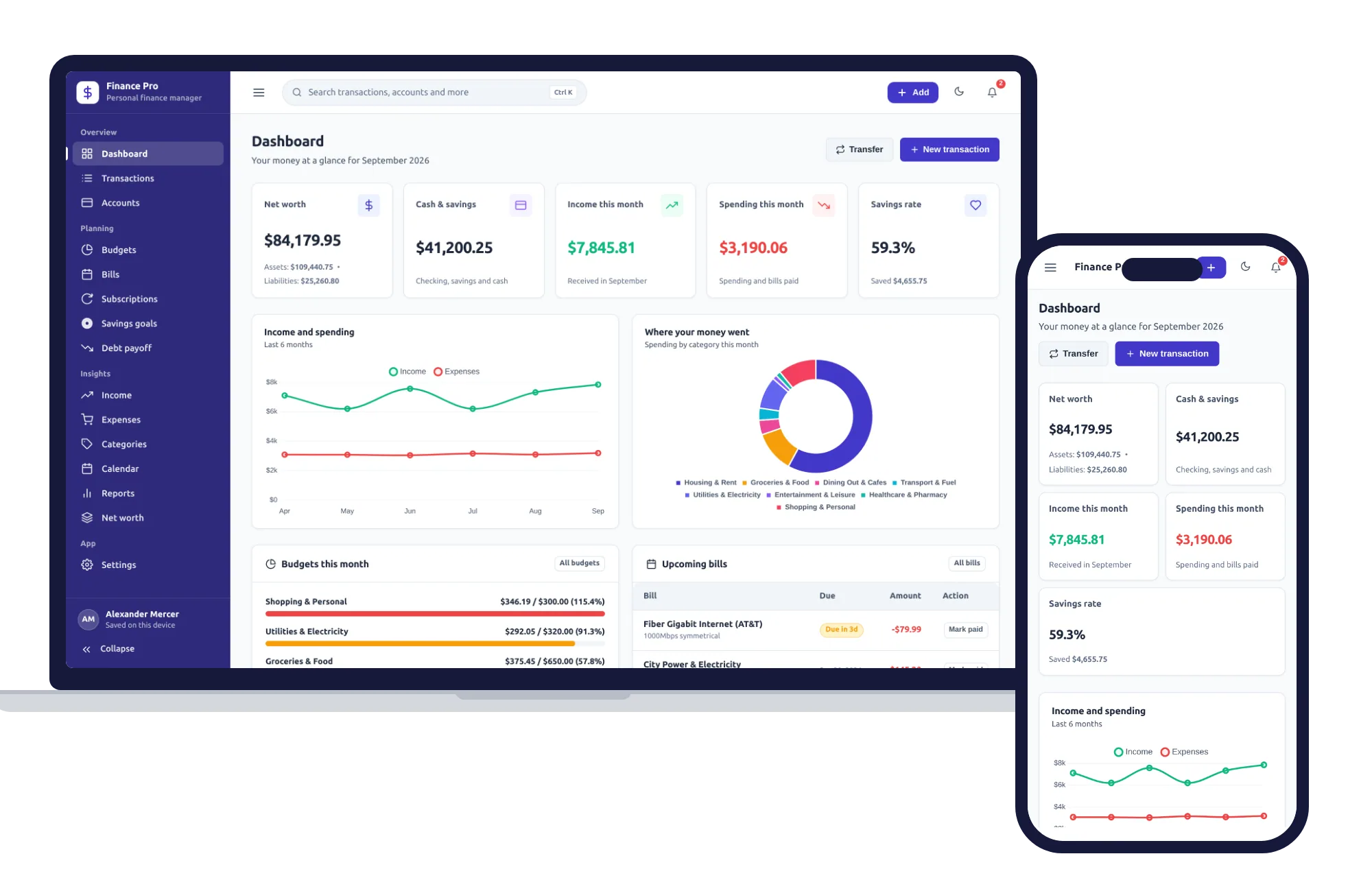
Group last month’s spending into eight to ten categories, such as housing, utilities, groceries, eating out, transport, kids, health, subscriptions and debt payments. Compare each with what you planned. Look for three things: categories well over plan, one-off surprises, and subscriptions you forgot you had. A personal finance manager with a Subscriptions page that shows each one’s monthly and yearly cost makes the forgotten ones hard to miss.
Step 3: Bills and paydays ahead (5 minutes)
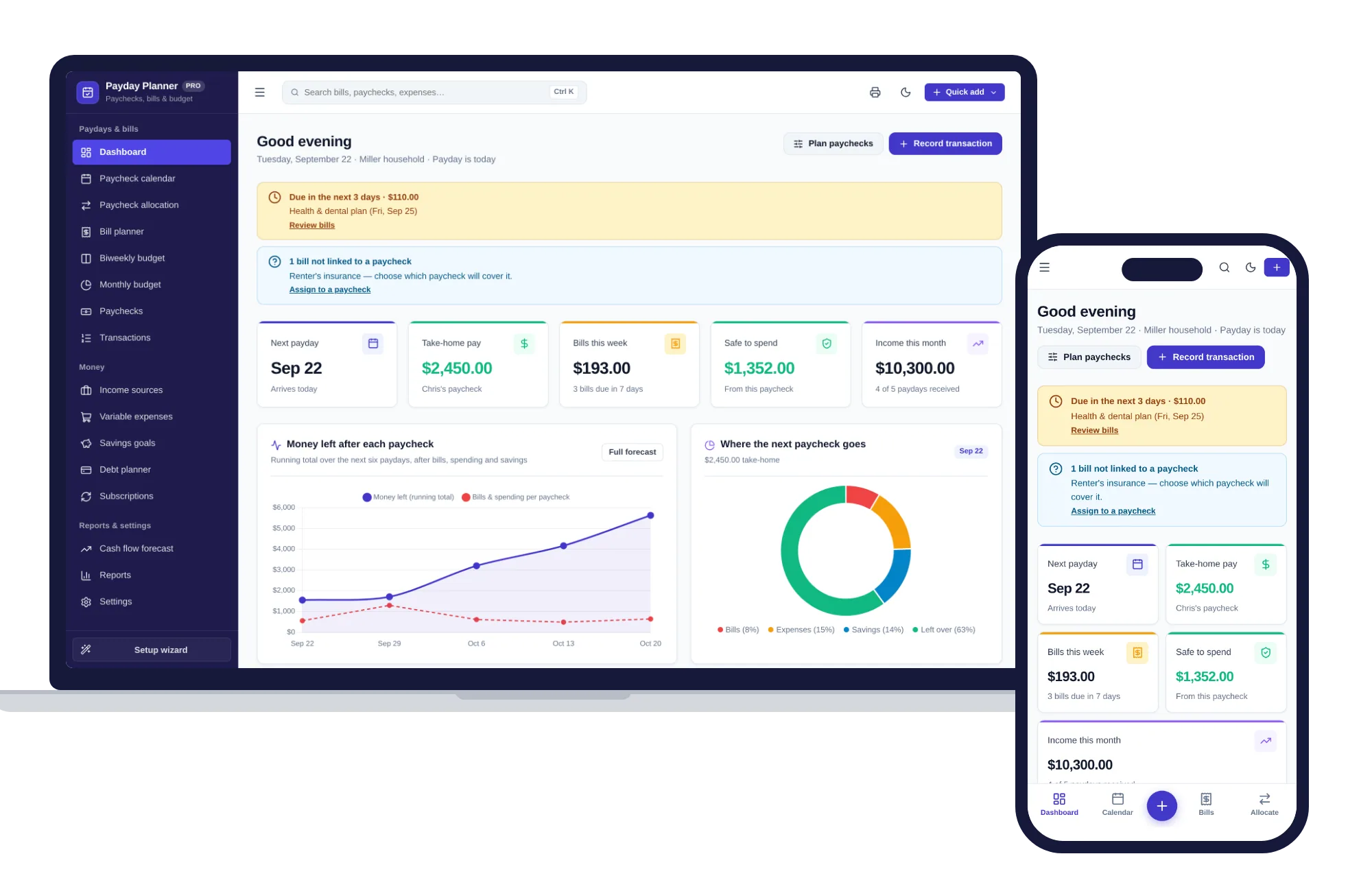
List the bills due in the next 30 days beside your paydays. The useful question is not how much you earn this month. It is whether each paycheck covers the bills due before the next one arrives. If you are paid on the 15th and the last day of the month and rent is due on the 1st, rent comes out of the end-of-month check, along with anything else due before the 15th. A payday and bill planner that assigns each bill to a paycheck shows that split at a glance.
Step 4: Debt and savings progress (7 minutes)
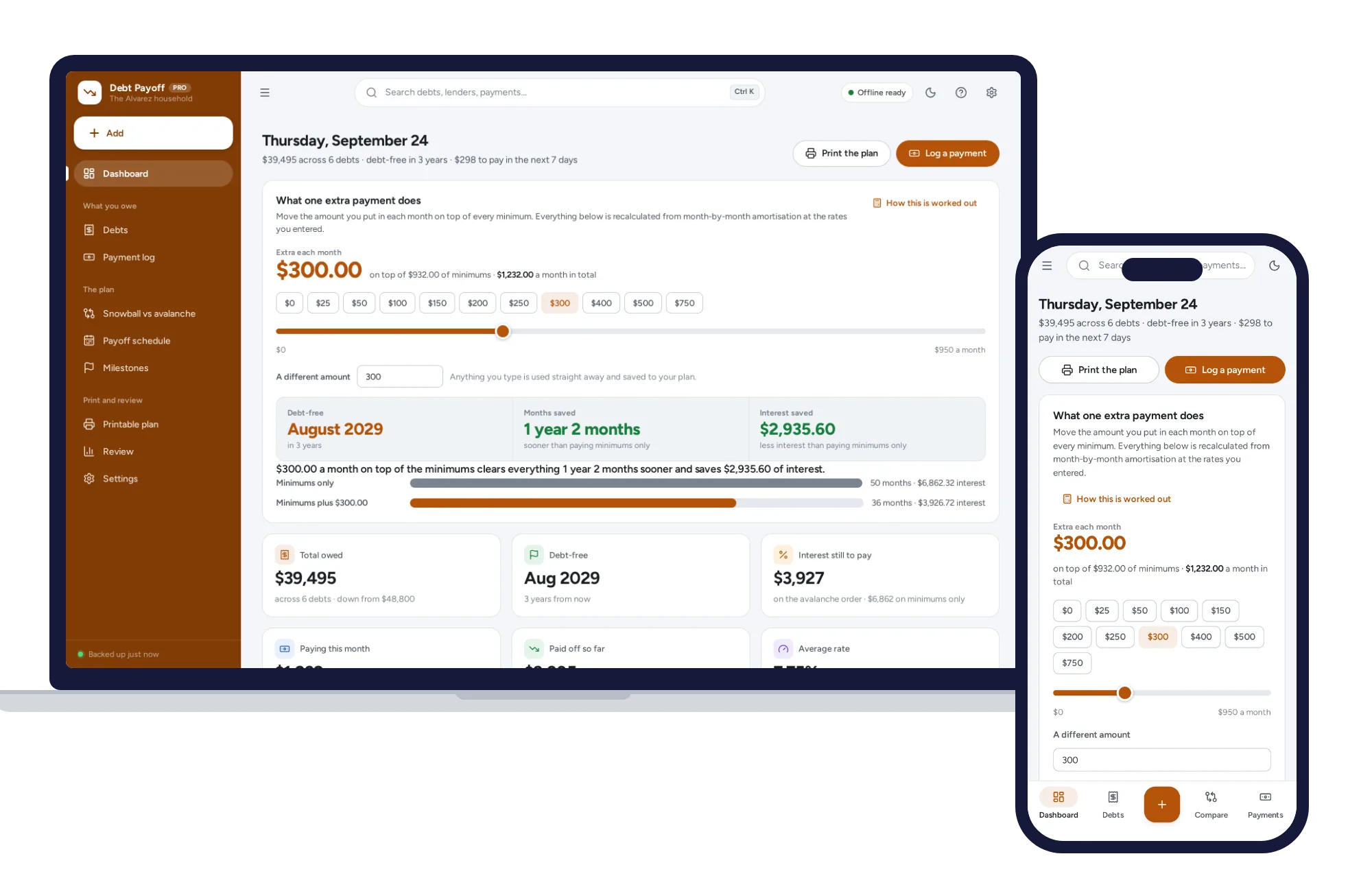
Write down each debt balance and each savings balance, and compare them with last month. Check the interest charged on each card statement. If a minimum payment barely covers the interest, the balance hardly moves, which is worth knowing early. A debt payoff planner that flags minimums that barely cover the interest puts that in red. If you are deciding which debt to pay first, debt snowball vs avalanche, with a worked example lays out both methods.
Step 5: One decision (5 minutes)
Choose one change, not five. Cancel a subscription, move money between categories, add a little to a debt payment, or set up an automatic transfer to savings on payday. Write it down. Next month, the first question is whether it happened.
A worked example
Here is a made-up household paid twice a month.
- Came in: two paychecks totaling $4,800, plus a $60 refund.
- Went out: $4,650. Groceries were planned at $600 and came to $730. Eating out was planned at $150 and came to $210. Subscriptions totaled $72 across seven services, and two of them, at $9 and $14, nobody had used in months.
- Ahead: the six-monthly car insurance of $540 is due on the 20th, landing on the same paycheck as the phone bill.
- Debt: the card went from $3,400 to $3,250. They paid $200, but the statement shows $50 of interest, so only $150 came off the balance.
Their one decision: cancel the two unused subscriptions, which frees $23 a month or $276 a year, and put that plus $27 more toward the card as a $50 extra payment.
How often should you review your finances?
Three rhythms cover most households:
- Weekly, five minutes: your account balance and the bills due this week.
- Monthly, thirty minutes: the check-in above.
- Yearly, an afternoon: insurance renewals, every subscription, your goals, and the paperwork your tax preparer needs.
If you work for yourself, add a sixth step each month for tax. A simple monthly habit for setting aside tax when self-employed shows how.
Keep a one-page money log
Give each month one line in a notebook: the month, total in, total out, the difference, total savings, total debt, the decision you made, and whether last month’s decision happened. That is the whole template. After six months, the page tells you more than any single statement, because you can see the direction.
What it takes to set this up yourself
A spreadsheet can do all of this. You would need a transactions tab with categories, budget against actual formulas, a bill list by date, paycheck columns that subtract the bills assigned to them, a debt tab that works out interest each month, savings goals with progress, and a summary page. It is doable, and it tends to grow a new tab every few months.
Here is where each step lives in our home and money systems instead.
The Personal Finance Manager covers steps 1, 2 and the log. Transactions filter by account or category and export to CSV. Budgets set a monthly limit per category and warn you before you go over. Bills show due dates and AutoPay, Savings goals show progress and the monthly amount to stay on track, and Reports give an income and spending statement and a balance sheet with net worth.
The Payday & Bill Planner is built for step 3. Paycheck allocation assigns each bill to a paycheck, or does it for you by due date, and shows what is left after bills and savings. The biweekly budget puts your next four paychecks side by side, and the cash flow forecast looks from 30 days to 12 months ahead.
The Debt Payoff Planner handles step 4. It holds each debt’s balance, APR, minimum and due day, splits every logged payment into interest and balance, and compares snowball and avalanche on your own numbers. One control shows how an extra monthly payment moves your debt-free date. It is a calculator and a record book, not financial advice.
None of them connects to your bank, so you enter the numbers yourself. Some people find that a chore. Others find it is exactly what makes them notice where the money goes. A few minutes a week keeps the monthly session at 30 minutes.
On cost, a budgeting app at, say, $10 a month is $120 a year, every year, for something you may open for half an hour a month. These are a one-time price.
Keeping it all in one place
Each one opens with sample data, so you can try a full check-in before entering your own figures, and the Payday & Bill Planner has a setup wizard for your pay schedule. There is no account or sign-up, it works offline, your figures stay in the browser on your own device, and a PDF guide is included.
All three sit on the same shelf, so they also come together in the bundles, which cost less than buying them one by one. You can browse other systems for home and money too.
Book your first check-in for this month. If you want the adding up done for you, you can see everything inside the Personal Finance Manager and try it with the sample data the same day.
Skip the setup
The Personal Finance Manager has the records this guide describes already set up. Budgets, bills, savings goals and net worth — one private app that works offline.
$24.99 one-time
- Sample data to try it the same day
- Works offline, records stay on your device
- A PDF guide in the download
See everything inside the Personal Finance Manager. Or take the whole Home & money shelf: 7 systems for $89.99, $84 less than one by one.
Common questions
What should I review in a monthly money check-in?
Look at five things: total income for the month, spending by category against what you planned, the bills and paydays coming up, progress on debts and savings, and one change to make next month. Write the main numbers on a single page each time, so after a few months you can see whether things are moving in the right direction.
How often should you review your budget?
A full review once a month works for most households, with a five-minute look each week at your balance and the bills due that week. Once a year, take longer over insurance renewals, subscriptions, savings goals and the paperwork your tax preparer needs. If money is very tight, a short weekly check-in catches problems sooner.
How do couples talk about money without fighting?
Set a regular time, so money talks are routine rather than a reaction to a problem. Look at the numbers together instead of at each other, start with something that went well, keep it short and agree on one change rather than a long list. If one topic keeps causing tension, give it its own conversation so it does not take over every check-in.
Do I need an app for a monthly money check-in?
No. Bank statements, a notebook and a calculator are enough to start. An app or a spreadsheet saves time on the adding up, especially if you have several accounts, bills on different dates or more than one debt. Whatever you use, the habit of sitting down on the same day every month matters far more than the tool.