
ADHD-friendly cleaning schedule
A cleaning schedule that runs itself
- Due dates worked out from when each task was last done
- Missed a week? Nothing piles up — no wall of red
- “Not today”, “Skip this round”, “Fresh start” — no guilt
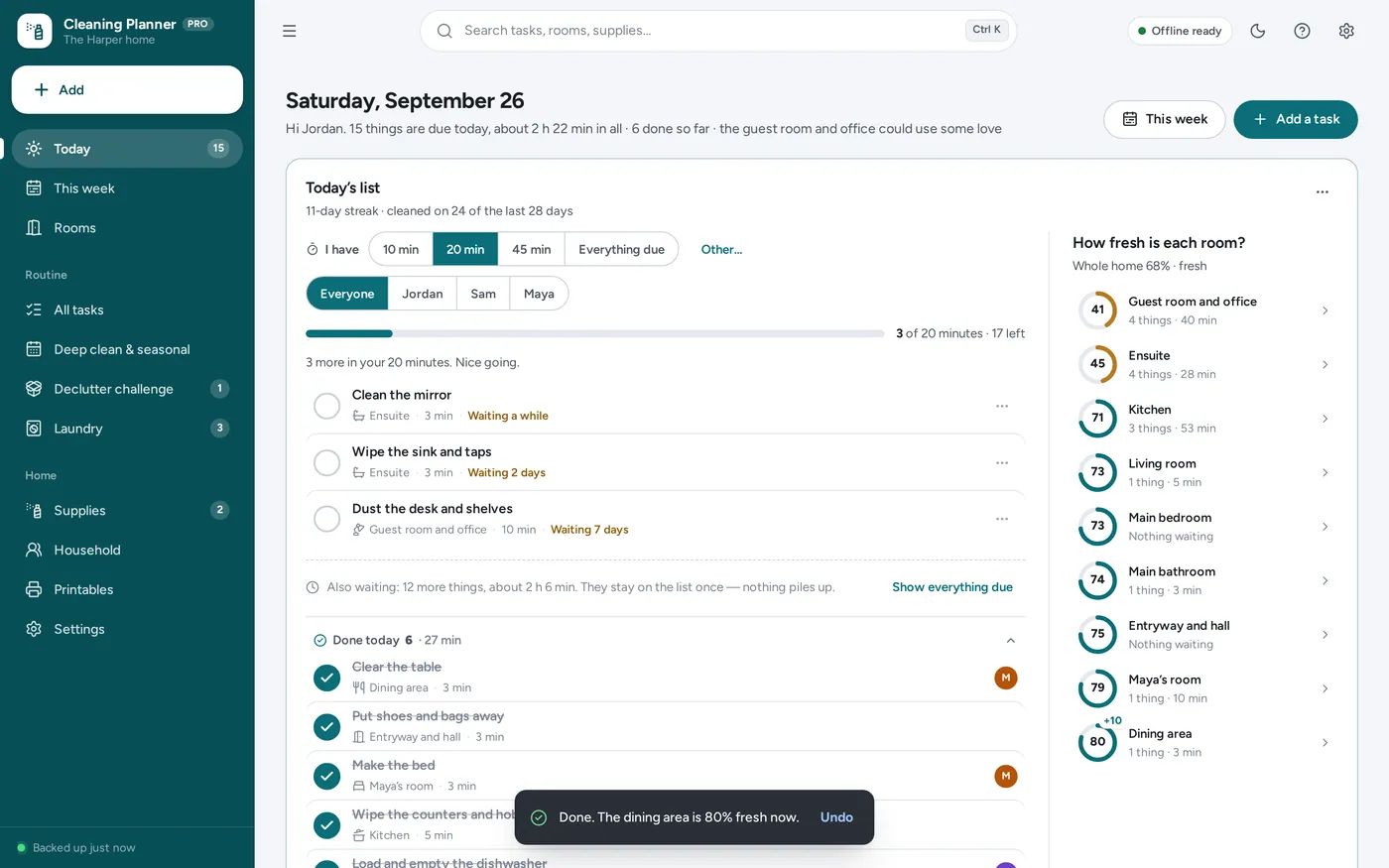
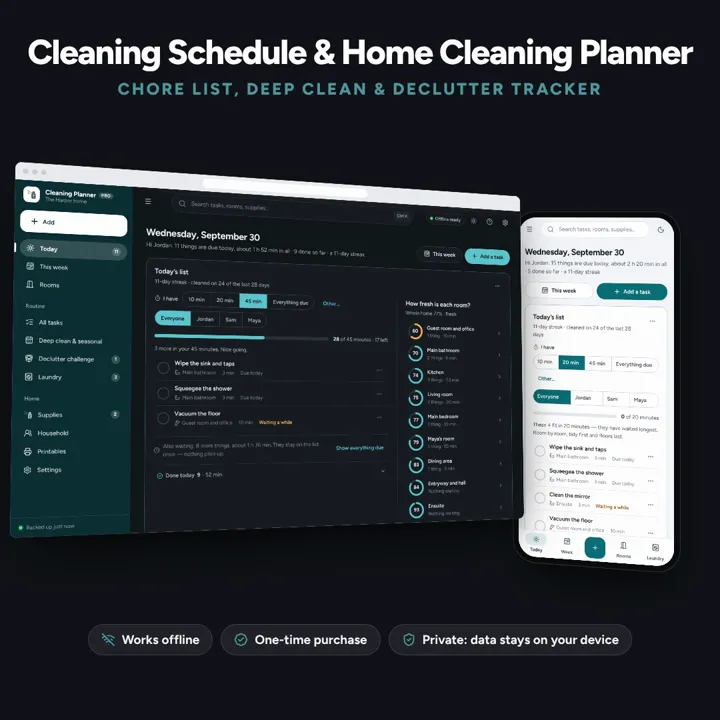
Today’s list works itself out, missed tasks never pile up, and “I have 20 minutes” picks what fits. No subscription.
No subscription. Pay once and keep it.
Checkout by Paddle. Tax is added where it applies, and you download straight after paying.
Made for Households who want a cleaning routine that keeps itself up to date — especially anyone who has tried a printable cleaning schedule and fallen behind after one busy week
A cleaning schedule and home cleaning planner that runs itself: every task has a room, how often and how long, so today’s list is always right and missed tasks never pile up — plus a 10, 20 or 45-minute time budget, a clean-home score for every room, deep-clean and seasonal checklists, a declutter challenge, laundry, a restock list and printables for the fridge. Offline, no formulas to break, no subscription.
ADHD-friendly cleaning schedule
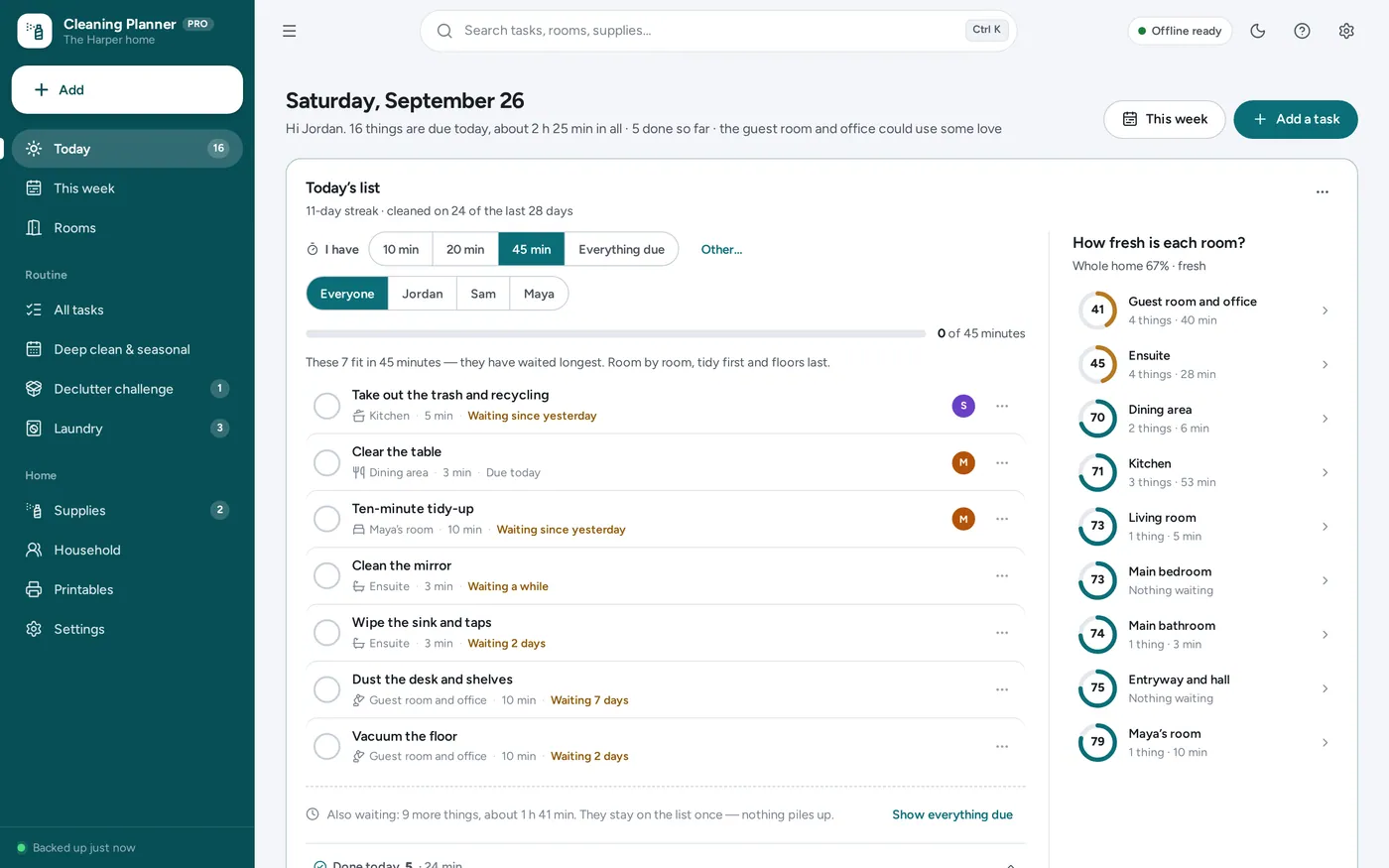
Time budget
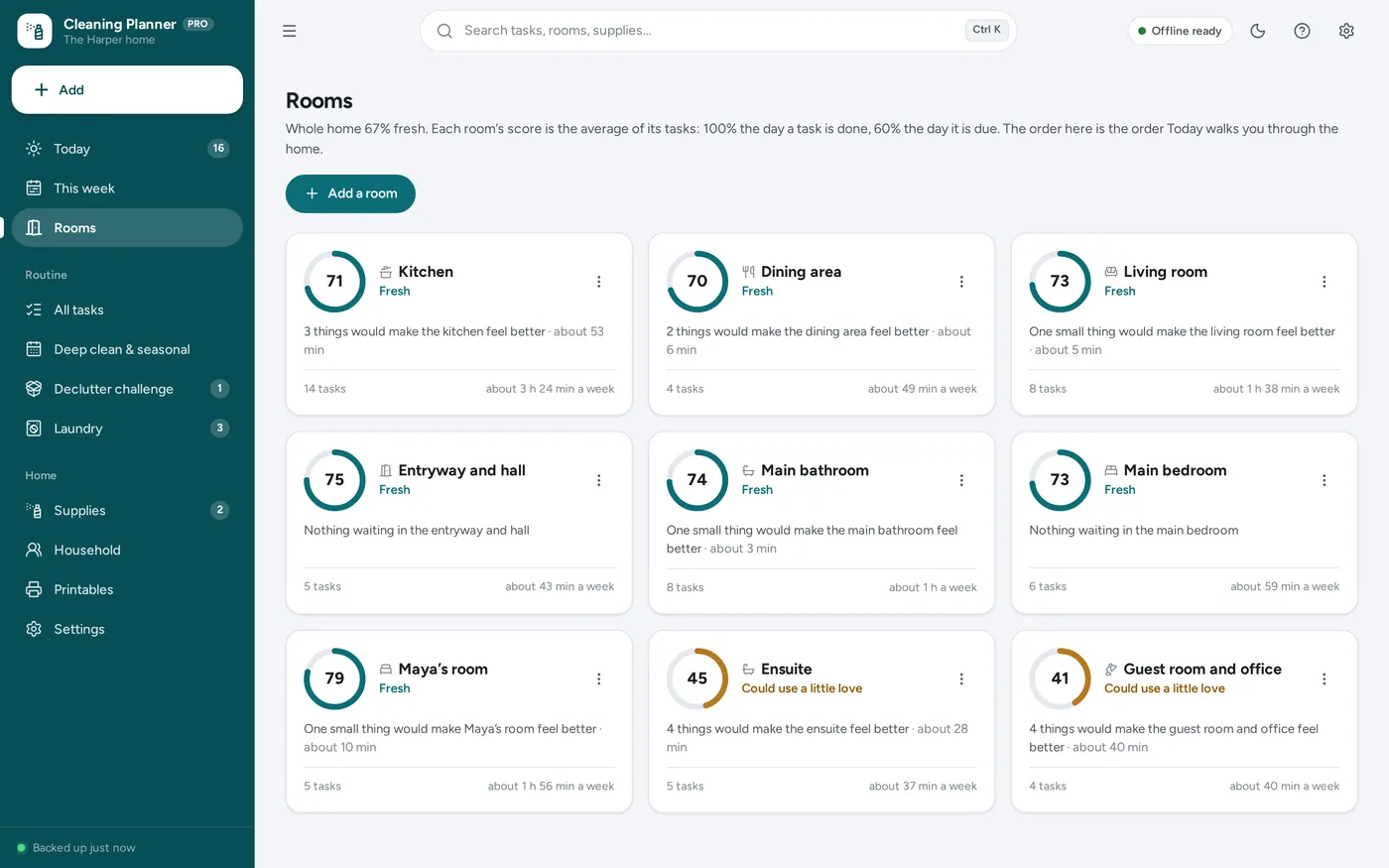
Clean-home score
Deep cleaning checklist
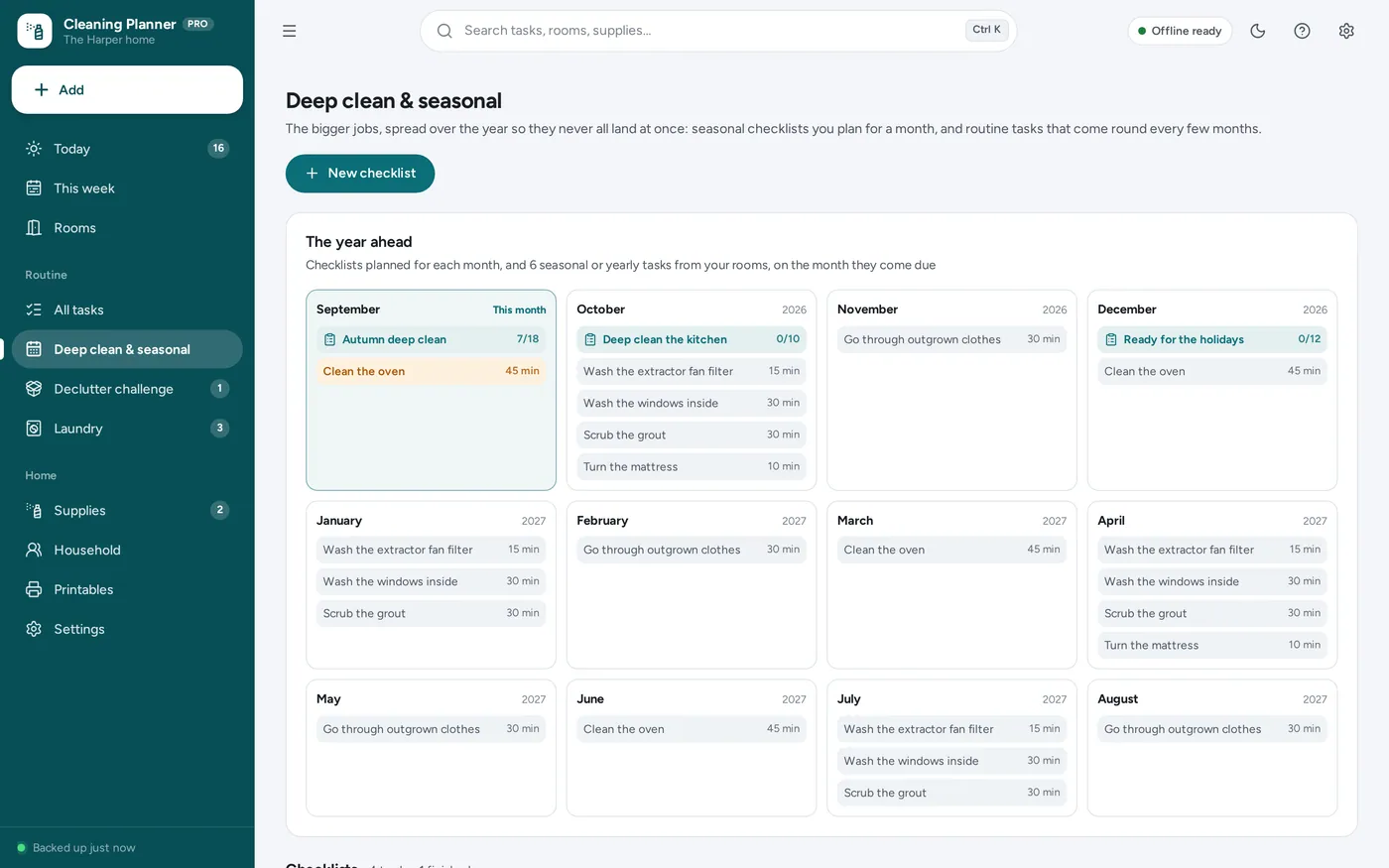
Declutter challenge
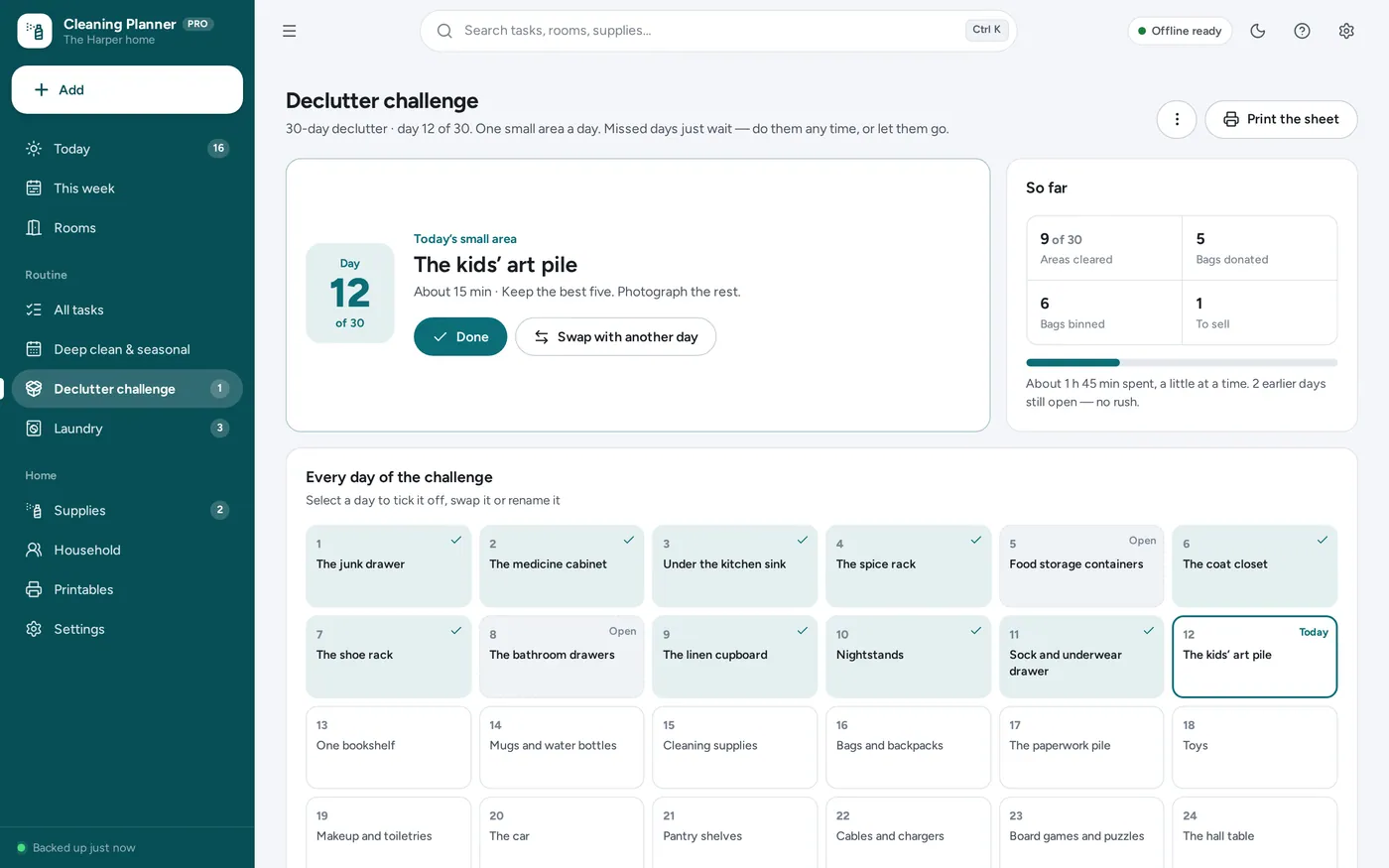
Printable cleaning checklist
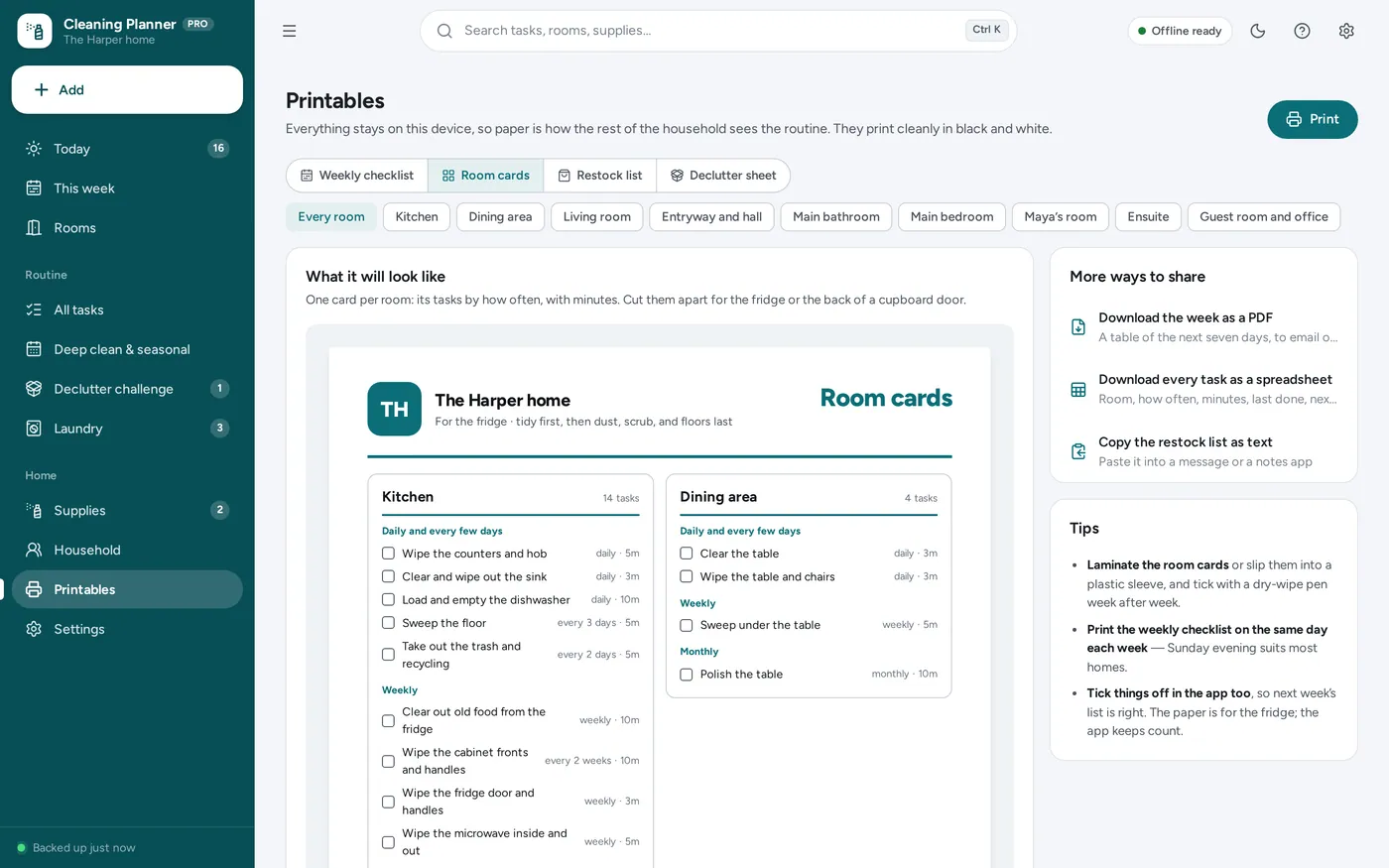
For one home: the cleaning schedule, chore tracker, deep-clean checklist and declutter challenge you would print — on one dashboard that keeps itself up to date.
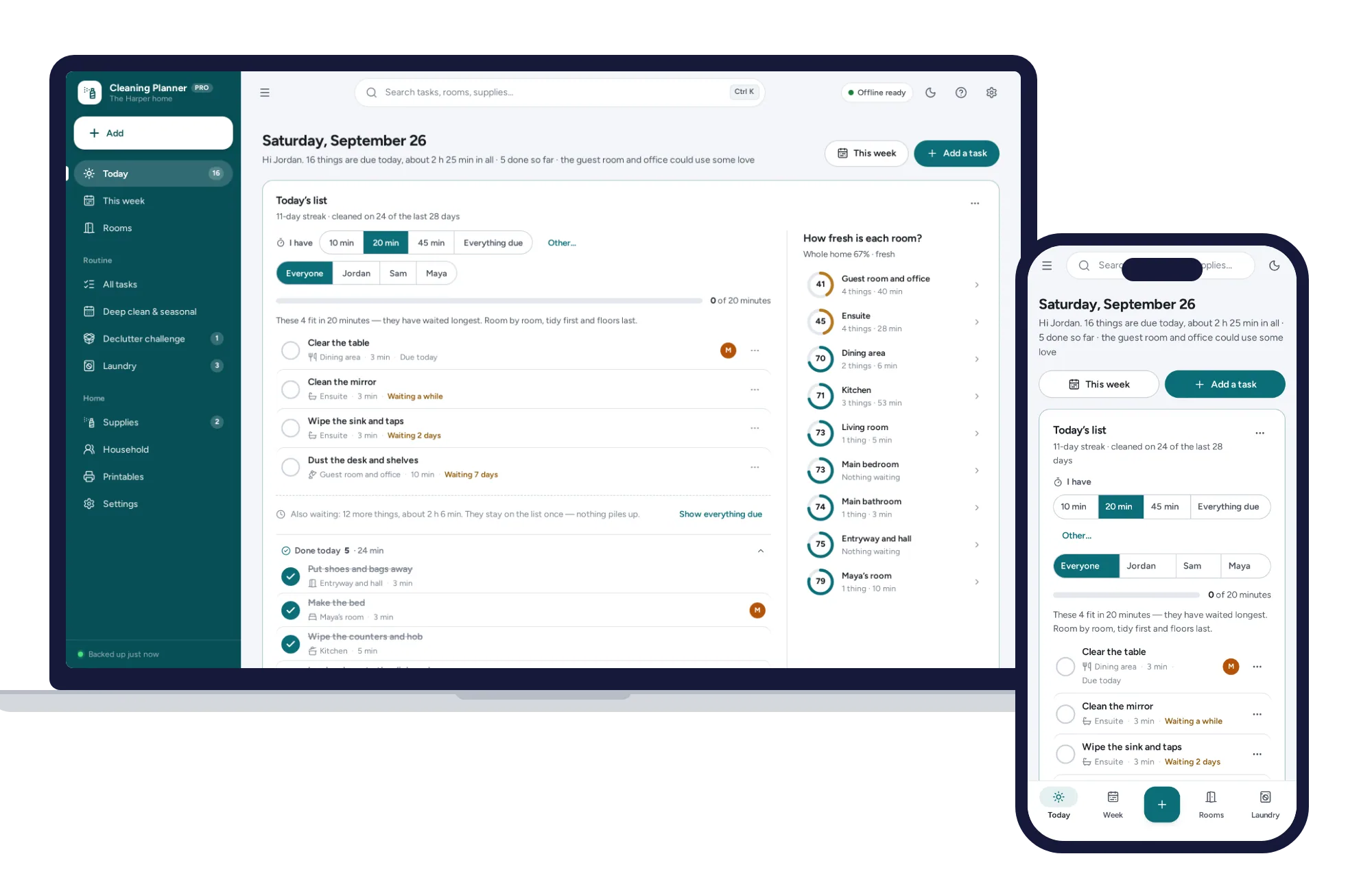
A printed cleaning schedule goes stale the first week you miss, and a spreadsheet breaks the day a formula is typed over. This dashboard works out today’s list for you, opens from a double-click, works offline and keeps your routine on your own device.
What it needs, and what it does not do.
Home Cleaning Planner is an offline app from ColadoSystems that runs in your web browser from a folder on your own device. It costs $24.99 once, with no subscription and no account, and includes 12 tools, sample data to explore and a PDF guide. Your records stay on your device and are never uploaded.
Something else? Email us and we'll answer before you buy.
Everything is saved inside your browser on this device. Nothing is uploaded and there is no account, so no company holds a copy of your cleaning routine. They are not encrypted, though: anyone who can use this device and browser can open them, so keep the device locked. Download a backup regularly (Settings → Data & backup → Back up now) and keep it somewhere as safe as the records themselves.
Yes. Open index.html and it runs fully offline. You can also host the folder on any website and choose “Install app” in Chrome or Edge to get a desktop or phone icon that works offline.
Yes. The layout adapts to phones and tablets with a bottom navigation bar. Each device keeps its own data, so use Back up / Restore to move records between devices.
Go to Settings → Data & backup → Erase records. Every sample room, task, tick, checklist and load is removed, and so is the sample household’s name, so it never appears on your printouts. Your other settings are kept.
Nothing piles up. A task’s next turn is counted from the day it was last done, so a missed task waits on today’s list once — with a gentle note of how long it has waited — however many days go by. If a lot is waiting after a busy week or time away, choose “Fresh start” from the ⋯ menu on Today and everything waiting starts a new round today. Nothing is marked done, so the room scores stay honest.
It takes every task that is due and ranks them by how long each has waited compared with how often it is due — three days late on a daily job counts for more than three days late on a monthly one. It goes down that ranking keeping each task that still fits in your minutes, then lays the picks out room by room with floors last. If everything due fits with time to spare, it adds tasks at least halfway to being due, marked “Getting ahead”.
Each task is 100% the day it is done and eases down to 60% by the day it is due. After that it keeps easing down, reaching zero once it has waited one more round — never faster than a week, so a daily task missed once is not suddenly a zero. A room’s score is the average of its tasks, and the whole-home score is the average of the rooms. Tasks never done yet are left out until they are ticked off once.
No. It is one household’s own routine: there are no clients, quotes, invoices or crews. If you run a cleaning company, our Cleaning Business Manager is built for that.
No. You can give tasks to people so Today can show just their list, and print them their own card, but there are no points, rankings or fairness scores — only who does what.
Not directly. Everything is saved in this browser on this one device — nothing is uploaded and there is no sync. Print the weekly checklist and the room cards for the fridge, or print one person’s card. To use the same records on another computer, back up on this one and restore on the other.
No. It is made for one person on one device, and records do not sync between devices. To move to another device, save a backup and restore it there.
The home & money bundle has every system in this category for one price.
Budgets, meals, cleaning and home projects, organized.
$89.99for 7 systems, $174.93 if bought one by one
You save $84
Home & money
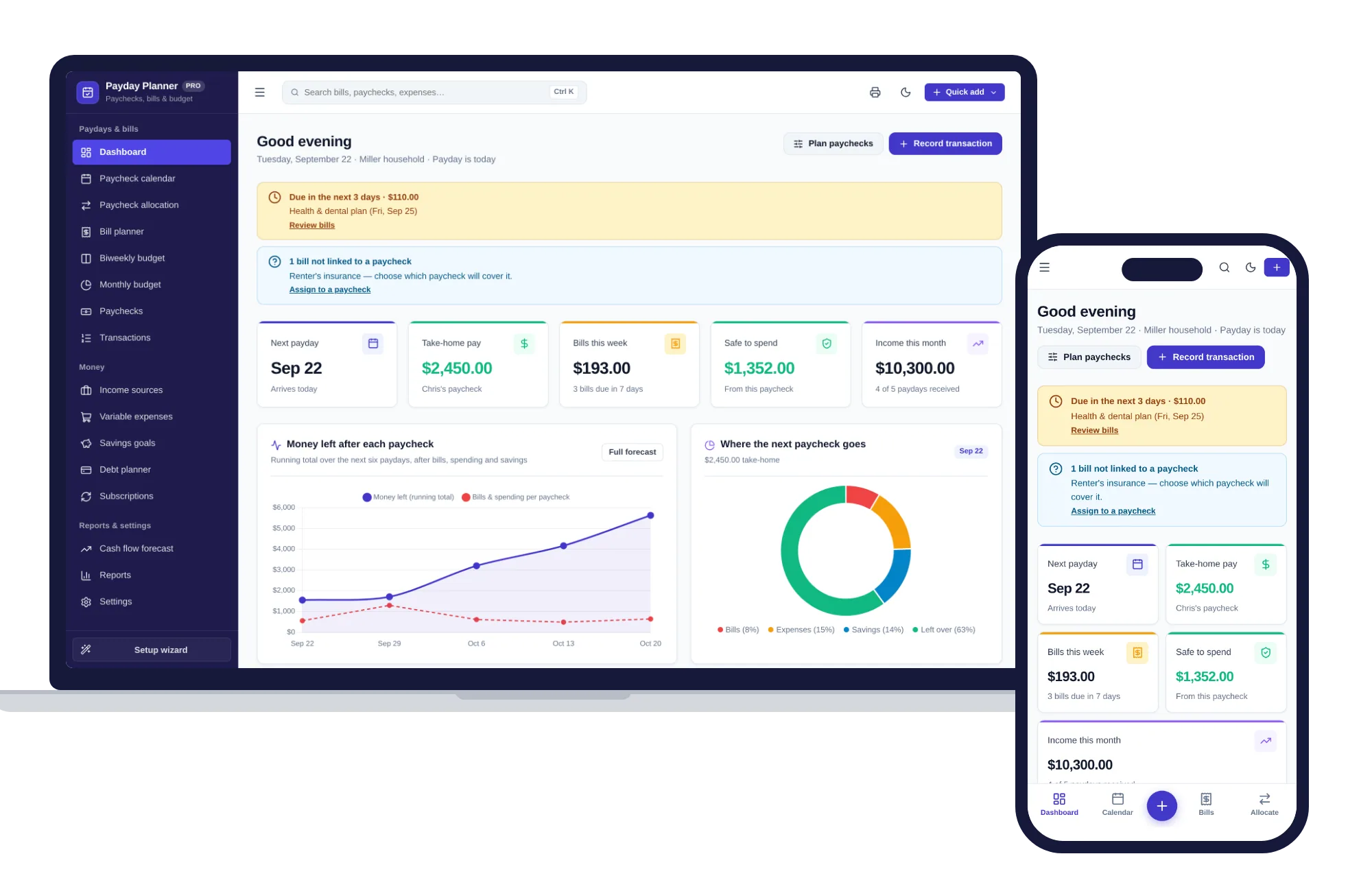
Plan every paycheck: bills, budgets, savings and cash flow — one offline app.
$24.99one-time
Home & money
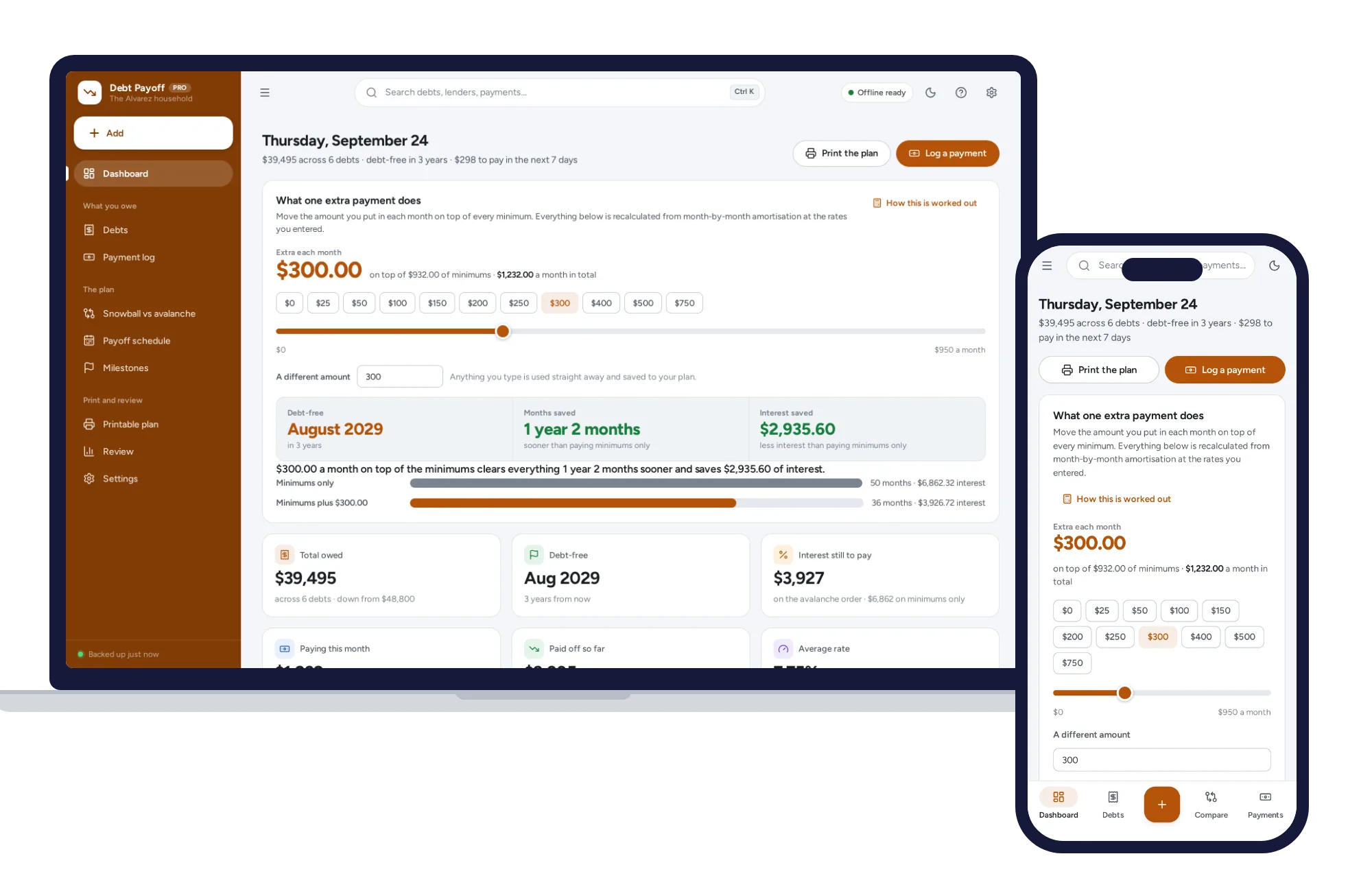
Every debt in one place, snowball and avalanche side by side, and what an extra payment really buys.
$24.99one-time
Home & money
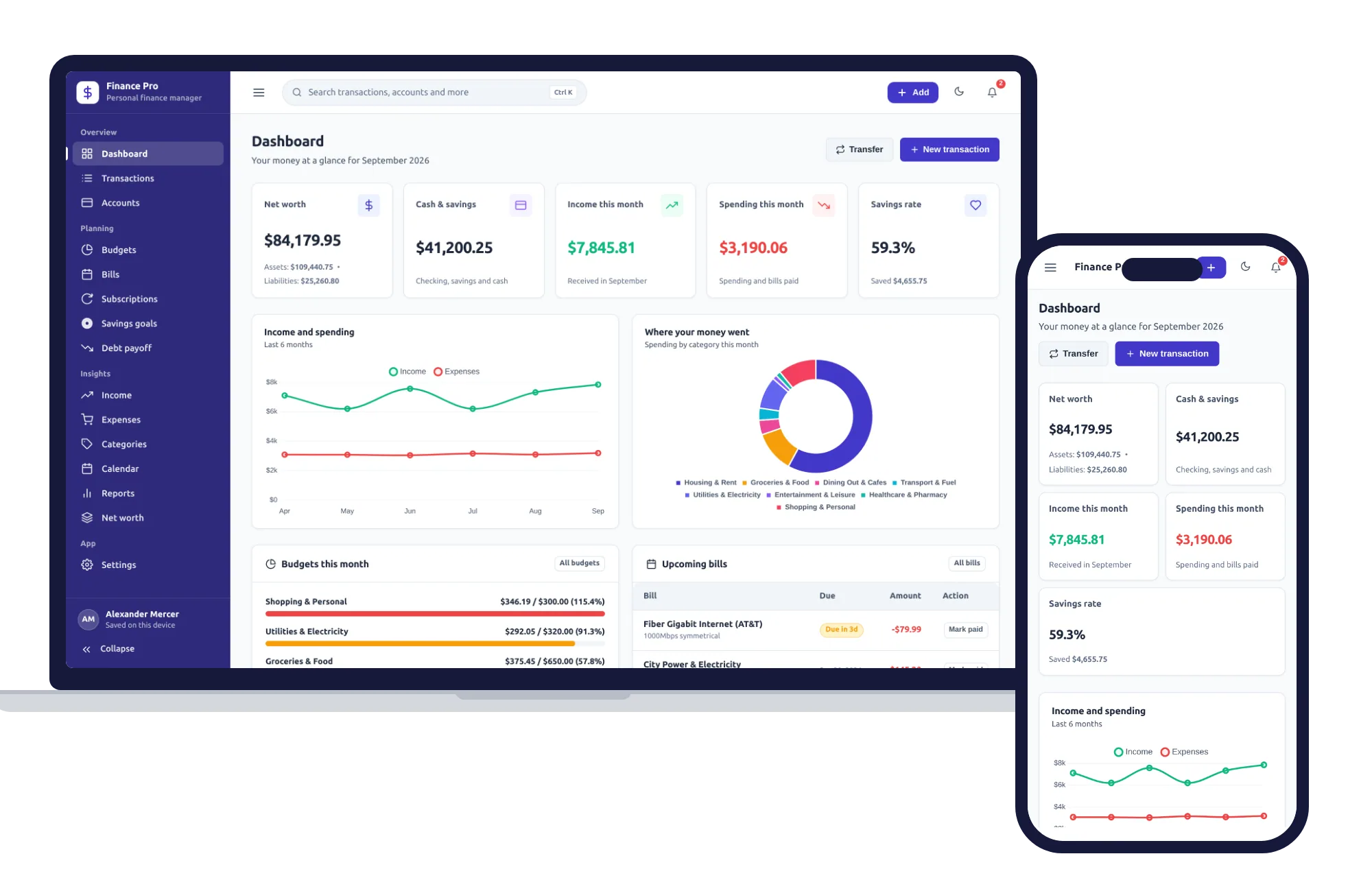
Budgets, bills, savings goals and net worth — one private app that works offline.
$24.99one-time
Home & money
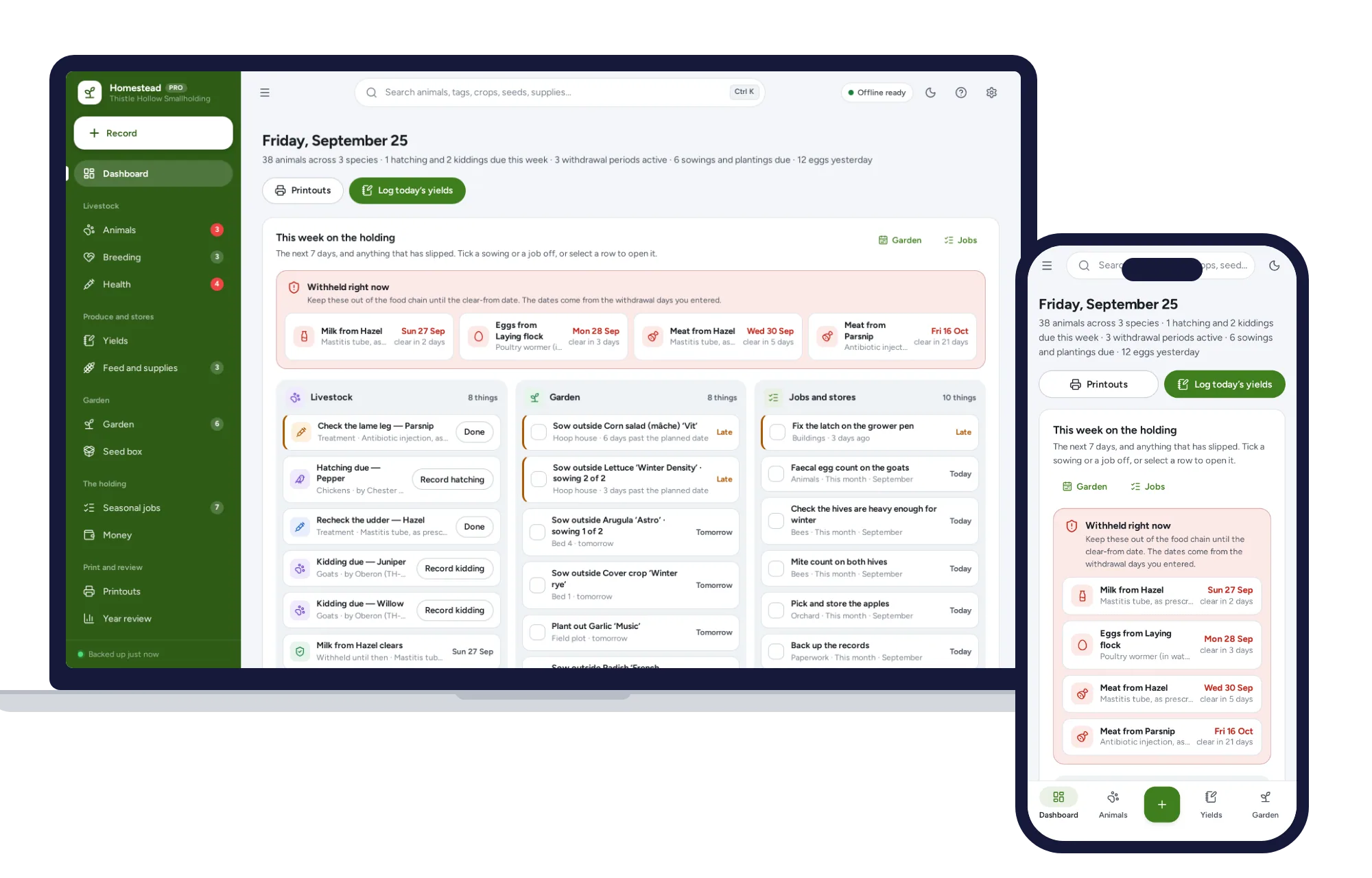
Works in the barn with no signal: livestock records, withdrawal dates, egg and milk logs, and a garden plan from your own frost dates.
$24.99one-time